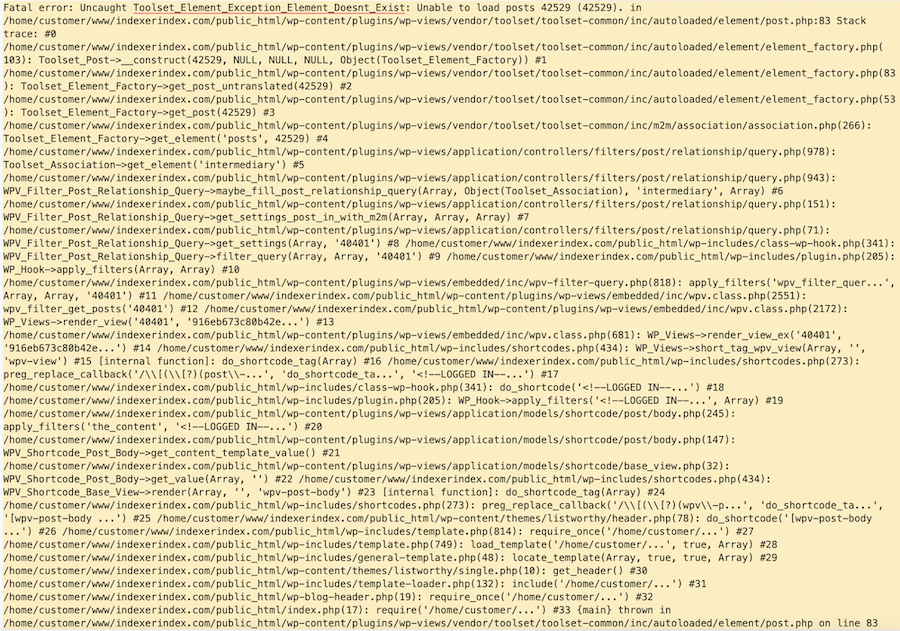
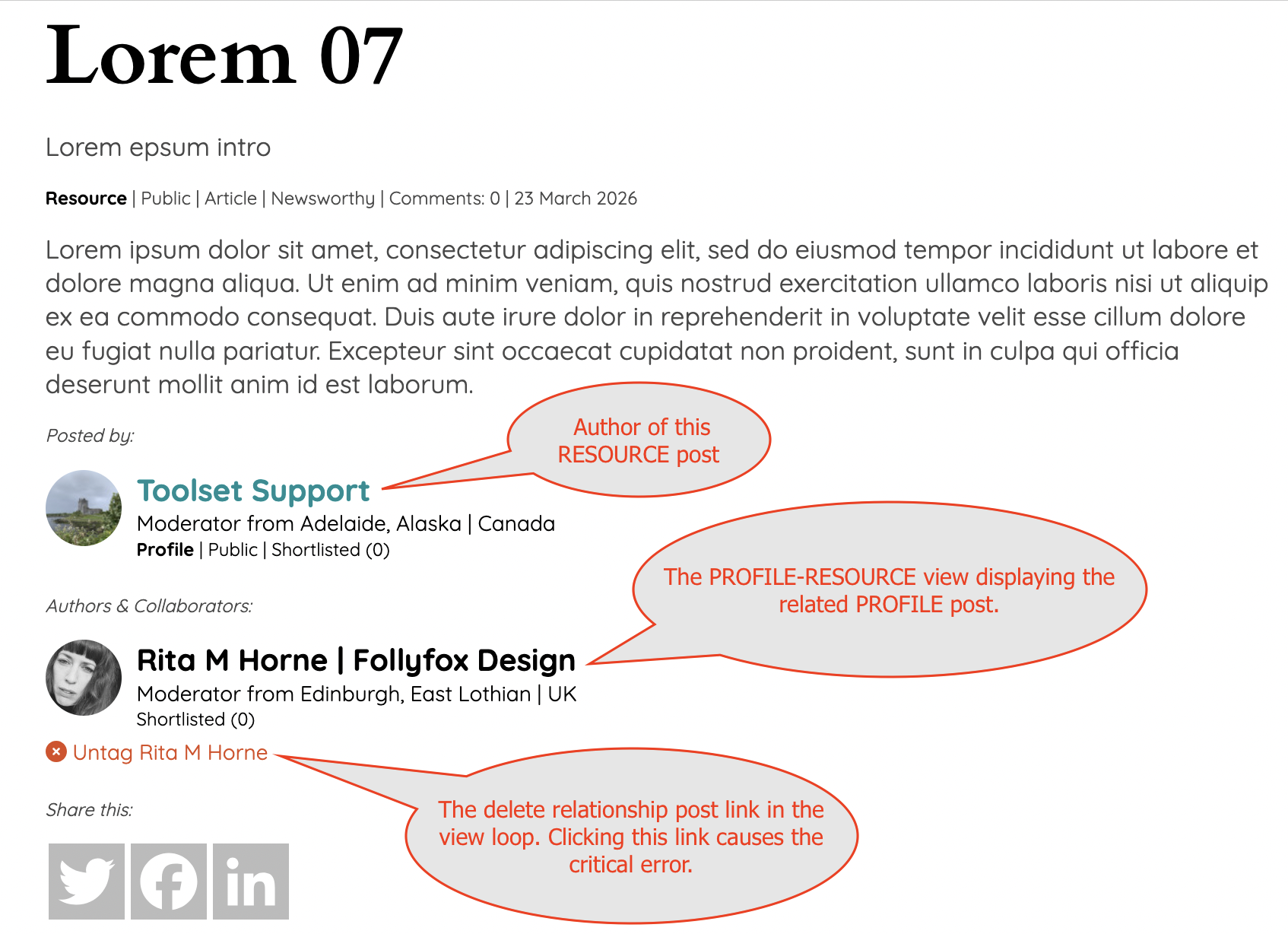
When a user, any user including admin, clicks the link to delete the relationship the current parent post crashes with a critical error - see screenshot attached.
The other parent post in the relationship displays as normal.
The relationship post is deleted.
Hoping you know what this is and can help me resolve it. I have never seen it happen in 13yrs using Toolset...
Thanks for coming back so quickly. This feels urgent.
I have created 10 dummy 'resource' posts for you. I have tagged a profile (my profile) to each one so you don't have to do that unless you want to. In my tests the author and/or user role didn't matter so here we have 10 x Resource posts created by Toolset Support (administrator) with an intermediary post linking the Profile post created by Rita Horne (administrator) to each one. You will see the related profile displayed at the bottom of the body text and author with the delete link "Untag Rita M Horne": hidden link hidden link hidden link hidden link hidden link hidden link hidden link hidden link hidden link hidden link
The Resource posts are listed in the front-end 'Library' directory or in the Dashboard under Resources: hidden link hidden link
I have also set the 'Profile-Resource' intermediary post to be listed in the dashboard menu so you can easily access it: hidden link
The content template for the 'resource' post where the view to display the relationship is placed. Search for 'profile-parents-for-resource-collaborated' to find it: hidden link
The above mentioned view called 'profile-parents-for-resource-collaborated' where the delete shortcode is placed: hidden link
I can see the error when i try to delete the post but this is strange. No other user reported same issue recently or before.
- Have you changed anything with the post relationship?
- your goal is to disconnect the intermediary post - correct?
It seems the site you shared is production site and I can not troubleshoot on that. I need a test site that should be 1:1 copy of your current site and then I will try to investigate this further.
Hi Minesh
Yes its very odd. In 13yrs building with Toolset I have never seen it either.
It feels like the site thinks there is something in the database that doesn't exist.
I haven't changed anything around post relationships and have this same setup on other sites.
Will create a duplicate site you can test with.
Coming back to you.
Rita
I see two delete links on the following page: hidden link
- Just to double check with you I should check against "Delete this resource" or "Delete this intermediary post (Untag)"?
'Delete this resource' deletes the resource post and its intermediary post if you just want to get rid of it.
'Delete this intermediary post (Untag)' deletes the intermediary post related to that resource post. When you do this and then view that resource post you will see the critical error. The Lorem 02 resource post is currently presenting an example of that error.
I gave you this view just so you could see all the info in one place.
You can also navigate to any one of the resource posts to delete the intermediary post and see the error. The scenario, and therein the issue, is the same on either the view of resources or a resource post itself.
Feel free to create new resource posts, 'tag' them and then delete the tag to see the error.
I do not know the site history but when I check the following resource post:
- hidden link
And if you check the section "Profiles Resources" and I do not see any connected posts within this section. Have you imported the post-relationshp or have you made any changes to your post-relationshp?
Hi Minesh
I have removed the original resource posts and profile posts because they are private to their members on the production site. I then created new resource posts and linked them to my profile in the Resource Profile relationship. The resource post "Lorem 1" has been deleted by me. The "Lorem 2" resource post had a linked relationship which I had deleted (untagged) so you could quickly see an example of the critical error. If you are logged in as an administrator and try to view that Lorem 2 resource post in the front end you will see that critical error. The other resource posts (Lorem 3 and above) are all there, with linked relationships, for you to test and play with, as you had requested these for testing. To test, simply navigate to any of these test resource posts, either on the post itself or in the view on the '/about' page, and click the 'Delete relationship' (untag) link. I have also given you links to all the views, templates etc and instructions on how to create new resource posts if you run out of test resource posts.
Hope this explains.
Rita
Hi Minesh
I did as you said. That doesn't make any difference in my tests. Nor does changing the 'delete' action to 'trash'. Then the intermediary doesn't cause the error but it isn't going to work in this scenario either. The intermediary post needs to be 'deleted' not just 'trashed'. If trashed, the intermediary post is moved to the bin so the resource post declares there is no related intermediary post on the front end but the user cannot create another intermediary post with the same profile and resource post because it already exists.
Any other ideas? 🙂