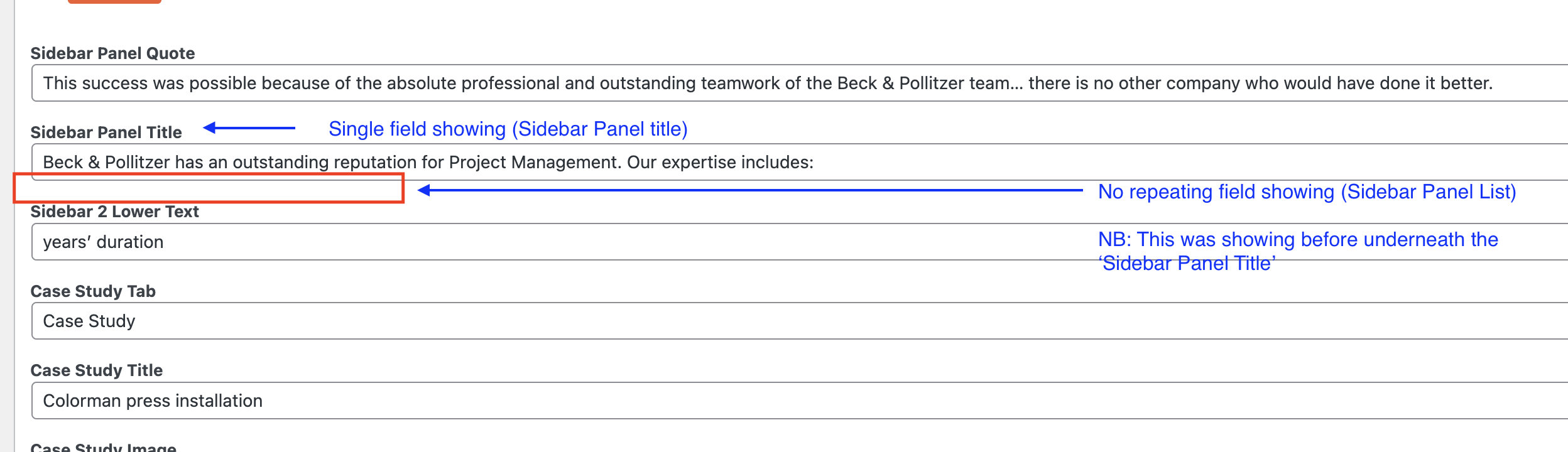
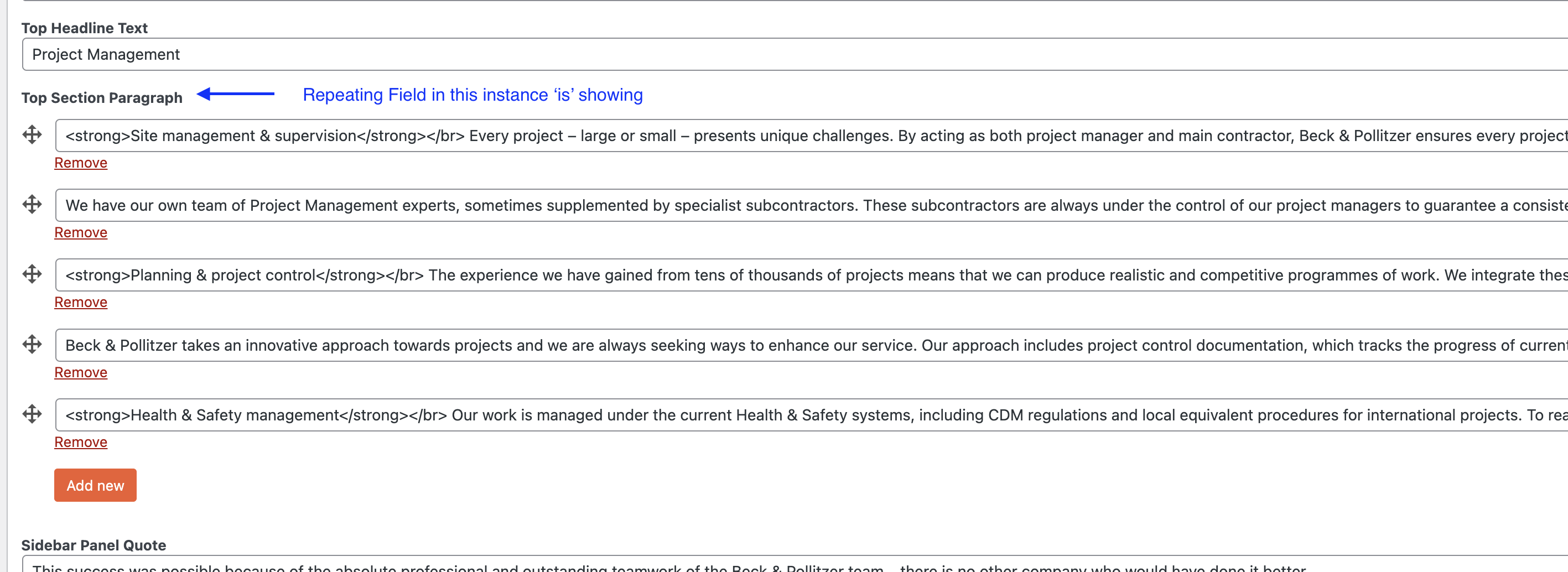
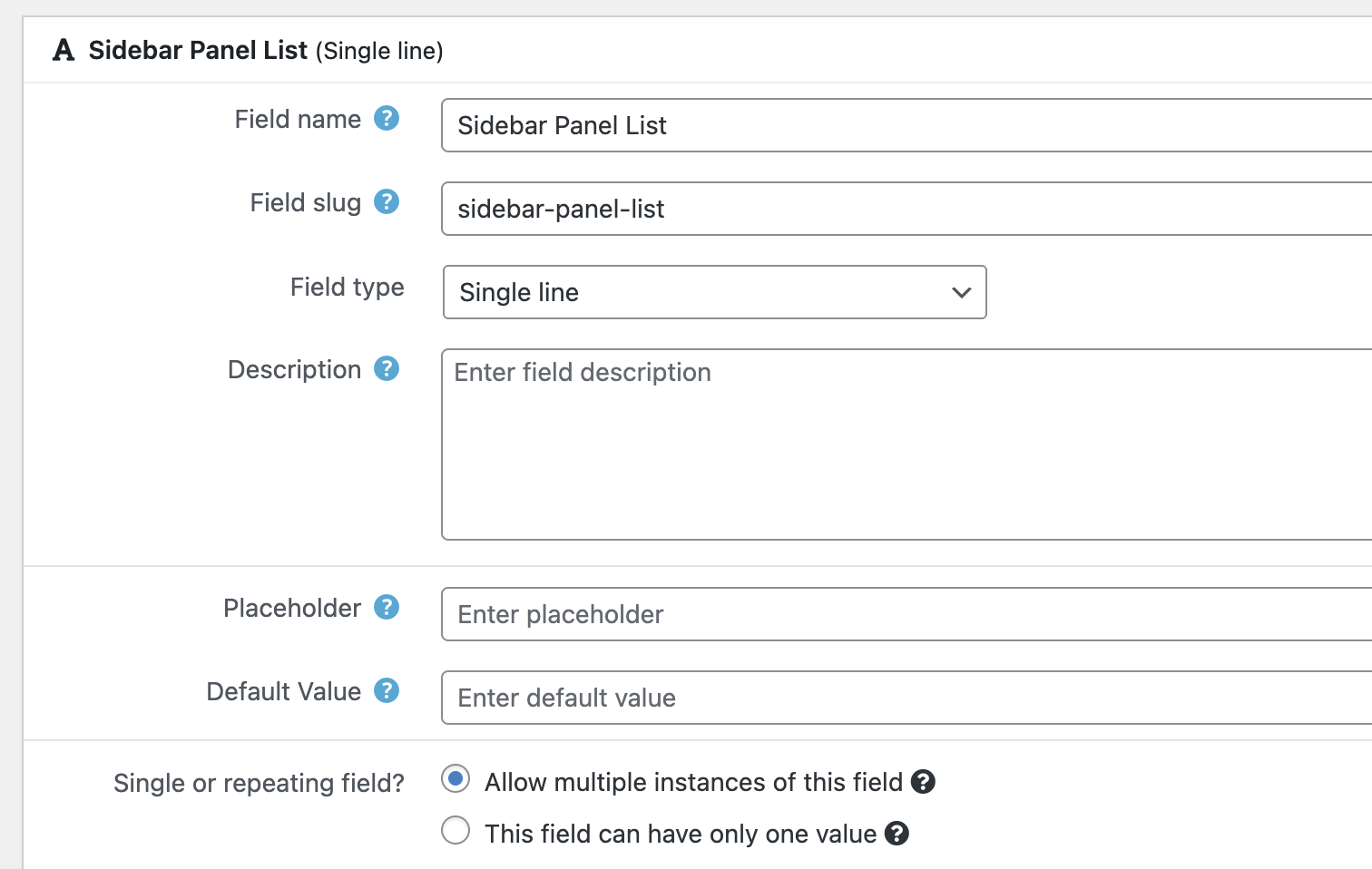
I am trying to: Update custom fields that use 'Allow multiple instances of this field' that were appearing on the website but have now disappeared. The content is pulling through on the front of the site still (from being inputted previously) but the custom fields are no longer showing within 'Pages' in the backend of the site to update.
Link to a page where the issue can be seen: hidden link
I expected to see: The custom fields within the 'page' but they are not showing up. Again, this is for custom fields that are marked with 'Allow multiple instances of this field'. Custom fields that are marked as 'this field can have only one value' do still show in the page.
Hello. Thank you for contacting the Toolset support.
I would like to know - did you added conditional logic conditions after you added repeating field and it used to display and after the conditoinal logic conditions are added - it stopped working?
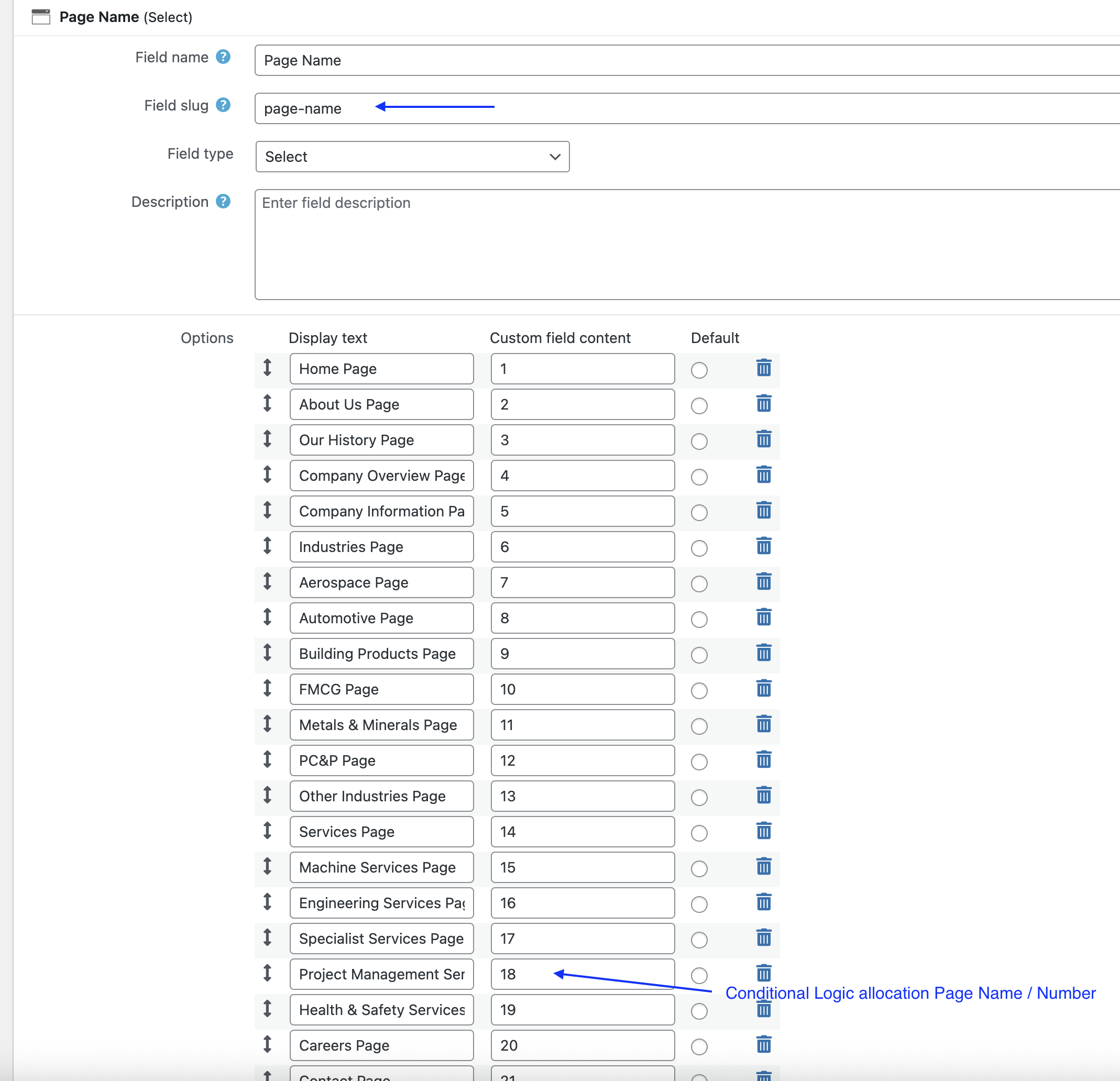
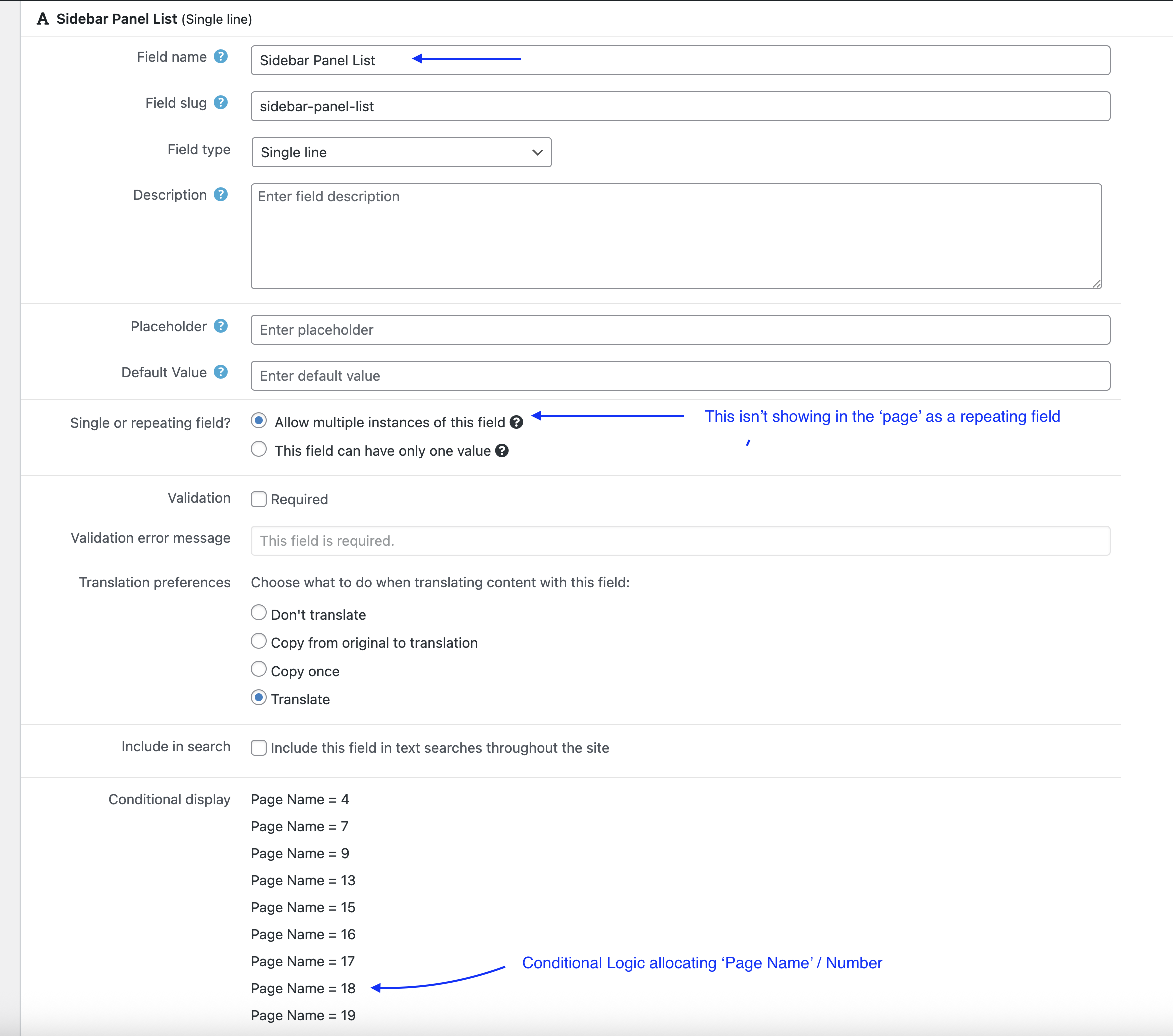
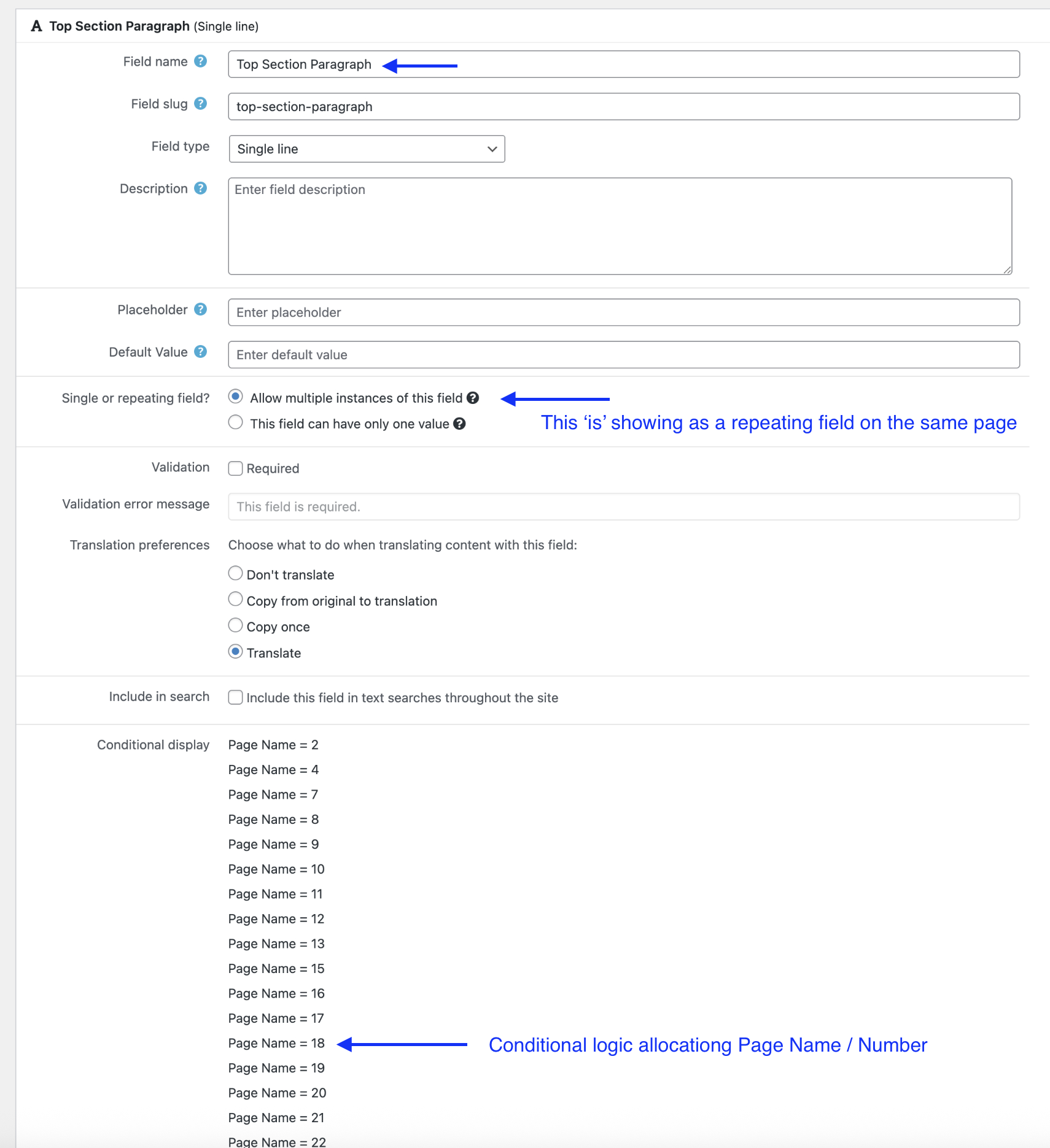
No, the conditional logic (selecting the page name: # to be assigned to the relevant custom field) has been the setup of the website for a number of years. It just seems that the 'Sidebar Panel List' which is a 'Allow multiple instances of this field' is not appearing to update the content on the pages (although the content is pulling through on the front end).
I've done a little spot check on another 'Allow multiple instances of this field' for 'Top Section Paragraph' on the same page in questions which is showing (where the other one - 'Sidebar Panel List' - is not).
Let me know if you have any other questions. Thanks
In order to minimize the cause of the issue and to ensure there is no conflict with the plugins or theme you use:
Could you please try to resolve your issue by deactivating all third-party plugins as well as the default theme to check for any possible conflicts with any of the plugins or themes?
- Do you see any difference?
if no:
Can you please share problem URL of edit post link where I can see the issue and I will use the admin access details you shared with your first reply.
I have set the next reply to private which means only you and I have access to it.
Hi - I have noticed something odd - when I refresh the page (in the backend) the 'Sidebar Panel List' quickly appears then disappears as per the video example below:
hidden link
I created a staging site and deactivated all the plugins including WPML (but not Toolset plugins) along with the theme and the same problem is happening - the 'Sidebar Panel List' ('Allow multiple instances of this field') quickly appears on page then disappears immediately - as per video:
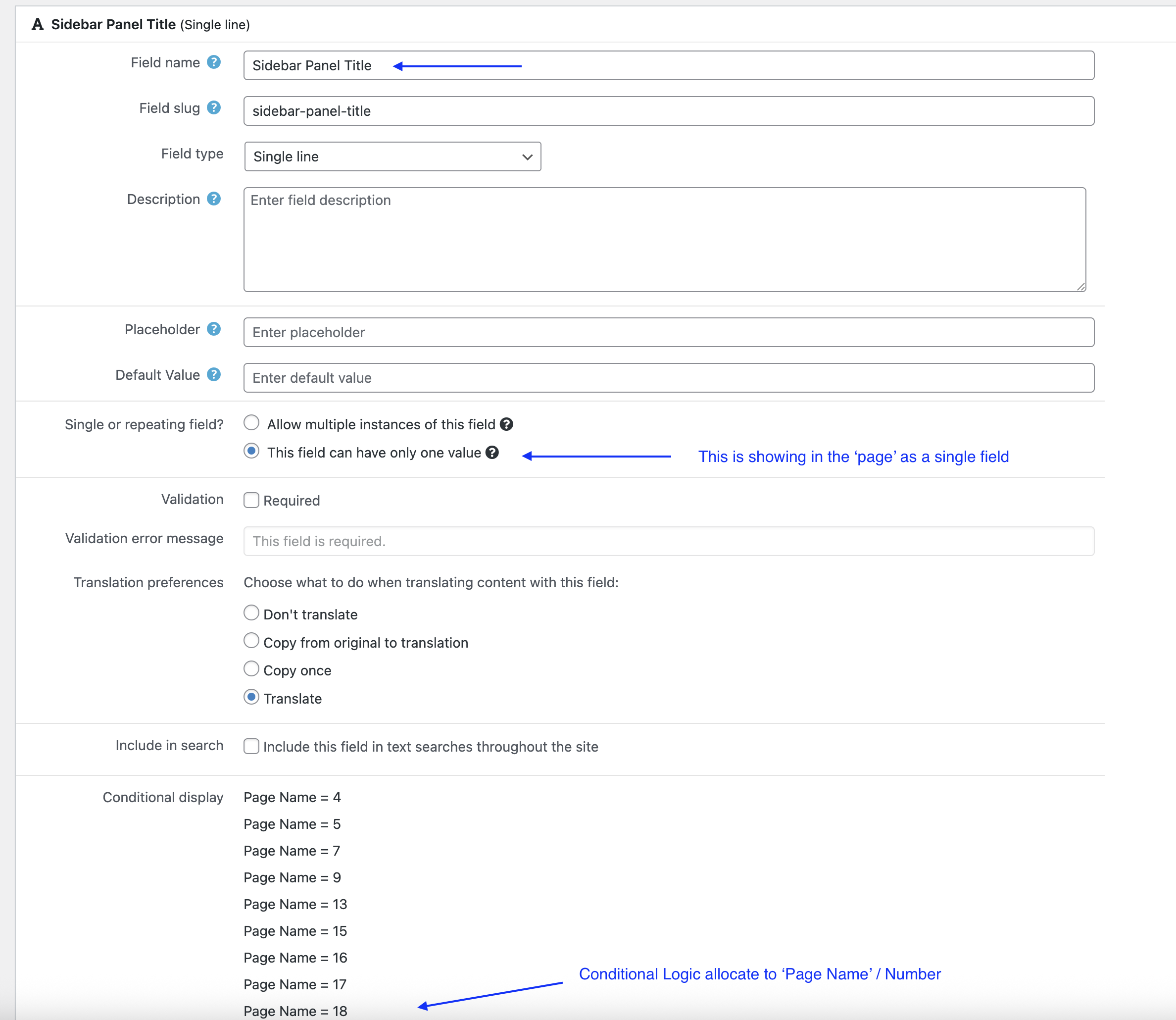
This is not the problem. We don't want multiple instances of 'Sidebar Panel Title'. The problem is that the 'Allow multiple instances of this field' on the custom field 'Sidebar Panel List' is not showing.
When you refresh the page (as listed in the hidden post above) the 'Sidebar Panel List' custom field appears for a fraction of a second then disappears (as per the video demonstrations).
This custom field 'Sidebar Panel List' has data attached to it as it's still pulling through to the front end - however, we are unable to access it (because it disappears after a split second) to update. This is the problem - the custom field 'Sidebar Panel List' is not showing.
Ok I checked even by removing the "'Sidebar Panel List'" field condition and strange thing is that it does not display in backend even after removing the field condition.
- hidden link
It seems there is different issue - what if you try to increase memory or can you please try to update your "max_input_vars" value on your server to 5000 and check if that help you to resolve your issue:
=> http://stackoverflow.com/questions/10303714/php-max-input-vars
As are as I remember - you can setup a condition to display custom field conditionally for fields like single field, radio, select etc and it should be not repeating field. Does it used to work before?
Here is a sandbox site and you can auto-login to it using the following link:
- hidden link
Are you able to reproduce the issue with the above site?
I have reached out to our server team and they have updated the max_input_vars value to 5000 but the problem is still happening.
They also said:
"The memory limit is predefined for each hosting plan and can not alter. The main reason is we carefully configured the servers for the best performance and as a managed hosting we don't allow members to change those configurations. Which mean, even if we try to increase manually using the wp-config file, it will auto revert to that assigned limit."
We also tried switching off the Firewall to see if this worked but still experiencing the same problem.
I have checked this custom field 'Sidebar Panel List' which is appearing on one of the pages 'Power Cable Manufacturing' only which is a newer page that also has the following custom fields created for it (these fields are only applied to the Power Cable Manufacturing page) and showing on it too:
Sidebar Panel List 2
Sidebar Panel List 3
Sidebar Panel List 4
Sidebar Panel List 5
So just to clarify, 'Sidebar Panel List' is not showing on 19 out of the 20 pages where this is conditional displayed, and only appearing on 1 page (Power Cable Manufacturing page) - where the difference is that the other Sidebar Panel Lists (Listed above: Sidebar Panel List 2, 3, 4 & 5) are conditional displaying on that page alone as well.