Skip Navigation

[Resolved] Advanced Search Function

This thread is resolved. Here is a description of the problem and solution.

Problem:

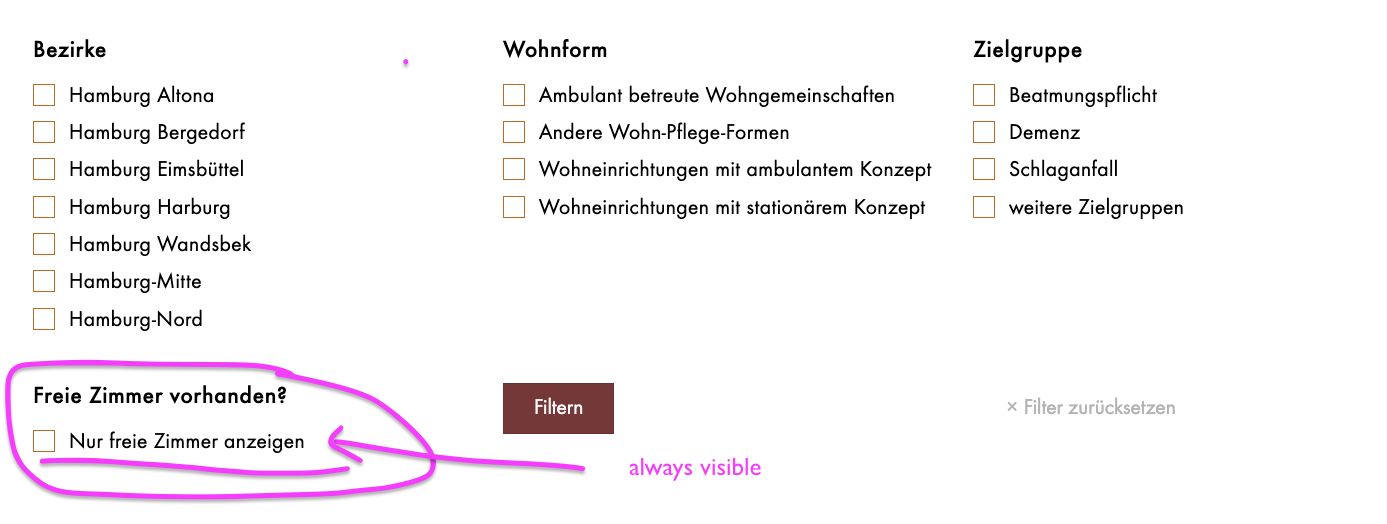
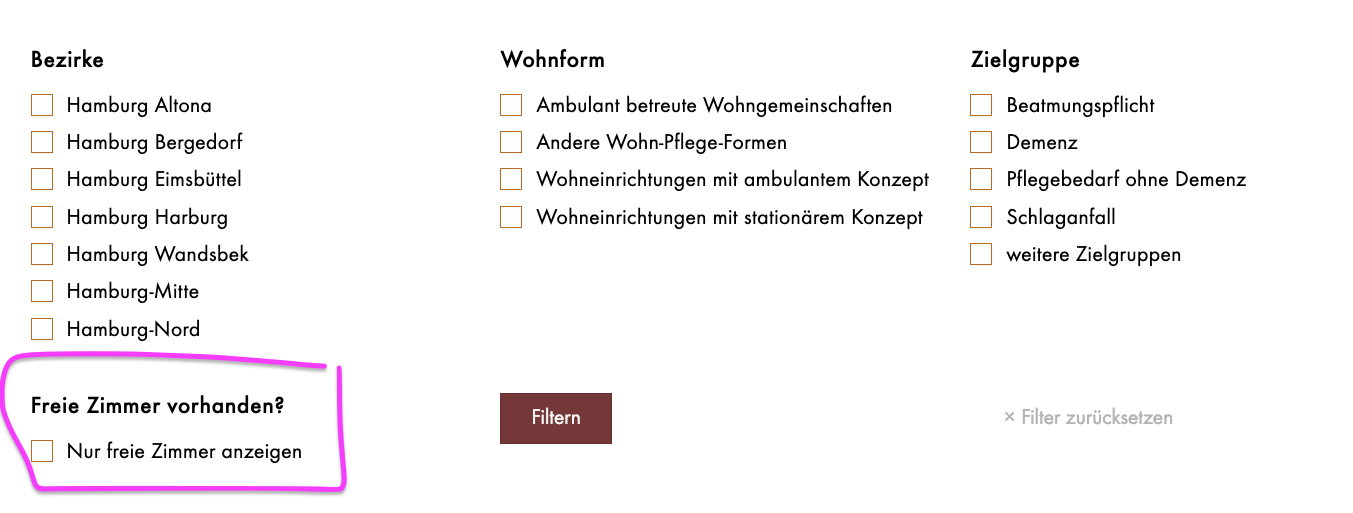
In a Toolset Block View with multiple search filters, the client wanted one specific filter (“Nur freie Zimmer anzeigen” / Available Room) to remain visible at all times, even when other filters were selected in ways that would normally hide it. Additionally, the client asked how to translate the “No items found” message.

Solution:

Toolset’s option “Show only filter options that would produce results” applies to the entire View and cannot be controlled per individual filter. Therefore, it is not possible to keep only one specific filter visible while others dynamically hide.
For translating “No items found,” the text can be edited directly in the View’s [wpv-no-items-found] output. When using WPML, the text can be wrapped in a [wpml-string] shortcode so it becomes available in String Translation

Relevant Documentation:

https://toolset.com/course-lesson/creating-a-custom-search/

This is the technical support forum for Toolset - a suite of plugins for developing WordPress sites without writing PHP.

Everyone can read this forum, but only Toolset clients can post in it. Toolset support works 6 days per week, 19 hours per day.

This topic contains 6 replies, has 1 voice.

Last updated by katjaN 1 week, 5 days ago.

Assisted by: Christopher Amirian.

Author
Posts
#2838640
Bildschirmfoto 2025-12-05 um 15.13.22.png

Would it be possible for the “Available Room” field to remain visible even when one of the three fields above is selected in a way that normally wouldn’t allow for an available room?

hidden link

#2838652

Minesh
Supporter

Languages: English (English )

Timezone: Asia/Kolkata (GMT+05:30)

Hello. Thank you for contacting the Toolset support.

I tried to access the URL you shared but I could not able to access it as it requires password to aceess.

As I understand, you want to keep the custom checkbox filter you want eventhough user select any of those three filter you have at top. Is this correct? if yes.

Are you using block view or classic view?

#2838656

I am using block view and the PW is KORelaunch#2025.
Yes, I want to keep the "Zimmer frei" Filter still visible, even when somebody check one of the filter above.

#2839072

Minesh
Supporter

Languages: English (English )

Timezone: Asia/Kolkata (GMT+05:30)

Please check the following section video:
- https://toolset.com/course-lesson/creating-a-custom-search/#make-the-search-results-update-when-search-inputs-change

And you will see a Custom Search setting for your block view and you need to disable the option “Show only filter options that would produce results” and save your view/page and check after that you able to see the effect on frontend where you added your block view.

#2839080
Bildschirmfoto 2025-12-08 um 13.16.17.png

Yes, I see that, but I ONLY want the one filter (Nur freie Zimmer anzeigen) to remain. That's not possible, is it?

#2839085

P.S. And where can I translate “No items found”? Do I need to have Loco Translate for that?

#2839363

Christopher Amirian
Supporter

Languages: English (English )

Hi,

This is Christopher filling in for Minesh. He is on vacation.

In Toolset, the option “Show only filter options that would produce results” is per View, not per single filter. So you can’t tell Toolset “apply this to all filters except the ‘Nur freie Zimmer anzeigen’ one” – it’s all or nothing for that View.

For the translation, please do as follows:

Edit the View → in the Loop / Output section, find the [wpv-no-items-found] area and change the text there.

With WPML, wrap it like this so you can translate it in String Translation (no Loco Translate needed):

[wpv-no-items-found]
  [wpml-string context="wpv-views"]No items found[/wpml-string]
[/wpv-no-items-found]
``` :contentReference[oaicite:2]{index=2}

I assumed you use WPML for translation.

Thanks.

#2840431

Super, thanks a lot, my issue is resolved!