Skip Navigation

[Closed] adding custom filed information to my sidebar widget or a page

This is the technical support forum for Toolset - a suite of plugins for developing WordPress sites without writing PHP.

Everyone can read this forum, but only Toolset clients can post in it. Toolset support works 6 days per week, 19 hours per day.

Sun Mon Tue Wed Thu Fri Sat
- 7:00 – 14:00 7:00 – 14:00 7:00 – 14:00 7:00 – 14:00 7:00 – 14:00 -
- 15:00 – 16:00 15:00 – 16:00 15:00 – 16:00 15:00 – 16:00 15:00 – 16:00 -

Supporter timezone: Europe/London (GMT+00:00)

This topic contains 5 replies, has 2 voices.

Last updated by Nigel 1 year, 4 months ago.

Assisted by: Nigel.

Author
Posts
#2744340
Screenshot 2024-09-11 at 12.44.02.png
Screenshot 2024-09-11 at 11.55.59.png

i have created a working search system using your plugin

Under each image there is a read
more link whcih links to the page showing the image - on this page i want to include the custom field informaiton i have setup hidden link

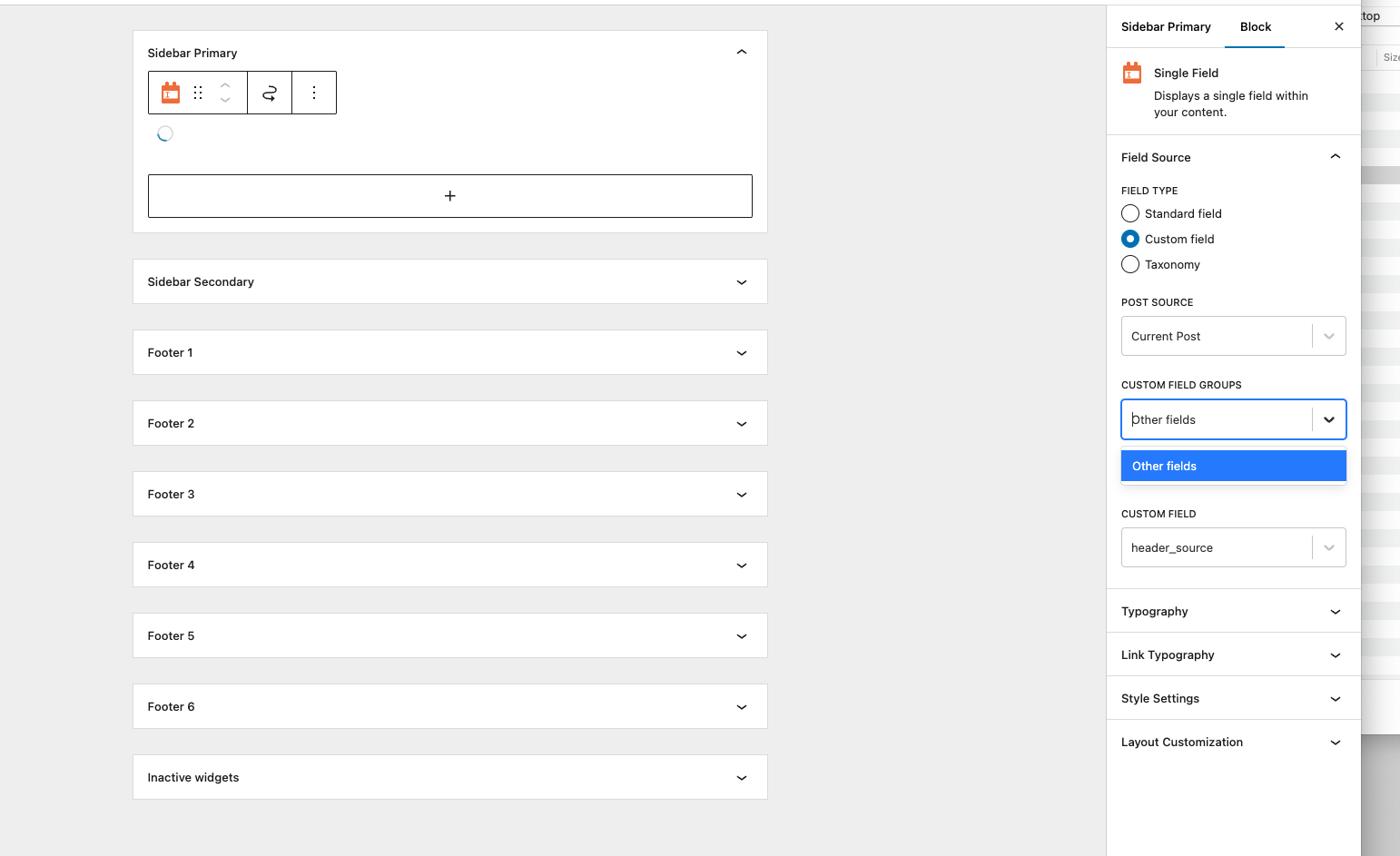
i tried to add to the sidebar widget and then pull this dynamic custom field data into a template i create for this page but i cannot see my customer fields in the drop downs.

how can i achieve this please?

#2744487

Nigel
Supporter

Languages: English (English ) Spanish (Español )

Timezone: Europe/London (GMT+00:00)

Hi there

Unfortunately, setting Dynamic Sources in block-based widgets isn't currently supported. It is on our roadmap along with providing template and custom archive support for block-based themes, but I can't say when it will be implemented.

There is a workaround, though.

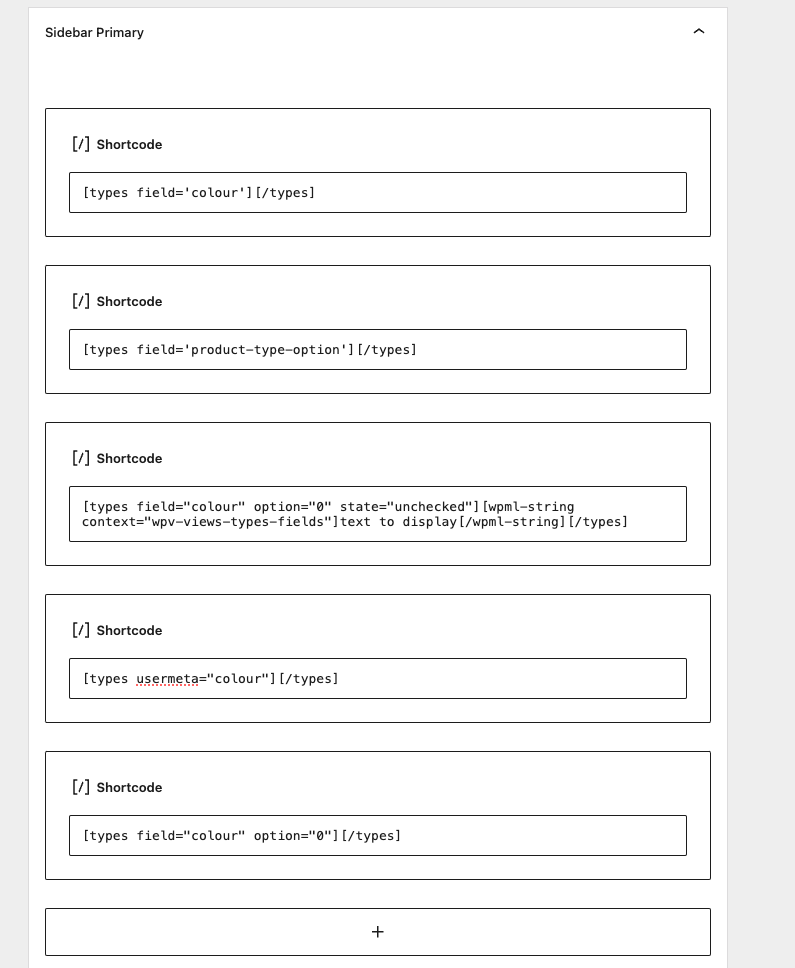
The legacy editor is based around shortcodes, and these can still be used when working with the block-based editor, inserting them in blocks that parse shortcodes (like the core Shortcode block itself).

This page describes the attributes available when outputting different kinds of fields; expand the examples to see how to output fields via shortcode: https://toolset.com/documentation/customizing-sites-using-php/functions/

As a simple example this would output a simple text field that needs no special options:

[types field='my-text-field'][/types]

If you go to Toolset > Settings, the first settings relate to adding an item Toolset Shortcodes to the admin toolbar which will generate the shortcodes that you can then copy and paste where needed.

#2744501
Screenshot 2024-09-11 at 16.14.45.png

hi nigel, thanks for your reply

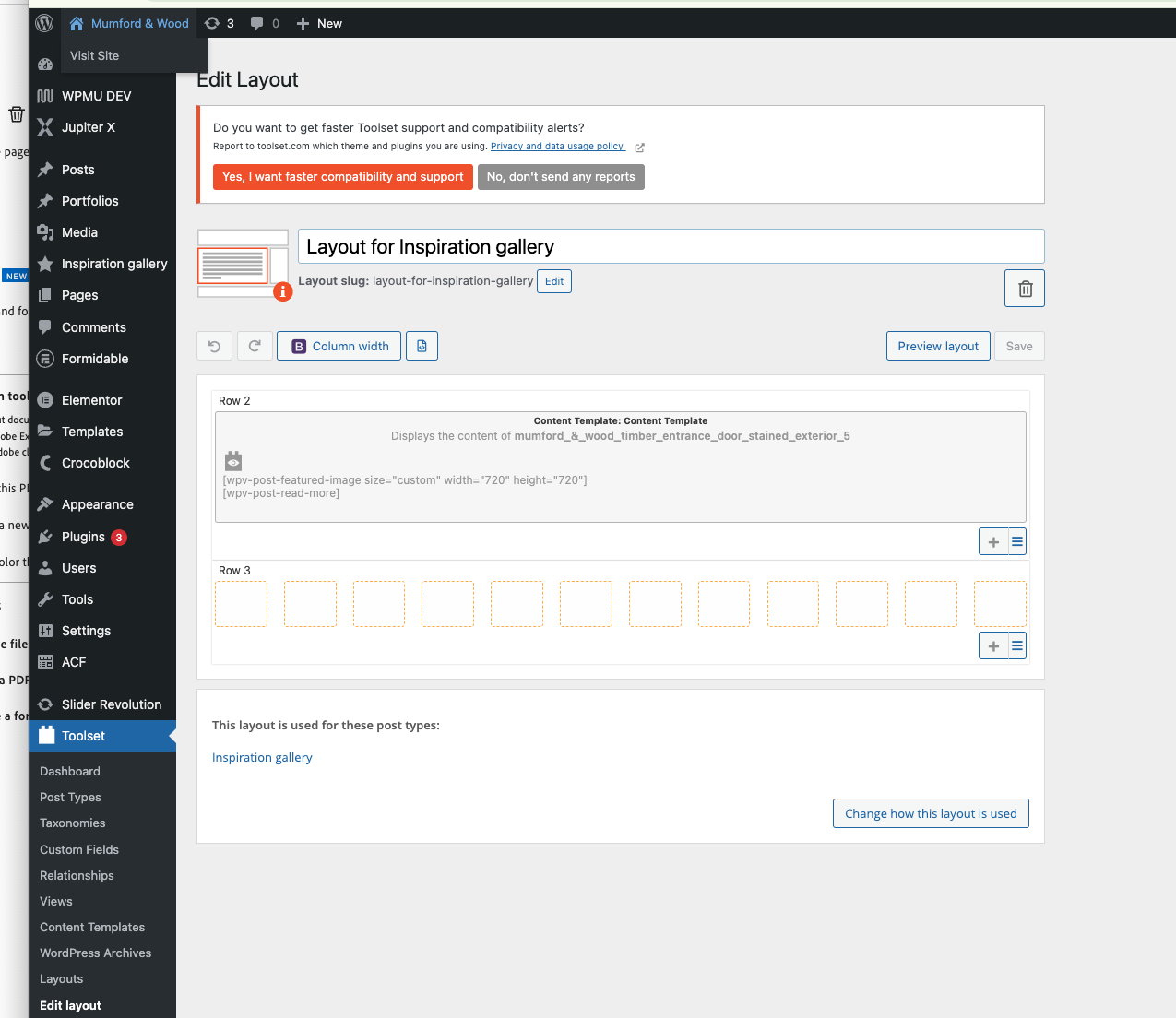
is it possible to achieve this with the layout section of your plugin as per the attached.

I have manage to create the same layout using this system - this page - hidden link

but still struggling to pull in the custom field info

#2744838

Nigel
Supporter

Languages: English (English ) Spanish (Español )

Timezone: Europe/London (GMT+00:00)

Layouts is a legacy plugin. It is only intended for use on existing sites that were built with Layouts, and I would strongly discourage you from using it.

Did you try to use shortcodes in your widgets?

#2745034
Screenshot 2024-09-12 at 15.12.09.png
Screenshot 2024-09-12 at 15.09.05.png

HI Nigel

thanks for your email

I have reverted back and looked at the shortcode option.

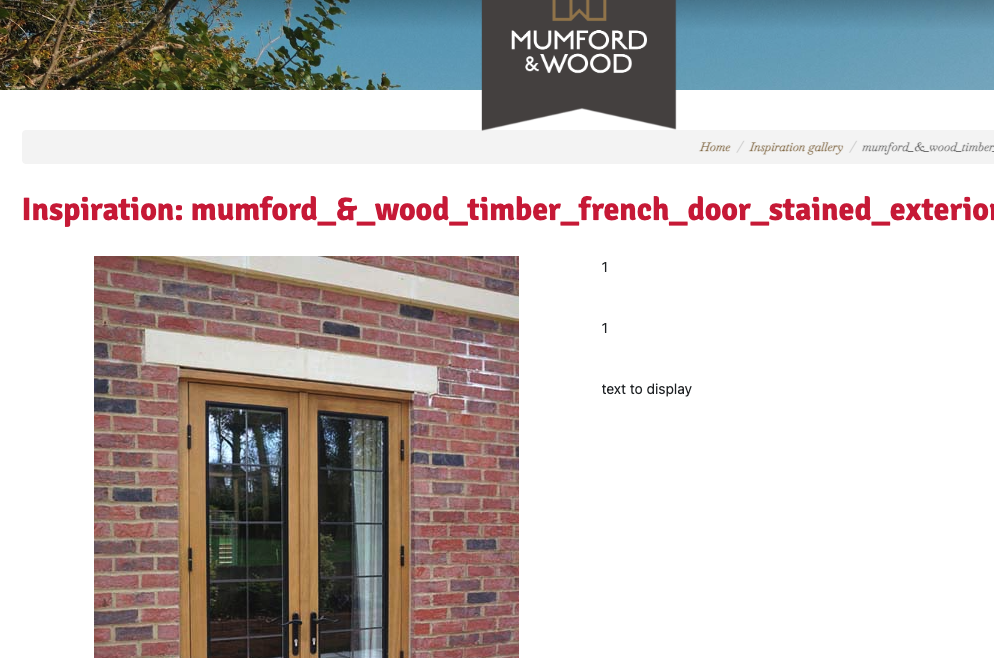
struggling to get it to pull through the info selected

attached are some image to guide you to what I have done and also links to the pages in question

are you able to provide any light to this please

hidden link

hidden link

#2745554

Nigel
Supporter

Languages: English (English ) Spanish (Español )

Timezone: Europe/London (GMT+00:00)

Screenshot 2024-09-13 at 10.25.11.png

Hello again

I've been testing this on my own site.

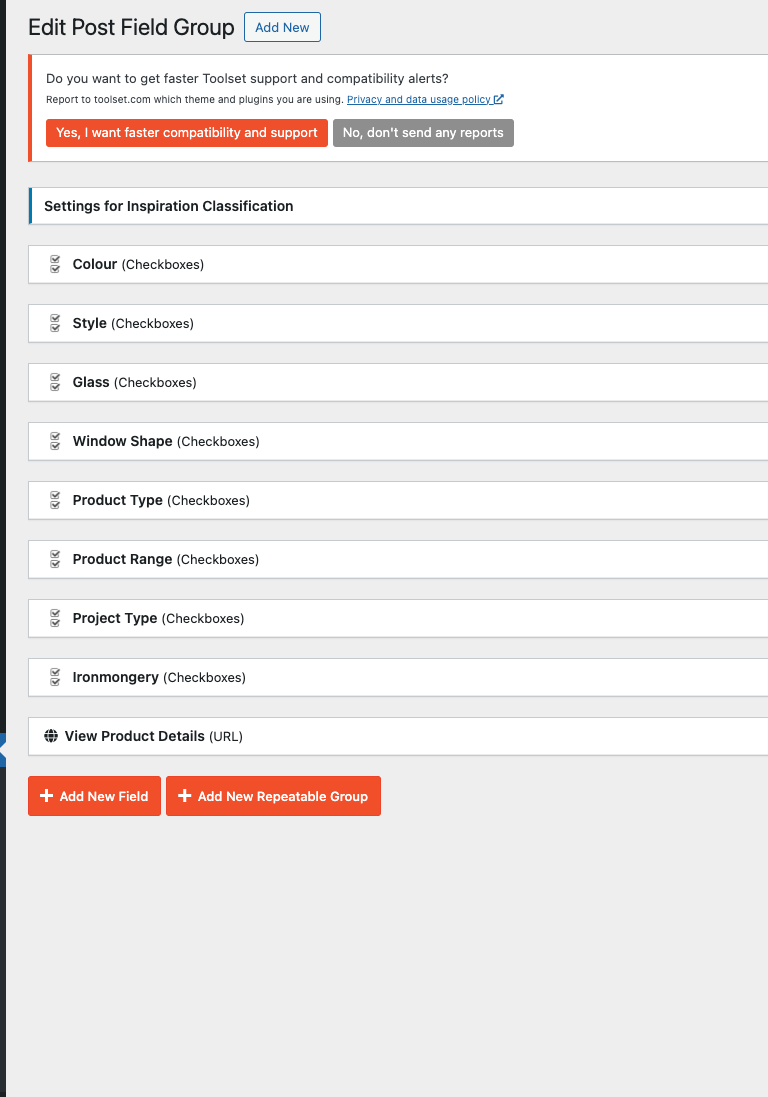
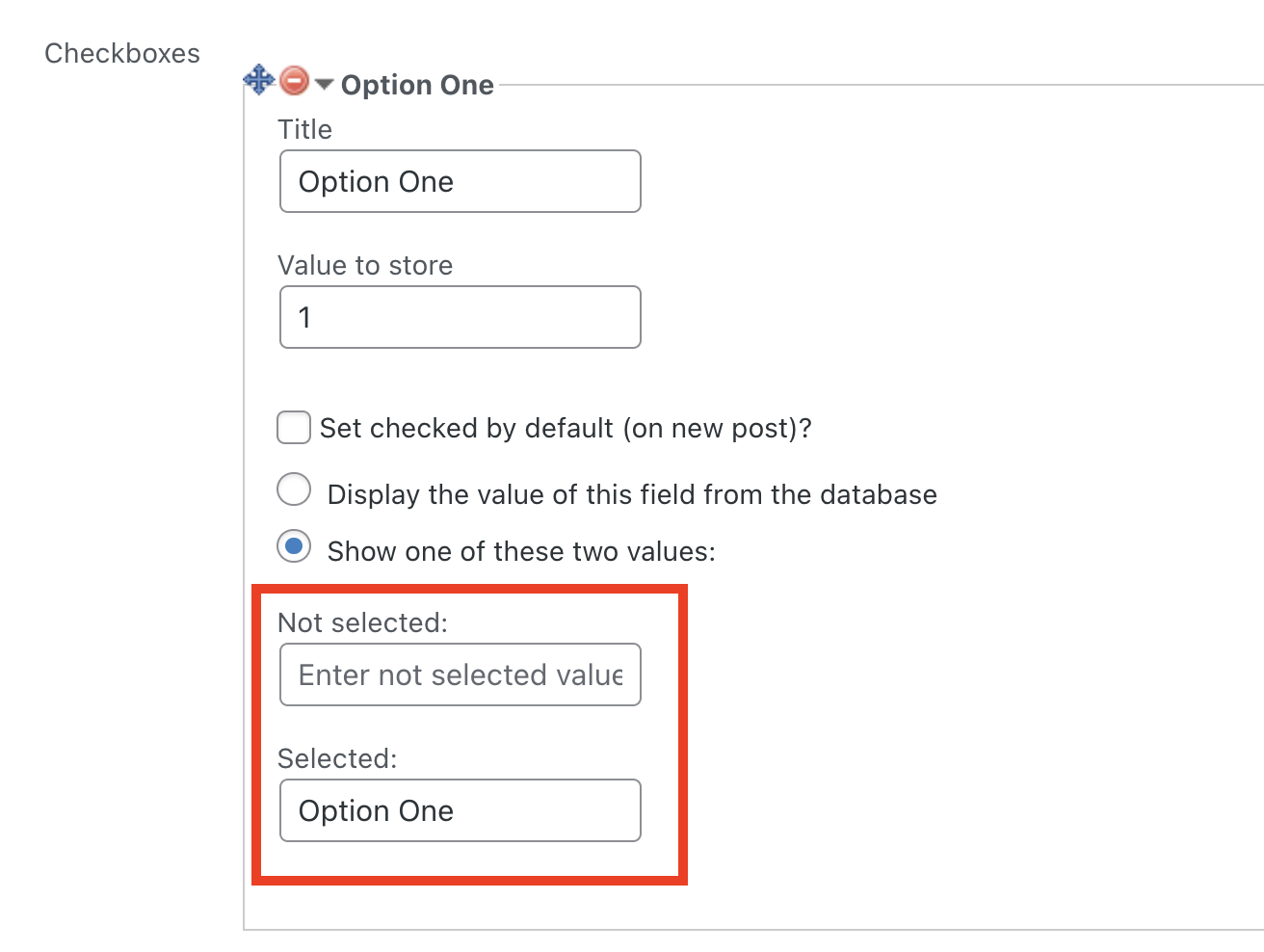
You are using mostly Checkboxes fields.

When outputting Checkboxes fields they ordinarily output the values saved in the database.

When you create a Checkboxes field and add options, by default they all save 1 to the database (to indicate checked).

That is why in your screenshot you are seeing "1"s output.

It should be possible when setting up the options to specify what you would like output: see my example in the screenshot where I specify that "Option One" should be output when Option One is checked.

Unfortunately, I've discovered that is not working, and I'll need to raise this with the developers.

Which means the shortcodes to output the field value(s) are a little more contrived, as you need shortcodes for each option for each field.

This is what that means for my checking field on my test site:

[types field='checking' state="checked" option="0"]Option one[/types] [types field='checking' state="checked" option="1"]Option two[/types] [types field='checking' state="checked" option="2"]Option three[/types]

A simpler solution is to edit your settings for each custom field, and rather than having '1' as the value to store, store the string that you would like output (so that would be "Option One" etc. in my example).

Any posts that already have values saved for these fields, you would need to edit and re-save the posts so that the new values to store are saved.

Then you can use the simple version of the shortcode where you want to output the options, e.g.

[types field='checking' separator=', '][/types]

If you try that and still get stuck let me know and I'll take a look at your site.

The topic ‘[Closed] adding custom filed information to my sidebar widget or a page’ is closed to new replies.