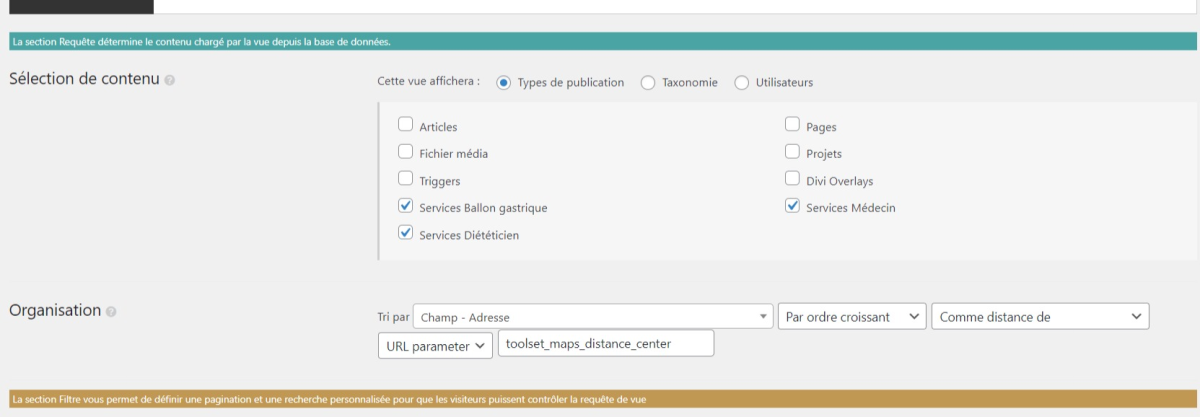
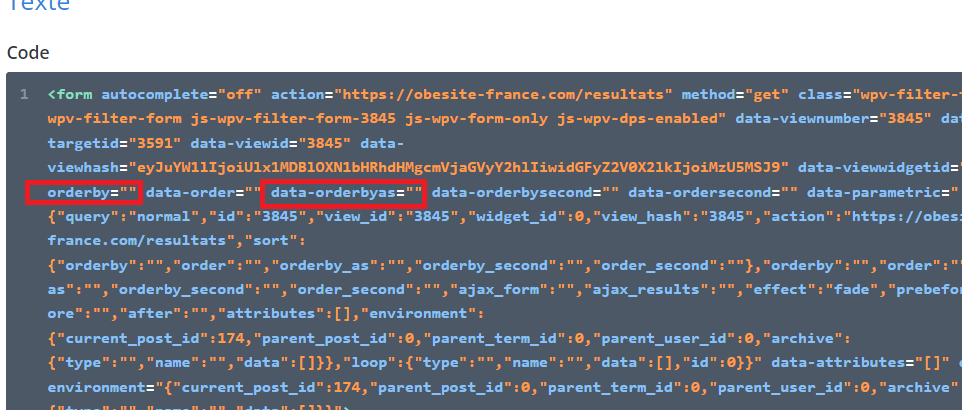
I created a CPT that uses google map adresses, i would like that when i do a research in a page view (linked to a page), it displays the closest CPT items first (an adress is asked to do the research). Also, I had to do some edit when i created the view so i'm using HTML code parts aswell (see the screenshot example). I would like to know how can sort it automatically by distance, cause it's possible on a normal view (see my other screenshot url parameter) but i need some help to do it in a pageview.
Do you mean a View made with the block editor on a page (rather than the legacy View editor)?
If that is the case then it is not possible to order the results by distance with Views created using the block editor. The option is missing from the settings, and we have an internal ticket to fix this, but at the moment the option is not available.
A workaround is possible with code.
You can use the wpv_view_settings hook to modify the View settings as the View is being generated, to include the same settings that would be applied when creating this with the legacy editor.
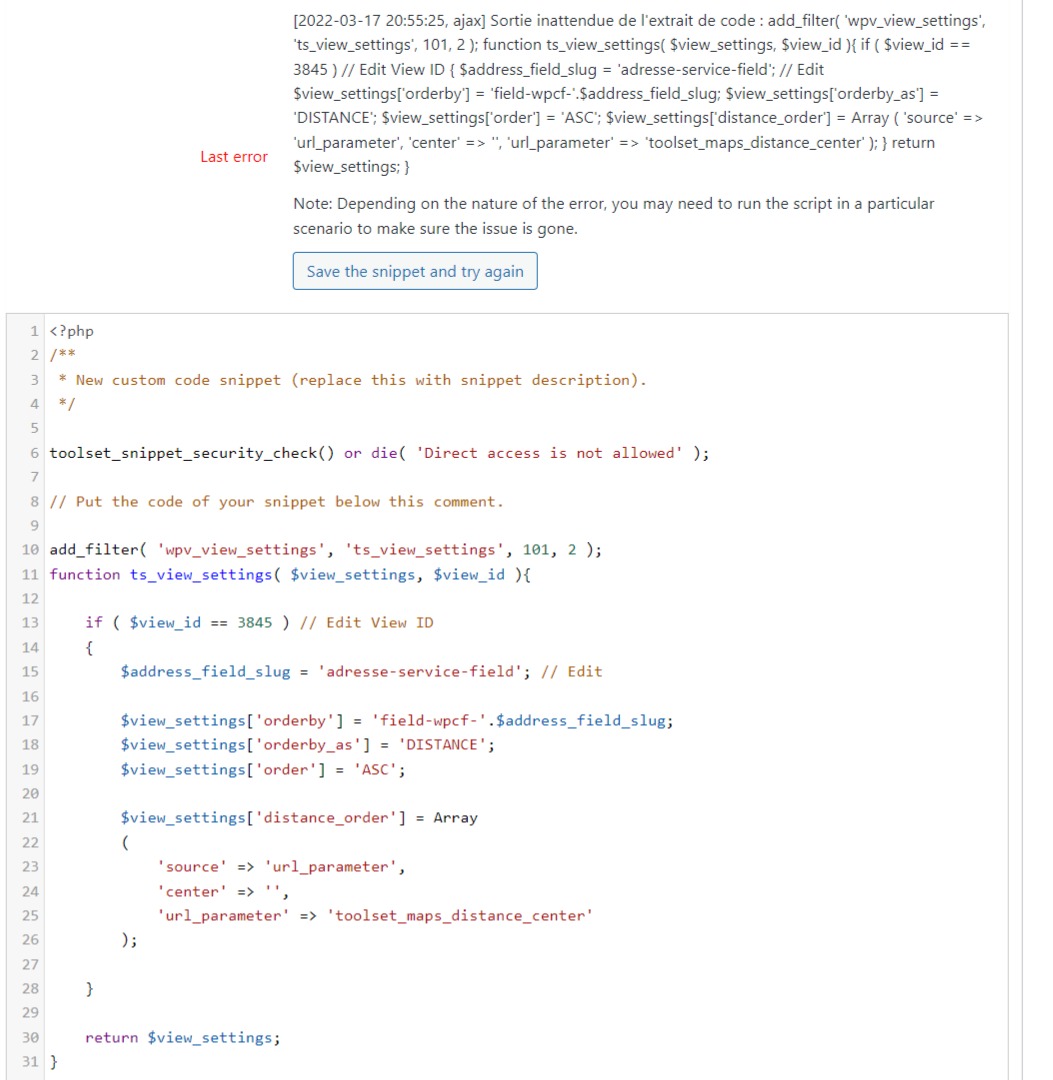
Here's an example of the code you might use. You can add a code snippet at Toolset > Settings > Custom code, and note that this snippet only needs to run on the front end, not on the admin pages.
Heya Nigel, first of all thank you it was the answer i was expecting. However the code doesn't work as expected. It does a changement in the order list but it's not ordering the items from the closest to the farthest. I don't know if it's linked or not but on our website we call the search form of the block editor view but we don't use it, we hide it. I copied its html code and changed it a bit to have a customized custom bar (so we have 2 search bar on a page), maybe is it linked ? We were thinking that maybe editing the html code of the form tag would be an option ? ( the screenshot 'example' I sent you). We tried to tweak it by editing the parameters orderby and distance and all but It didn't work. I don't know if i'm totally clear , let me know if it's the case.
I'll not recommend using the custom code from the search form and making changes to it, as it can result in unexpected behavior.
Can you please share temporary admin login details, along with the link to the page where you've used this view? I'll be in a better position to troubleshoot and suggest the next steps, accordingly.
Note: Your next reply will be private and it is recommended to make a complete backup copy, before sharing the access details.