Skip Navigation

[Resolved] 24-hour display in “hours” pull-down menu on Date custom field

This is the technical support forum for Toolset - a suite of plugins for developing WordPress sites without writing PHP.

Everyone can read this forum, but only Toolset clients can post in it. Toolset support works 6 days per week, 19 hours per day.

Sun Mon Tue Wed Thu Fri Sat
- 10:00 – 13:00 10:00 – 13:00 10:00 – 13:00 10:00 – 13:00 10:00 – 13:00 -
- 14:00 – 18:00 14:00 – 18:00 14:00 – 18:00 14:00 – 18:00 14:00 – 18:00 -

Supporter timezone: Asia/Kolkata (GMT+05:30)

This topic contains 1 reply, has 1 voice.

Last updated by Saul Baizman 3 minutes ago.

Assisted by: Minesh.

Author
Posts
#2844318
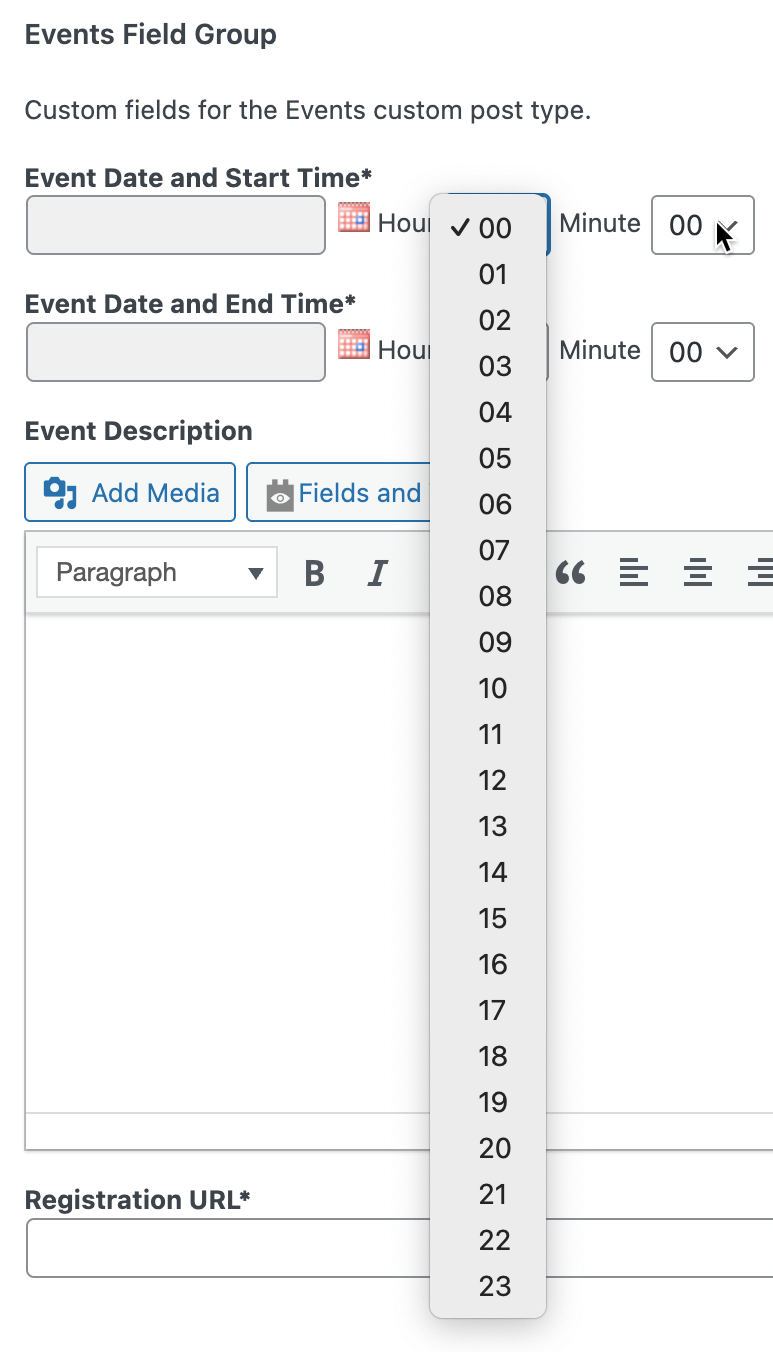
screenshot 2026.01.20 at 17.43.11@2x.png

Hi there,

One of my clients doesn't like the 24-hour listing of hours in the "hours" pull-down menu of a Date custom field. Is there a way to make it just 12 hours and add an am/pm option? (We realize that the date can be displayed any way we like to the public; this is just for the convenience of the website content maintainer working inside WordPress.)

Please refer to the attached screenshot.

Thank you.

Saul

#2844525

Minesh
Supporter

Languages: English (English )

Timezone: Asia/Kolkata (GMT+05:30)

Hello. Thank you for contacting the Toolset support.

I would like to let you know that there is no easy way to restrict the custom date fields time dropdown to 12 hours format.

Maybe the possibility would be you can select the time upto 12 using the custom date filed and add another dropdown that should offer you AM/PM options but then you will have to also work on the selected date value when user selects PM option in order to set correct time.

#2844610

Minesh,

Thanks for your response and the suggestion. We went with generic select / pull-down menus. There was a funky issue, which I've yet to report, about the time changing after saving it.

Saul