Using the WP Ultimate CSV Importer Pro plugin and CSV files you can create or update posts through CSV files and maintain relationships between your post types.
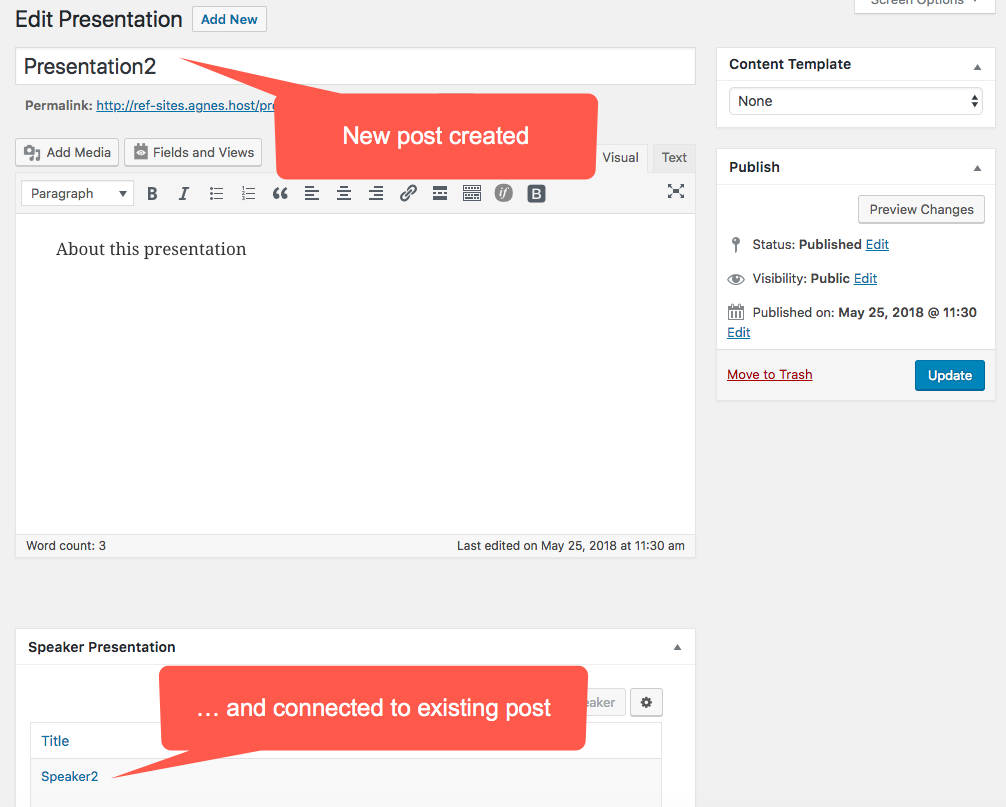
Imported posts will be connected to existing posts.
You can create connections between posts that form one-to-one, one-to-many and many-to-many relationships.
In order to connect posts, you can either use post ids or post titles.
How to import posts through CSV files and connect them to other posts
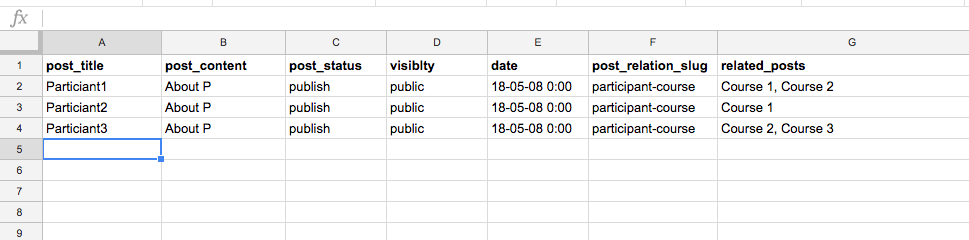
- In your CSV file add two extra columns:
- The relationship slug (column F in the screenshot below)
- Id(s) or post title(s) of the post(s) to which the imported post will be connected, separated by commas (column G in the example below)

Download the CSV file with post relationships.
You will find the slug of your relationship in Toolset → Relationships.

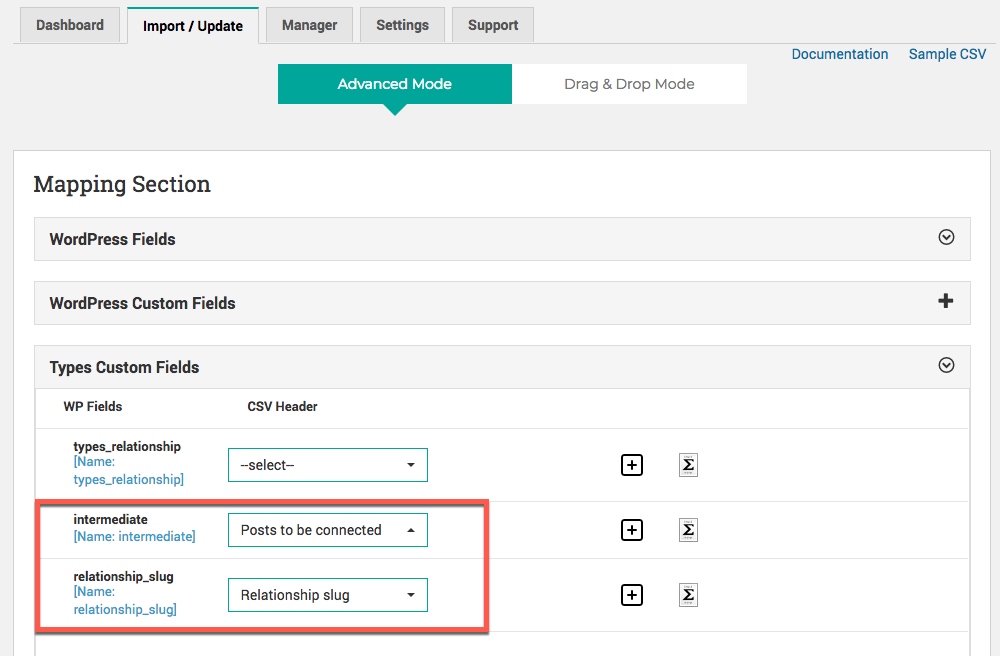
- Next, in the process of setting up the import in your WordPress site, on the mapping screen use the Toolset Fields section and map the following fields:

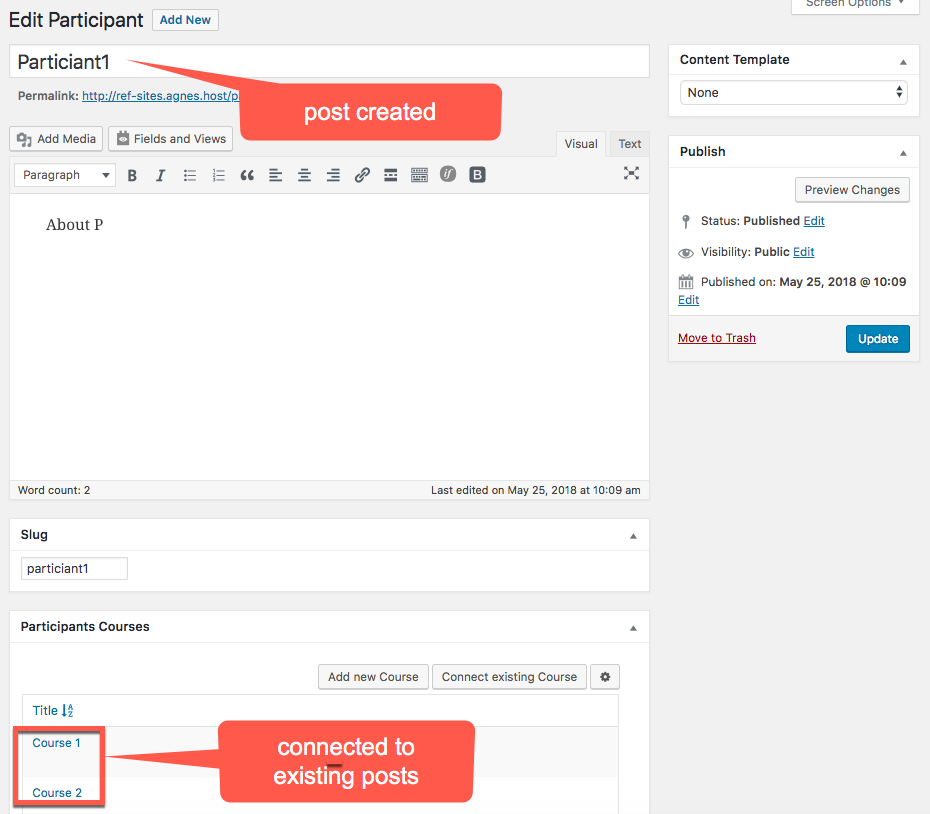
The posts you are importing (participants in our example) will be added to your WordPress and connected to existing courses.
We will add more step-by-step examples soon.
Example 1: one-to-one relationships
Presentations and Speakers.
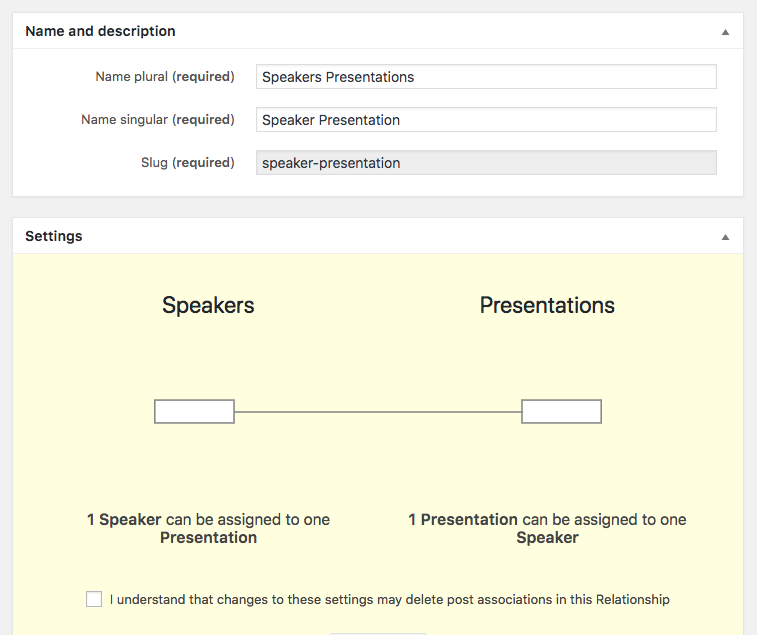

Download the CSV file with one-to-one relationships.
We are importing two presentations. The speakers specified in column G already exist in our WordPress. After finishing the import process, two presentation posts will be created in our WordPress site and connected to appropriate speakers.
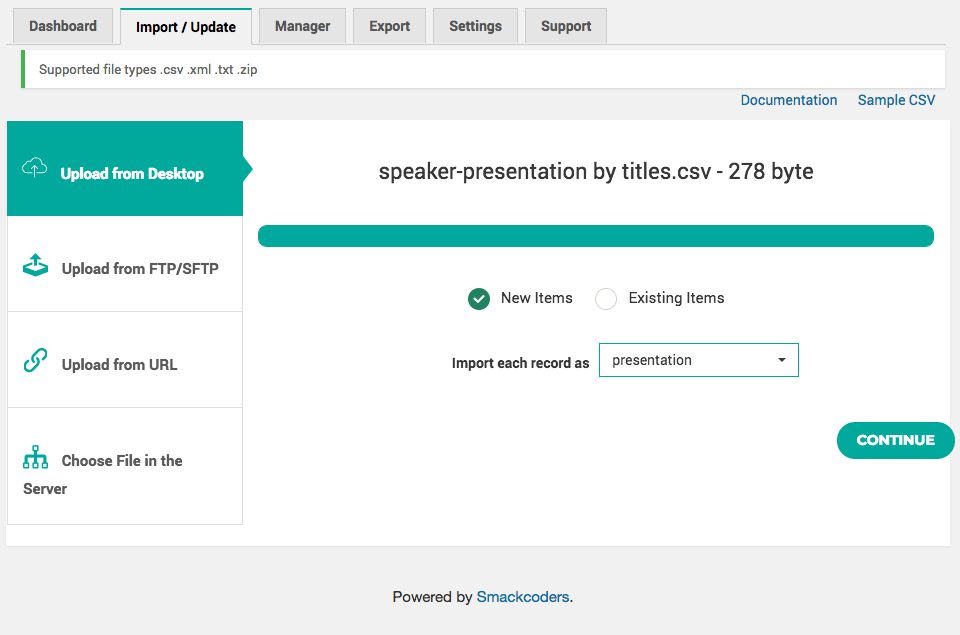
Example 2: one-to-many relationships
Managers and Projects.
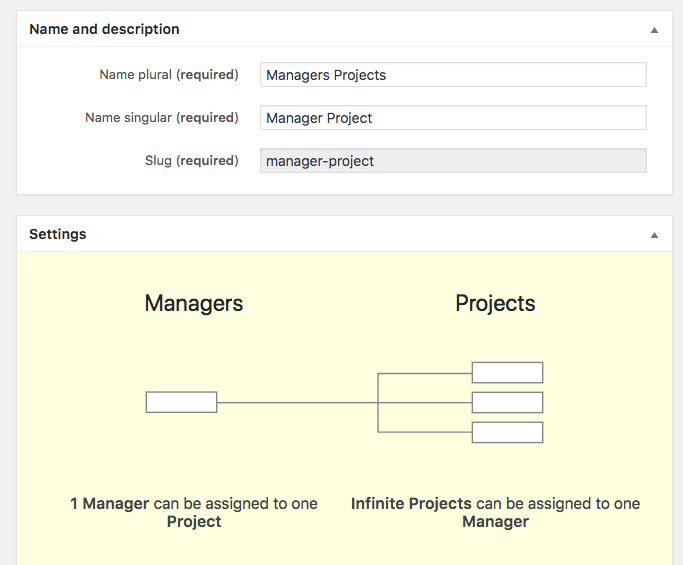

Download the CSV file with one-to-many relationships.
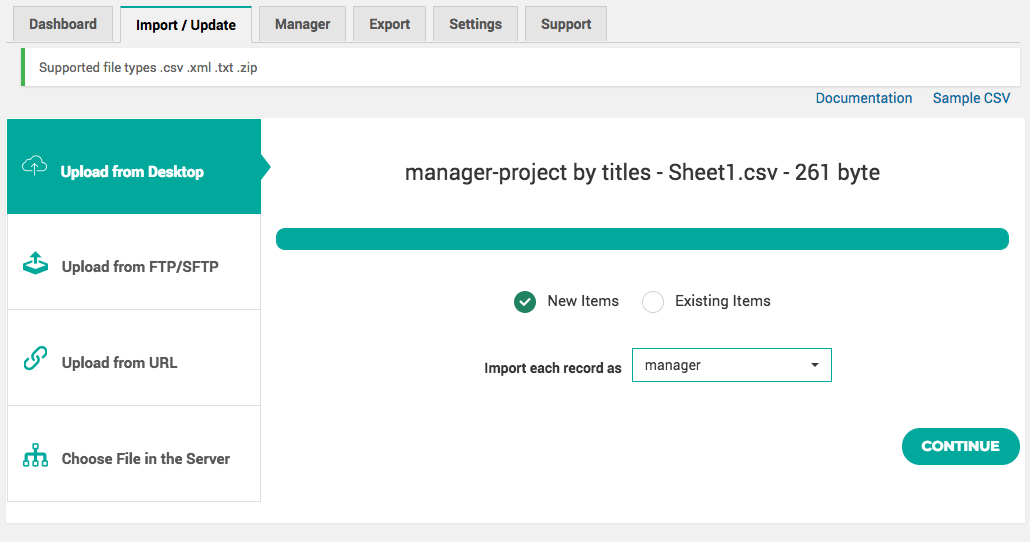
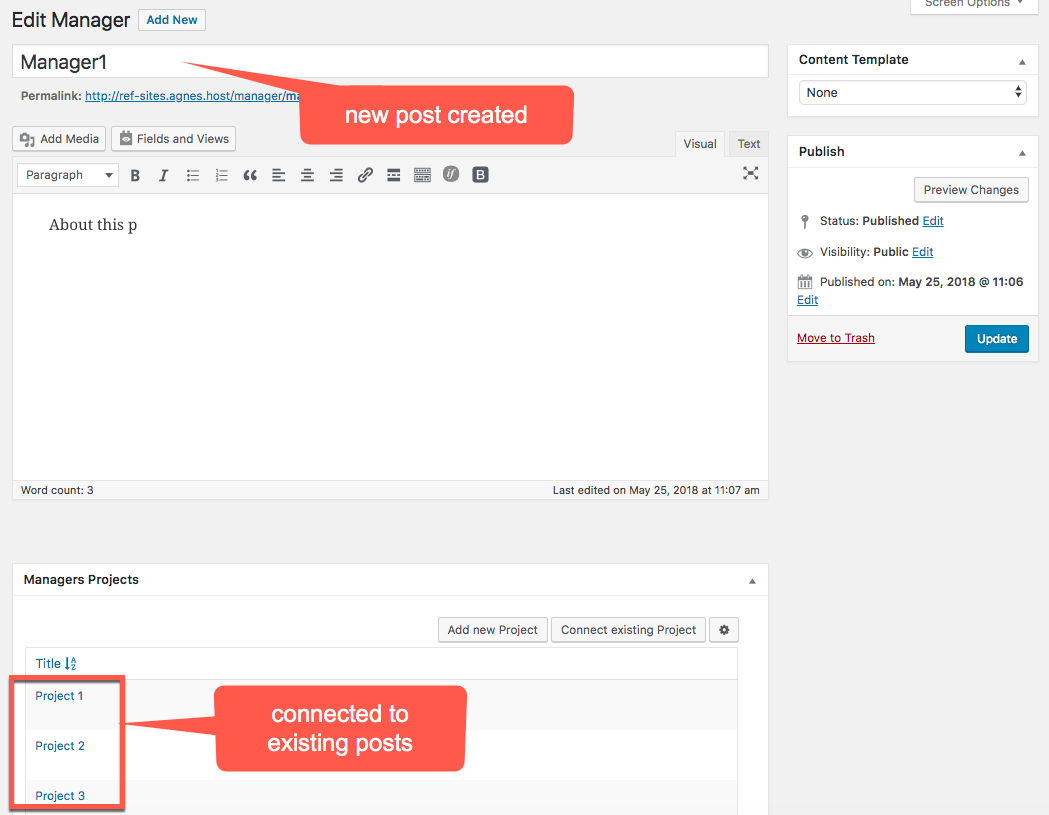
We are importing two managers. The projects specified in column G already exist in our WordPress. After finishing the import process, two manager posts will be created in our WordPress site and connected to appropriate projects.
Example 3: many-to-many relationships
Participants and Courses.

Download the CSV file with many-to-many relationships.
We are importing three participants. The courses specified in column G already exist in our WordPress. After finishing the import process, three participant posts will be created in our WordPress site and connected to appropriate courses.
Note that in this case, the same course can be assigned to many participants.

Example 4: Many-to-many relatinship with the intermediary post type
Singers and Albums
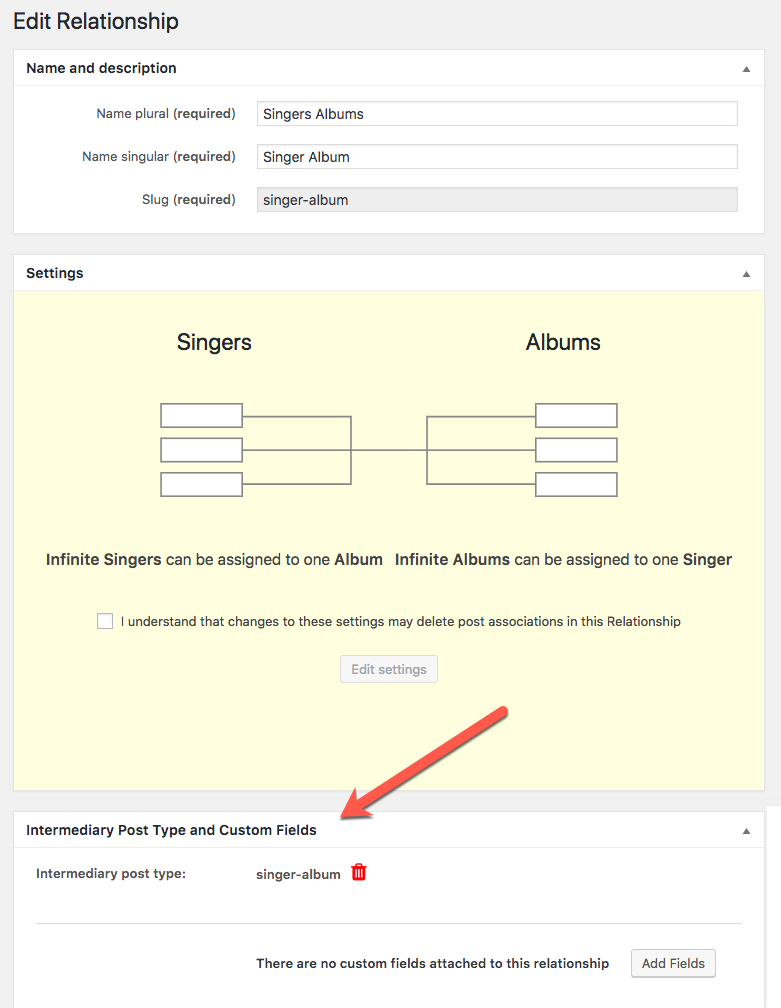

Download the CSV file with many-to-many relationships with the intermediary post type.
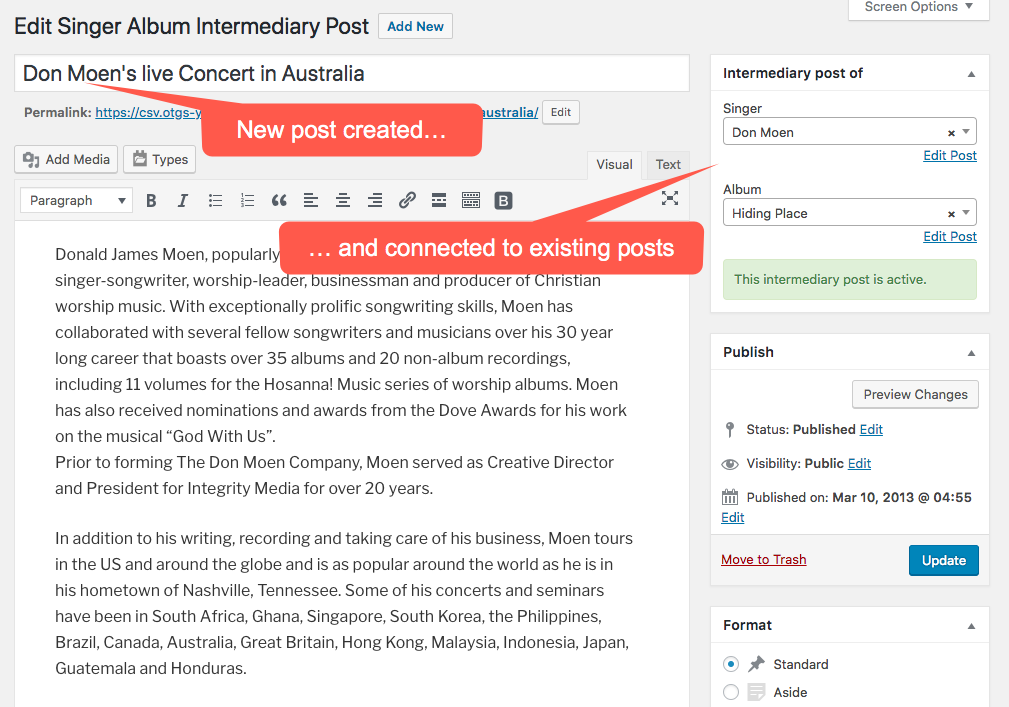
We are importing two posts (concerts). The posts specified in column Lalready exist in our WordPress. The first one represents a singer (e.g. Don Moen) and the second represents an album (e.g. Hiding Place). After finishing the import process, two concert posts (Singers Albums Intermediary Posts) will be created in our WordPress site and connected to appropriate singers and albums.
Related topics
- Bulk Editing Toolset Content with WP Sheet Editor
- Import posts from CSV files and maintain relationships with WP All Import
- Importing repeatable field groups when using the CSV Importer plugin
- Import Data using the WP All Import Plugin
- Importing Content From CSV, with Post Relationships
- Import Content Using CSV Importer Plugin
- Import Data using the WP Ultimate CSV Importer plugin
- How to Import Content Using CSV Files

 Send feedback to our documentation team