Toolset October 2026 Release: Faster Pages for Your Visitors, Nothing to Configure

If your site uses Views to list things, whether that is properties, products, members, courses, events or blog posts, this update makes those pages load faster for your visitors and easier on your server. You do not need to change a setting or touch a single View. Update the plugins, and the improvements are live.
In short, after you update:
- Pages built with Views send less HTML, so they render faster for visitors and are easier for Google and AI models to read and surface.
- Large listings and search pages ask the database for far less work, so they stay fast when your site has thousands of entries or a lot of visitors at once.
- Cached Views refresh when your content changes, and only then. There is no cache to clear after the update.
- Pages built with Content Templates stop shifting around while they load, which visitors, Google and AI models all prefer.
- If you are on WordPress 7.1, the remaining editor problems are fixed. Maps, Divi 5, WooCommerce Views and PHP 8.4/8.5 get fixes too.
The biggest difference will be felt on sites with hundreds or thousands of entries, search filters, or busy traffic. A small brochure site will get the same improvements, but it was probably fast already. Here is what each change means for you.
Your pages send less HTML, so Google and AI read them more easily
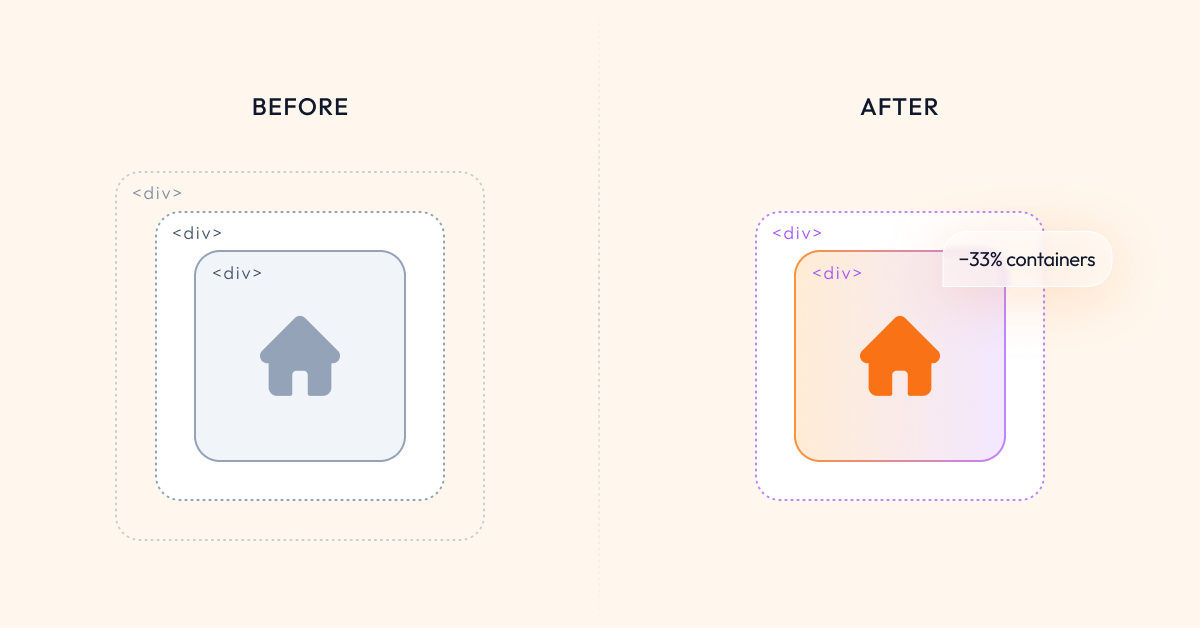
Every time a View displayed an item, it wrapped that item in several layers of invisible containers. Think of a product in a box, inside a box, inside another box. One item, no harm done. A hundred items, and the browser has to unpack a few hundred empty boxes before it can show your content. The longer the list, the more time that took.
When you read a page, your browser handles all of that markup and shows you only the text. Google and the AI models behind tools like ChatGPT do not get that shortcut. They read the whole file, markup and visible text together. The more empty containers they have to dig through to reach your actual words, the harder your page is to understand, and they have billions of other pages to get through. Heavy markup is a tax on them, so faced with a choice they favour the sites whose content is easy to read, and surface those more often in search results and AI answers.
Views now leaves out those extra containers wherever it can do so without changing how your page looks. In our test, a grid of 100 items went from 303 containers to 203, and the page HTML shrank by about a sixth. Your layout, your styling and your design stay exactly as they were. The page simply arrives lighter: faster for your visitors, and easier for Google and AI to read. For the same content you already have, you can expect that to show up over time as more traffic in Google Search Console and more mentions of your pages in AI answers.
Big listings and search pages do far less database work
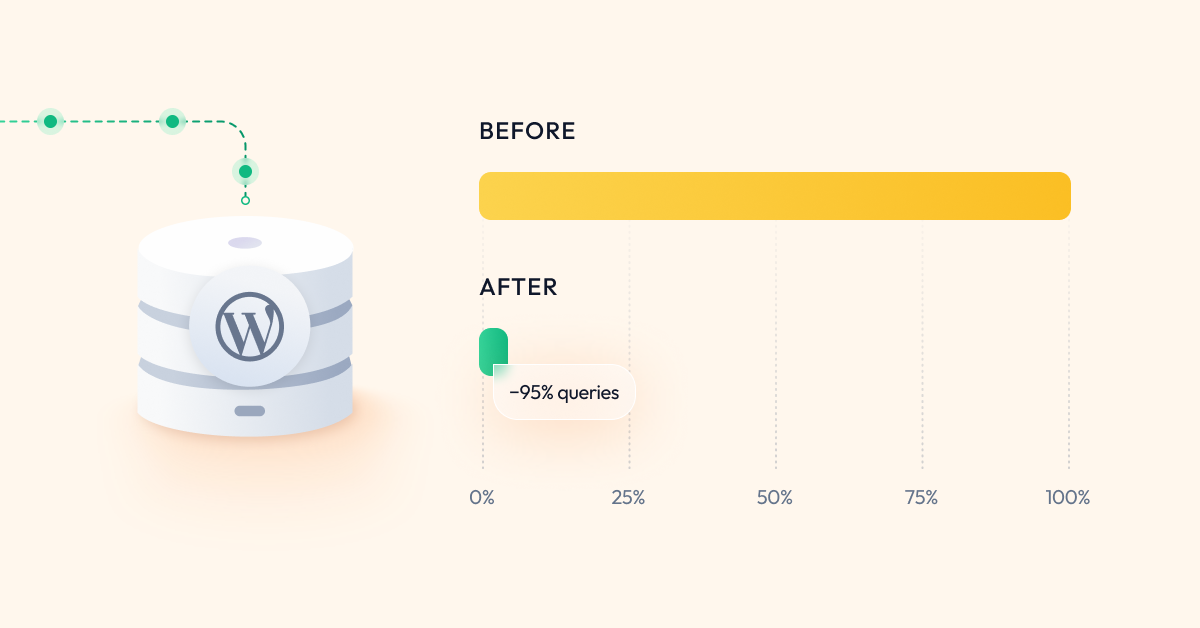
This is the change we are most pleased with. When a visitor searched or filtered a large View, Toolset checked every matching entry one at a time to work out which filter options still had results. It also built a link to every page of results, even when there were hundreds of pages. On a site with a few hundred posts you would never notice. On a site with ten thousand, every search was making the database do thousands of small jobs before the page could appear.
Both problems are gone. The filter options are now worked out in a single query, and the pager only shows the pages around the one the visitor is on. In our test site with 10,000 posts, the database queries needed to serve a typical page dropped from 95,852 to 4,758, a 95 percent reduction. What that means for you: search results come back faster, your site holds up under heavier traffic, and if you are on shared hosting you are much less likely to see slow pages or time-outs when your content grows.
Cached Views refresh when your content changes, and only then
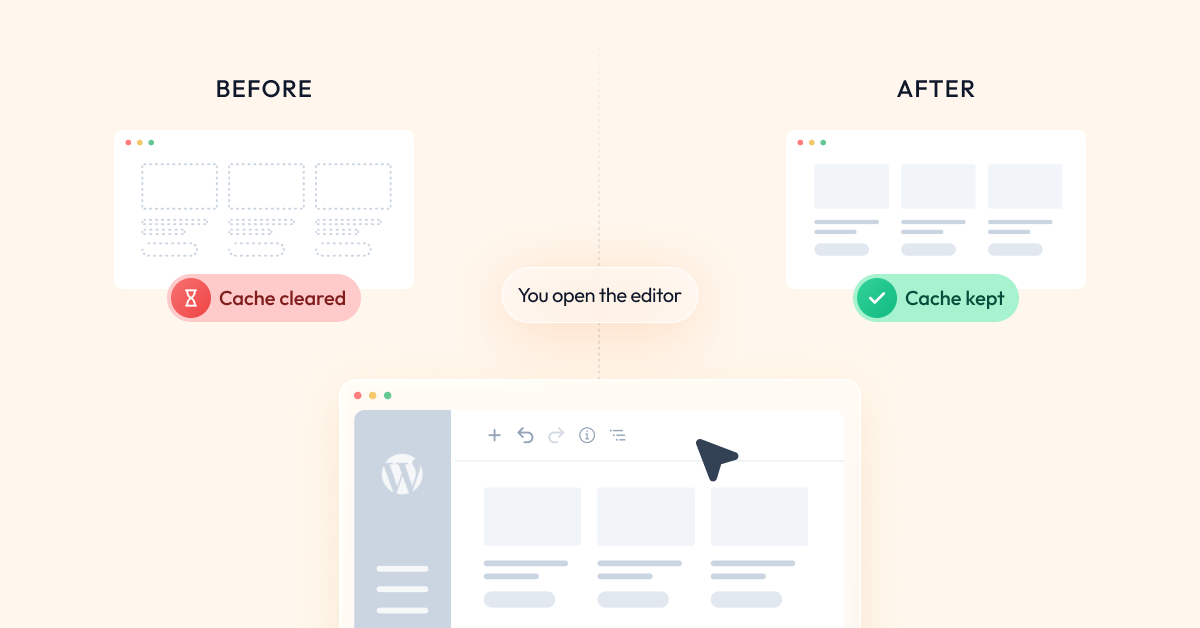
Toolset caches the output of your Views so repeat visits are fast. The catch was that it emptied those caches far more often than needed. Just opening a View in the editor to look at it, without changing anything, threw away the cached pages and made the next visitors wait while they were rebuilt.
Now a cached View refreshes exactly when something it shows has changed: you publish or edit a post, connect two items in a relationship, change a category, or adjust who can see what. Opening a View in the editor no longer resets anything, which also makes the editor itself faster on big Views. And the update takes care of itself: existing sites rebuild their cached Views automatically on the first visit after updating, so you get the lighter pages described above without clearing any cache by hand.
Pages stop jumping around while they load
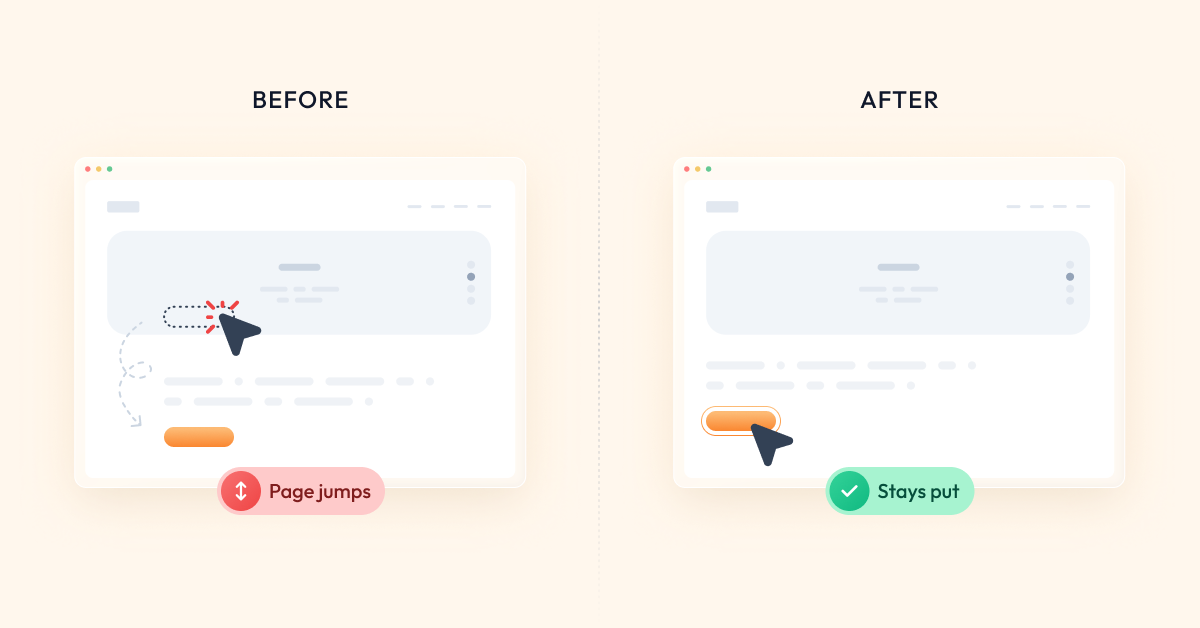
You may have seen this on your own site: the page appears, then a moment later text and buttons shift as the design finishes loading. It looks unpolished and visitors tap the wrong thing, and it is not only people who notice. Google measures it as “layout shift” and counts it against your page experience score. Search engines and AI models reading your page have to wait for the content to settle before they can be sure what it says, and anything that makes them wait is something they would rather skip when another site is ready instantly.
The cause, for Toolset users, was that Content Template styles were generated as the page was built, so some caching setups delivered the page before its styling. Those styles are now saved as a regular CSS file that every cache handles correctly. On the page we measured, the desktop layout shift score went from 0.158 to 0.005, which is from “needs improvement” to effectively zero. Results vary by theme, but the direction is the same everywhere: the page lands once and stays put, for your visitors and for every search engine and AI model that reads it.
These gains will not quietly disappear
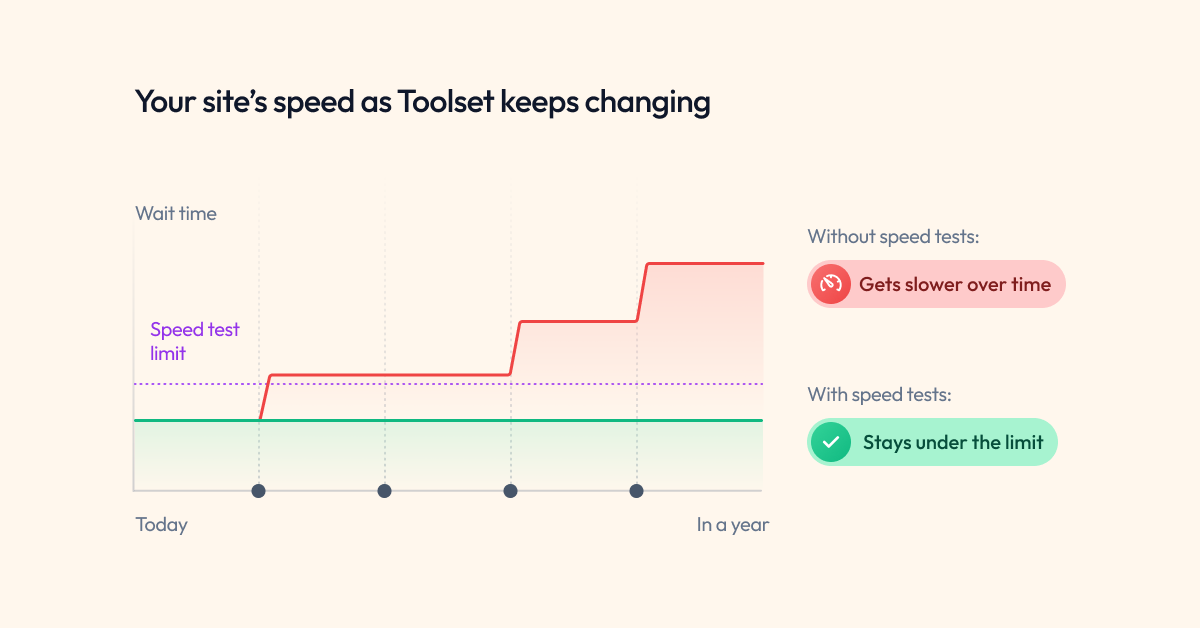
Software has a habit of getting slower again, one small change at a time. So the speed tests we used to find these improvements now run automatically on every change we make to Toolset. If a future change would make your lists heavier, your searches slower or your editor laggier, it fails our tests before it can reach your site. You will not see this in your dashboard, but it is the reason you can expect the speed you gain today to still be there in a year.
On WordPress 7.1? The editor works properly again
WordPress 7.1 changed how the block editor is built, and some Toolset editing flows broke. We fixed the most visible ones last month. This release takes care of the rest. If you have run into any of these, they are fixed:
- You could not type next to a field in the Fields and Text block in visual mode. You can again, and the cursor stays where you put it.
- The Fields and Views button did nothing on the Widgets screen. It opens the dialog now.
- Your content looked stretched edge to edge in the editor. The editor now respects the Editor Max Width setting, so you see your content at the real template width.
- Single Field and Fields and Text blocks showed nothing inside a Content Template. They now show the fields of the post you chose under “View with”.
- Odd leftover markup appeared in saved content, and the inline toolbar spilled outside narrow blocks. Both cleaned up.
- Dropdowns and Dynamic Sources controls looked unstyled on Image, Image Slider and Gallery blocks. They now look as they should.
If you were holding off on WordPress 7.1 because of the Toolset editing experience, this is the release to update with.
Maps: “near me” searches and markers behave
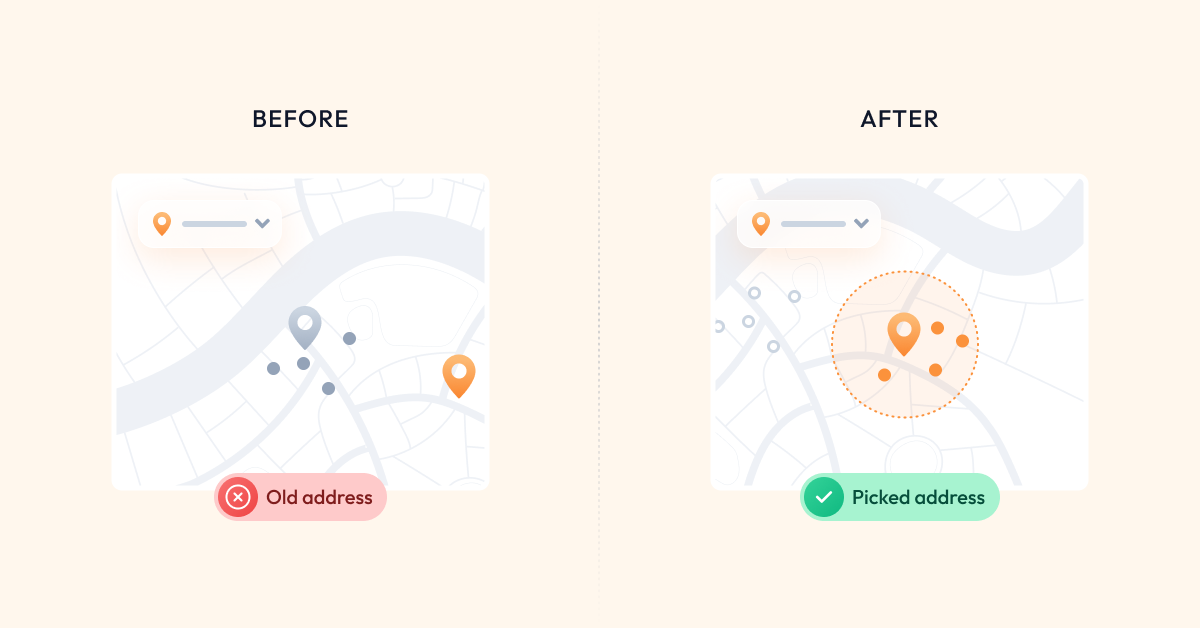
- Distance searches now use the address your visitor actually picked. Results no longer centre on an old address after the visitor changes it or after you switch map provider.
- Marker icons you switched off stay off. They are left out of the map entirely instead of being loaded and then hidden.
- The hover icon you chose is the one visitors see. The Map dialog kept forgetting the selected hover marker. It remembers it now.
Other fixes you may have been waiting for
Views and Toolset Blocks
- Divi 5 users: Views placed with the Divi 5 View module display correctly, in both Views and Toolset Blocks.
- Empty Image Sliders no longer produce a browser console error or a flash of broken layout.
- Blocks in the editor no longer get stuck waiting for a preview that never arrives.
WooCommerce Views
- If your site went down with a fatal error when another plugin changed PHP’s include path, that is fixed. WooCommerce Views now loads its own files in a way other plugins cannot disturb, and we added a test so it stays fixed.
Forms, Access and Layouts
- Forms with Access: a PHP notice on the User Form screen is gone.
- Access with WPML: the WPML Groups tab no longer disappears, so you can set per-language access again on affected sites.
- Layouts with WPML: assigning a layout on a multilingual site applies it to the correct language again.
PHP 8.4 and 8.5
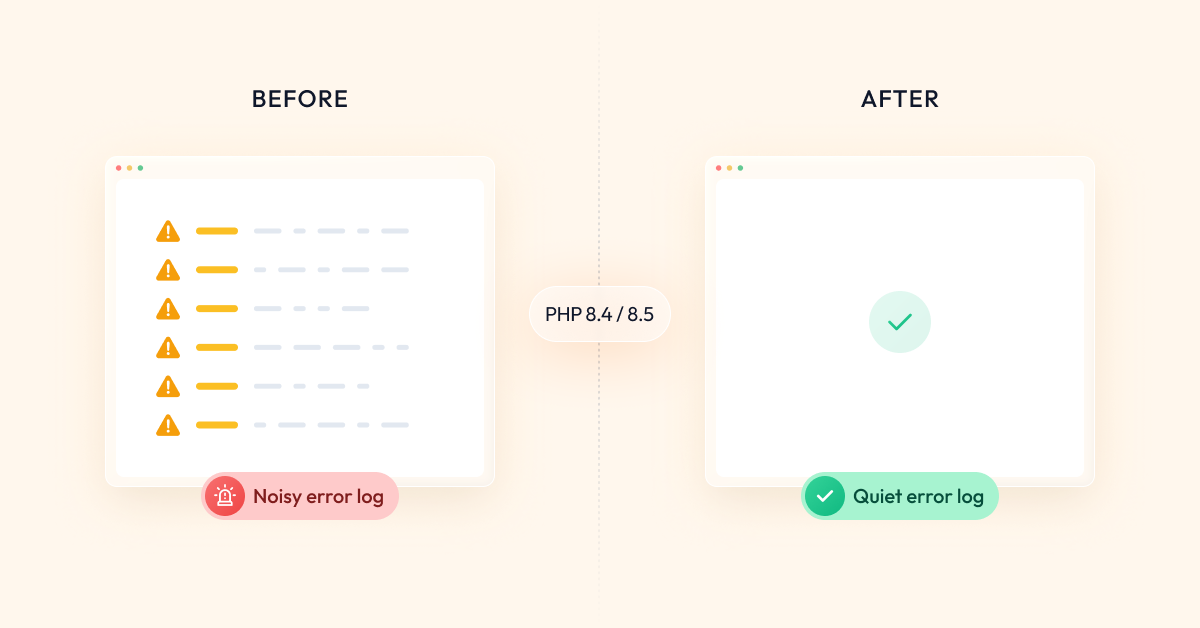
If your host has moved you to PHP 8.4 or 8.5 and your error log filled with deprecation notices from Types or Toolset Common, this release clears them. Your site keeps running either way; the fixes keep your logs quiet and keep Toolset ready for the next PHP versions.
How to update
- In your WordPress admin, go to Plugins and open the Commercial tab.
- Click Check for updates and update all Toolset plugins.
- Alternatively, download the latest versions from your toolset.com account.
There is nothing to configure afterwards. Your Views, Content Templates and settings stay as they are, and the cached Views rebuild themselves on the first visit.
This release includes Toolset Views 3.6.30, Toolset Blocks 1.6.30, Types 3.6.4, Maps 2.4.1, Forms 2.6.28, Access 2.9.7, Layouts 2.6.20 and WooCommerce Views 3.1.8.
As always, we recommend updating a staging site first. The updates roll out gradually through the installer starting today.
If you run a large listing or directory, we would genuinely like to hear what changed for you after updating. Tell us in the comments, and if something does not look right, the support forum is the fastest way to reach us.


Is it a staggered release? Have 3 sites and none of them shows updates.