Turning on the debugger gives the following errors, and they clear when I disable the Views plugin, but large portions of the site rely on the latter to function.
Notice: is_archive was called incorrectly. Conditional query tags do not work before the query is run. Before then, they always return false. Please see Debugging in WordPress for more information. (This message was added in version 3.1.0.) in /home/ascb_web/ascb.org/wp-includes/functions.php on line 5663
Notice: is_home was called incorrectly. Conditional query tags do not work before the query is run. Before then, they always return false. Please see Debugging in WordPress for more information. (This message was added in version 3.1.0.) in /home/ascb_web/ascb.org/wp-includes/functions.php on line 5663
Notice: is_search was called incorrectly. Conditional query tags do not work before the query is run. Before then, they always return false. Please see Debugging in WordPress for more information. (This message was added in version 3.1.0.) in /home/ascb_web/ascb.org/wp-includes/functions.php on line 5663
Warning: Cannot modify header information - headers already sent by (output started at /home/ascb_web/ascb.org/wp-includes/functions.php:5663) in /home/ascb_web/ascb.org/wp-includes/functions.php on line 6712
Warning: Cannot modify header information - headers already sent by (output started at /home/ascb_web/ascb.org/wp-includes/functions.php:5663) in /home/ascb_web/ascb.org/wp-admin/includes/misc.php on line 1310
Fatal error: Allowed memory size of 268435456 bytes exhausted (tried to allocate 20480 bytes) in /home/ascb_web/ascb.org/wp-includes/formatting.php on line 234
There has been a critical error on this website. Please check your site admin email inbox for instructions.
Hello. Thank you for contacting the Toolset support.
I'm not sure if the error is coming from the code I shared.
What if you disable that code? Do you see it working?
I see the error is the fatal error about the memory and there is no concrete evidence that those error are coming from Toolset based on the description you shared.
In order to minimize the cause of the issue:
*** Please make a FULL BACKUP of your database and website.***
Could you please try to resolve your issue by deactivating all third-party plugins as well as with the default theme to check for any possible conflicts with any of the plugins or themes? - Do you see any difference?
It doesn't appear to be related to the code, the problem persists when I remove it. As does the critical memory exhausted error when I disable our theme and all non-Toolset plugins; the only thing that allows the affected pages to load is disabling Views. The header errors do appear to be caused by a conflict with our Restrict User Access plugin, but those do not affect page loading, that's apparently a separate non-critical issue that I just turned up while troubleshooting this one.
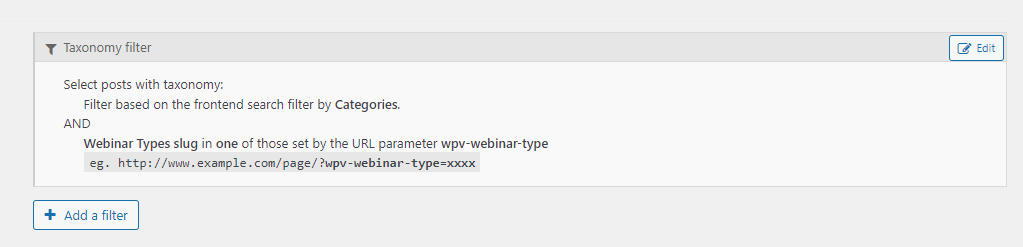
Everything appears to run fine on our test site, but no combination of plugins resolves the memory exhausted error on our production site except for disabling Views, and wiping and reinstalling the plugin has not helped. I also notice that the original problem of Views query settings reverting and refusing to accept changes remains, as in this Webinar Types filter at hidden link
Can you please try to increase the memory limit on your server.
You can check with your server hosting authority and ask them to increase memory limit to 512M. You should try to add the following line of the code to your wp-config.php file:
Expanding the memory allotment is allowing the page to load, at least for now, though I will have to be reviewing what we can do to stop pageload consuming that many resources in the first place. Thank you!