Hello. Thank you for contacting the Toolset support.
That is really strange. I checked that you are using the latest Toolset plugins.
In order to minimize the cause of the issue as well as to ensure there is no conflict between the plugins/theme you are using:
Could you please try to resolve your issue by deactivating all third-party plugins as well as the default theme to check for any possible conflicts with any of the plugins or themes?
- Do you see any difference?
I hope you are well and thans for getting back to me.
I have done what you suggested.
The problem is happening when the 'Kadence Blocks' & 'Toolset Blocks' are both activated at the same time. If I deactivate either of them and leave one activated there is no problem saving.
The site is built using both plugins and there wasn't an issue before.
How can this be resolved?
I can give you temporary access if you would like?
*** Please make a FULL BACKUP of your database and website.***
I would also eventually need to request temporary access (WP-Admin and FTP) to your site. Preferably to a test site where the problem has been replicated if possible in order to be of better help and check if some configurations might need to be changed.
I have set the next reply to private which means only you and I have access to it.
I can see the issue on your install but when I install the "Toolset Blocks" and "Kadence Blocks – Gutenberg Blocks for Page Builder Features" and I try to add the "Fields and Text" block but I can see the update button is working:
- hidden link
Here is the sandbox site and you can auto-login to it using the following link:
=> hidden link
Are you able to see the issue with the above sandbox site? Do I require any other addon plugin?
As shared before - I can see the issue on your install but when I install the "Toolset Blocks" and "Kadence Blocks – Gutenberg Blocks for Page Builder Features" and I try to add the "Fields and Text" block but I can see the update button is working:
- hidden link
Here is the sandbox site and you can auto-login to it using the following link:
=> hidden link
Are you able to see the issue with above sandbox site - what if you add all plugins you use related to "Kadence Blocks" and do you see the issue?
We can not debug on live site but what you can do is you can send me the duplicator copy of your site and I will install the site on my local machine for further debugging.
Can you please send me duplicator copy of your site.
It’s me again, your friendly support cleanup robot. I’m guessing that your support thread isn’t relevant anymore, so I’ll be closing it soon.
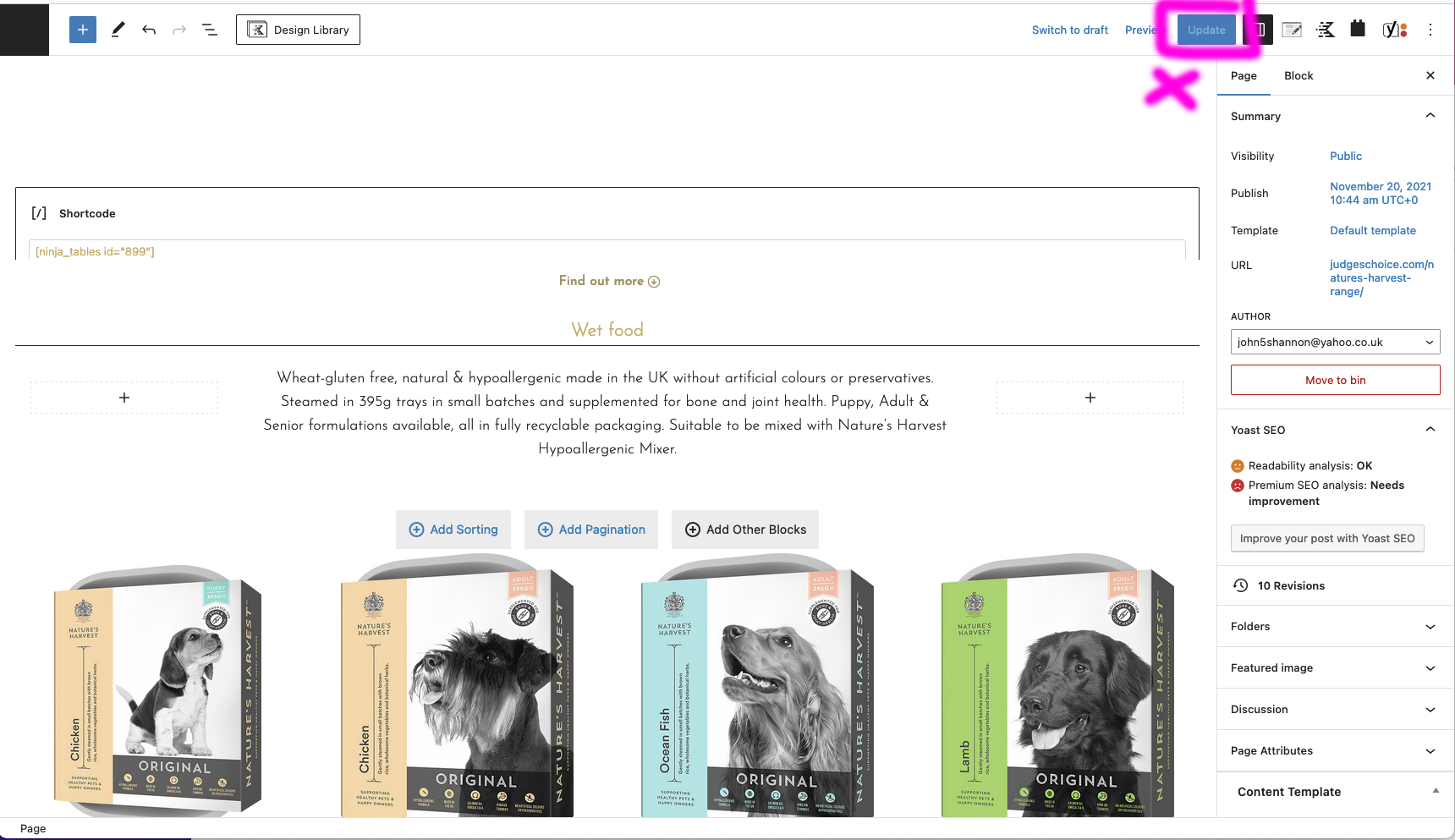
When toolset blocks is activated the update page function stops working
If this caught you while you are on vacation, or away for any other great reason, no worries. You can either post a new comment on the ticket in the next couple of days or start a new support thread and we’ll pick it from there.
I do still need this looked at but haven't had the time to folow the process. Please keep this ticket open.