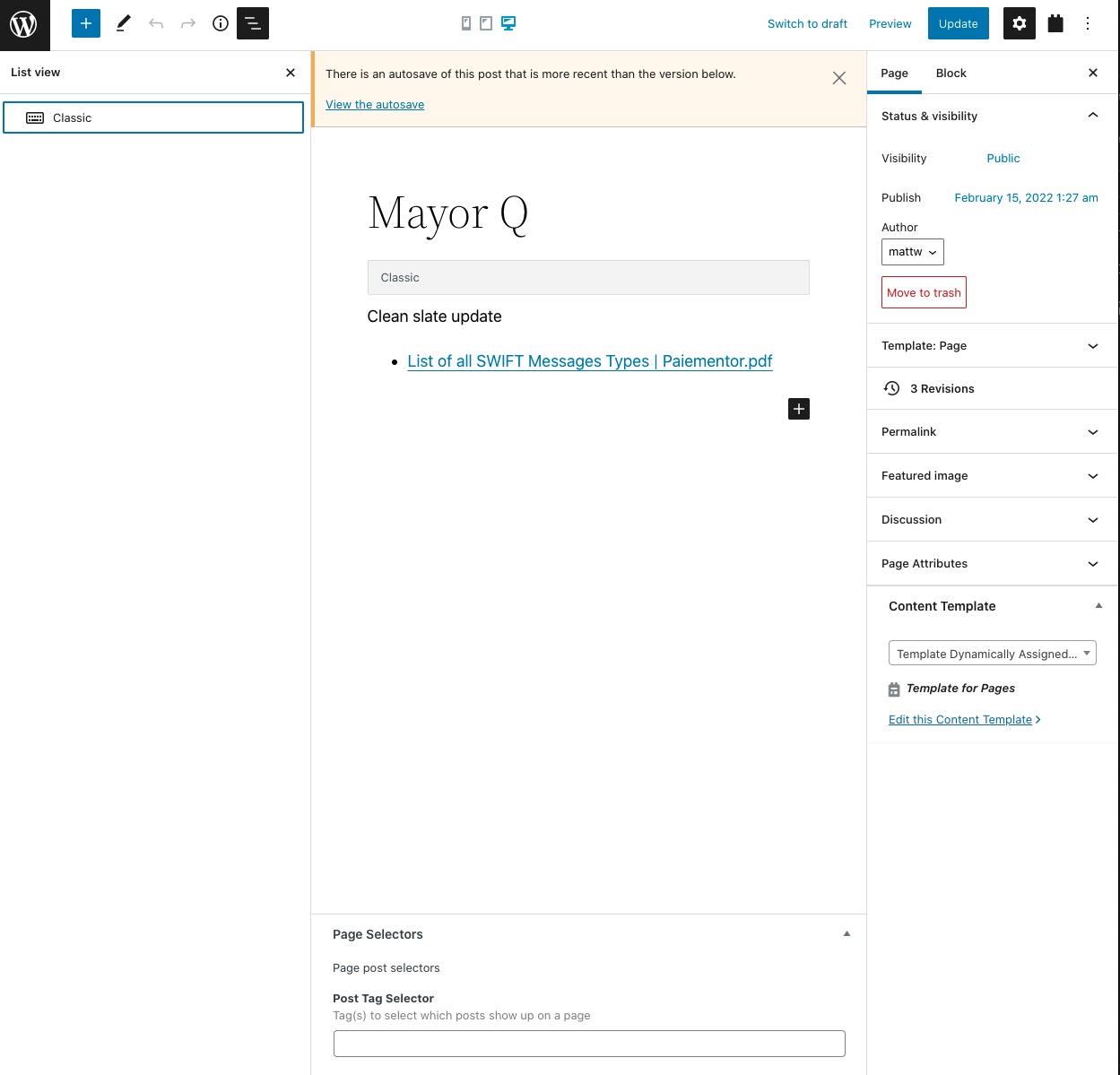
I'm not familiar with MarsEdit; a quick Google suggests it's an offline site editor for publishing to—amongst other things—WordPress.
I can't really comment on anything specific to MarsEdit.
If you created a View on some page, and then deleted the page, you will need to start over and create the View again.
I don't understand what "My entire framework disappeared, including the ability to edit with Toolset" means. Are you talking about editing the site with a browser rather than with MarsEdit?
Are the Toolset plugins active?
"Only the classic block editor shows up on the left hand menu."
Also, I don't understand this, because the classic editor and the block editor are 2 different things (the block editor is the newer Gutenberg editor, the classic editor is what came before it; there is a Classic Editor plugin where site owners can disable the new editor).
Perhaps you can share some screenshots that show what the problem is?
Sorry Matt, there was a glitch in our system and this thread has been lost in no-man's land until now.
On that screenshot you shared, you are editing a page, and it looks like a page that was previously created with the classic editor (rather than with Gutenberg blocks, which is the current editor you are using), and so WordPress has dumped the old page content into a Classic block.
In the left sidebar, you are looking at the block navigator, which shows which blocks are added to this page. There is only the one block, the classic block.
That doesn't mean you can't add Toolset blocks. When you click in the main editor the + button to insert a block you should be able to find Toolset blocks (you can click the link to show all blocks which will open a new block inserter sidebar on the left).
It's not clear from your screenshot that anything is broken, it's just a question of getting used to WordPress and its block editor, so I don't think I need a copy of your site.
It sounds like you created some content using the block editor, including a page with a View, but then deleted it with MarsEdit, and now the content is "missing". In which case you'll need to start again and recreate it (if you haven't already).
Once again, sorry for the delay replying to you. You shouldn't have to wait more than overnight for a reply.
The topic ‘[Closed] When I deleted a page with MarsEdit my page template disappeared’ is closed to new replies.