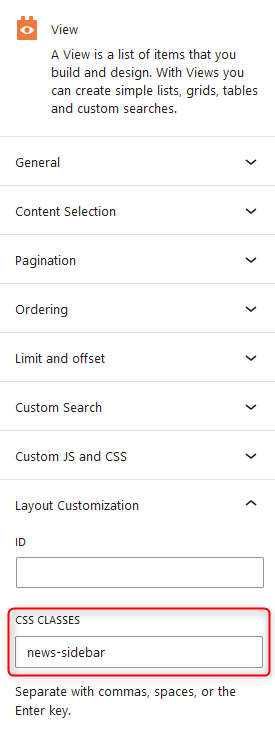
I am trying to add custom css classes at theme block editor > View block > Layout Customization section > "CSS CLASSES" field.
Unfortunately, the classes entered are not saved. After editing another block and returning to editing the view, the custom css classes field is empty.
Env: WordPress 6.4.3 with official Twenty Twenty-Four theme.
Link to a page where the issue can be seen: /wp-admin/site-editor.php
Hi there,
Would you please try to check for a possible plugin conflict as it might ba a Javascript error.
- IMPORTANT STEP! Create a backup of your website. Or better approach will be to test this on a copy/staging version of the website to avoid any disruption of a live website.
- Switch to the default theme such as "TwentyTwenty" by going to "WordPress Dashboard > Appearance > themes".
- Go to "WordPress Dashboard > Plugins" and deactivate all plugins except Toolset and its add-ons.
- Check if you can still recreate the issue.
- If not, re-activate your plugins one by one and check the issue each time to find out the plugin that causes the problem.
Thank you.