Tell us what you are trying to do?
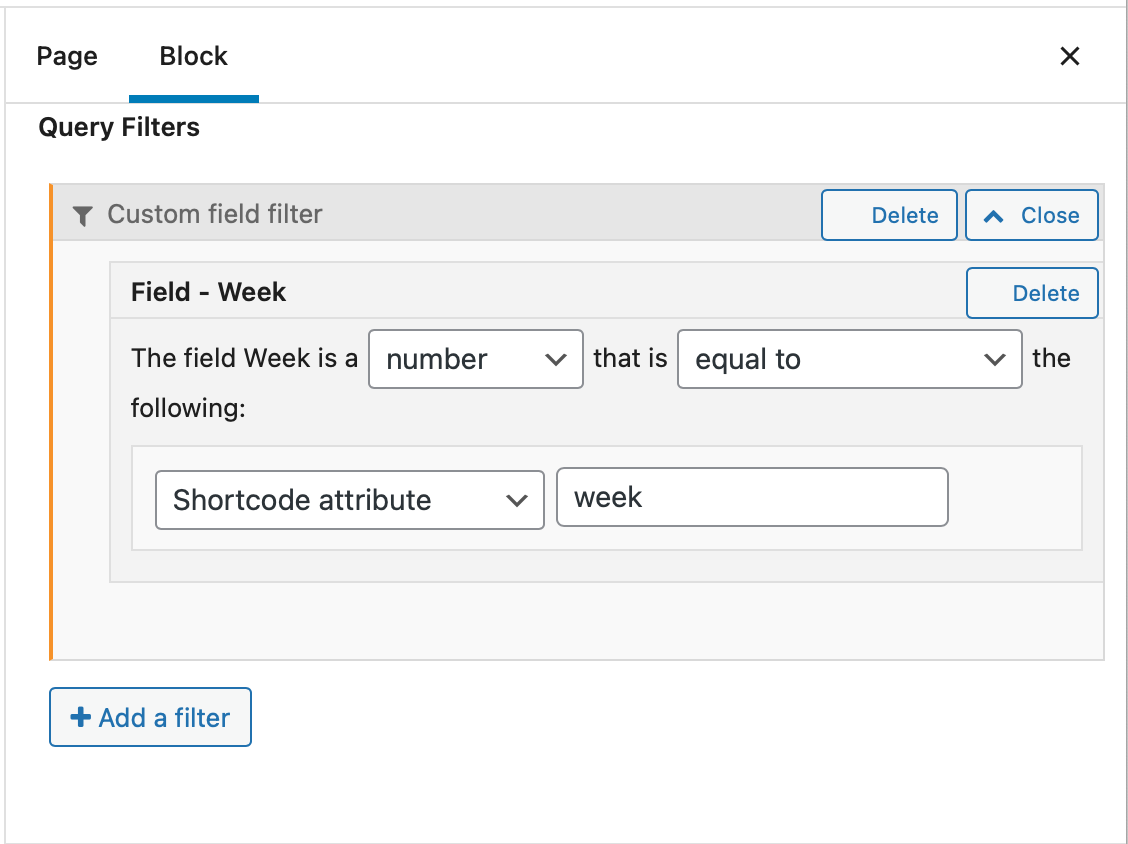
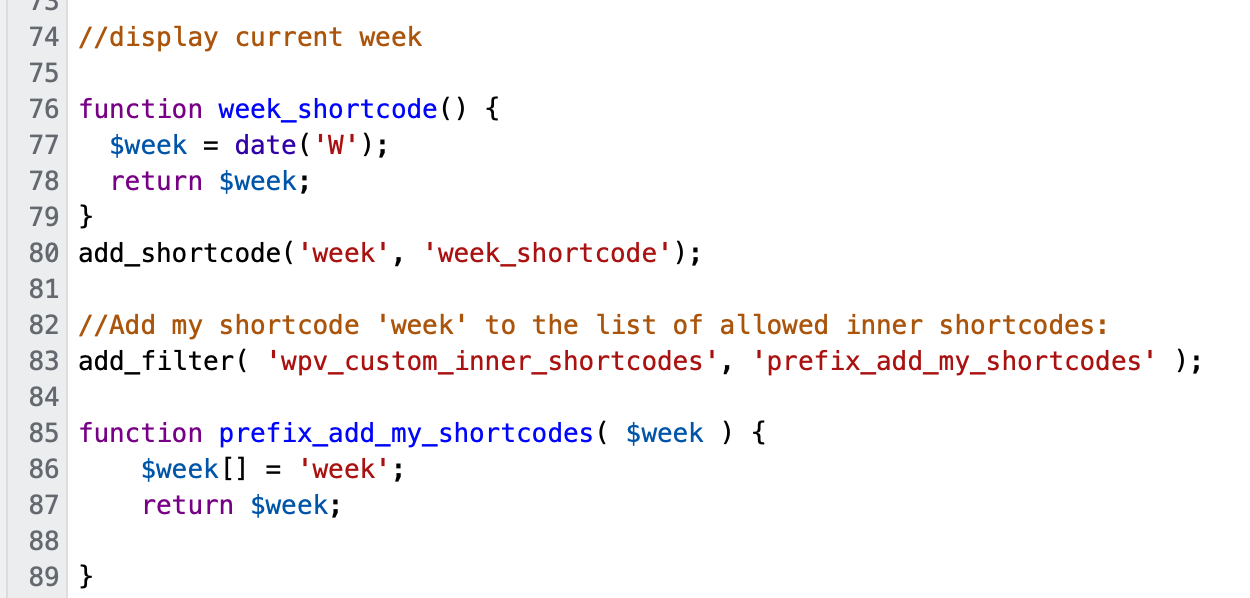
I'm trying to rotate a different featured workout each week. I've set up a view query filter that compares a custom number field (week) in each workout post to the current week number which is returned by a shortcode. I know the shortcode works (tested it), and I know the custom post, custom field, and query all work (tested them using the customer field = number).
I think my shortcode may need an attribute/parameter for the query filter to read. If so, how do I add that to my shortcode?
Thanks!
Hello and thank you for contacting the Toolset support.
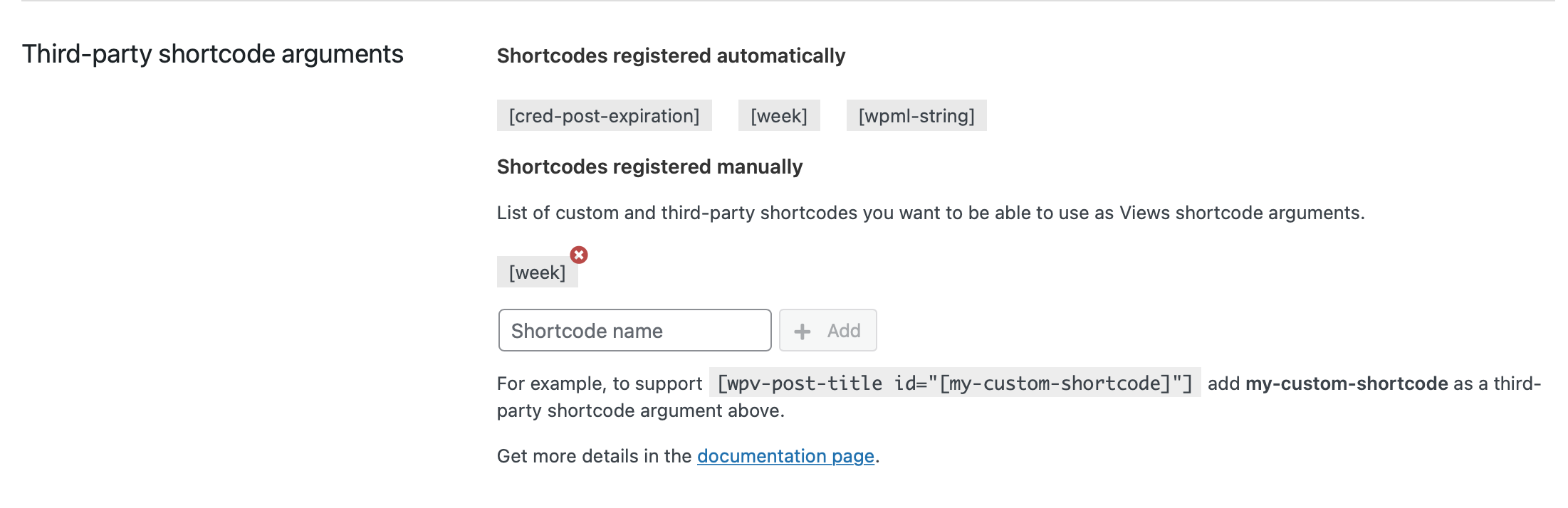
I don't see any use of the second part of the custom code(Lines 82-89) especially because you have registered the shortcode on the settings(screenshot Screen_Shot_2021_11_13_at_7.58.36_AM.png).
Based on what is built so far you can call the view using a shortcode like this:
[wpv-view name="Name or slug of the view" week="[week]"]
Does it make sense? If not, please allow me temporary access to your website and I'll check it further. Your next reply will be private to let you share credentials safely. ** Make a database backup before sharing credentials. **
Unfortunately, we do not have any article about this use case anymore. I'll escalate this to our Documentation team and hopefully we can get a new tutorial soon.
I assume that you are talking about the view "Weekly Workout" on the homepage, right?
You can use the view inside another page, post, content template, etc. using the following shortcode:
[wpv-view name="Weekly Workout"]
However, if you want to pass the week number as a shortcode argument, you must use:
[wpv-view name="Weekly Workout" week="[week]"]
Go to another page and copy the last shortcode in a Fields&Text block, or in a Classic Block, or in a shortcode block.
I'll remain at your disposal.
Hi Jamal,
This helps a lot; thank you. I now see how it is supposed to work (I think).
However, the second link you shared isn't working. it seems the shortcode within a shortcode isn't working. The second "]" closes out the first "[".
I realize my site's a bit of a mess right now, so I changed some definitions to clarify terms and put together a page to demonstrate the problem:
Definitions:
week = custom field in workouts
weeknumber = view attribute added in query
currentweek = custom shortcode that returns the current week number
Test page url: hidden link
Test page setup:
//to show the "currentweek" short code works:
[currentweek]
//to show the query is working correctly
[wpv-view name="Weekly Workout" weeknumber ="46"]
//to show the shortcode in a shortcode isn't working
[wpv-view name="Weekly Workout" weeknumber ="[currentweek]"]
The credentials I sent over are still valid. Thanks for your help!
Well, I assume that the shortcode was not pasted correctly on the visual mode. Check this screenshot hidden link
I fixed it and it is giving the expected results. Check this screenshot hidden link
The final shortcode is:
[wpv-view name="Weekly Workout" weeknumber="[currentweek]"]
Thanks Jamal, you rock!
Interestingly, I only seem to be able to get it to work in the HTML editor of a Toolset Fields and Text Block. (but I'm happy it works!)
Also, FYI, I was unable to open the screenshot links you sent.
My issue is resolved now. Thank you!