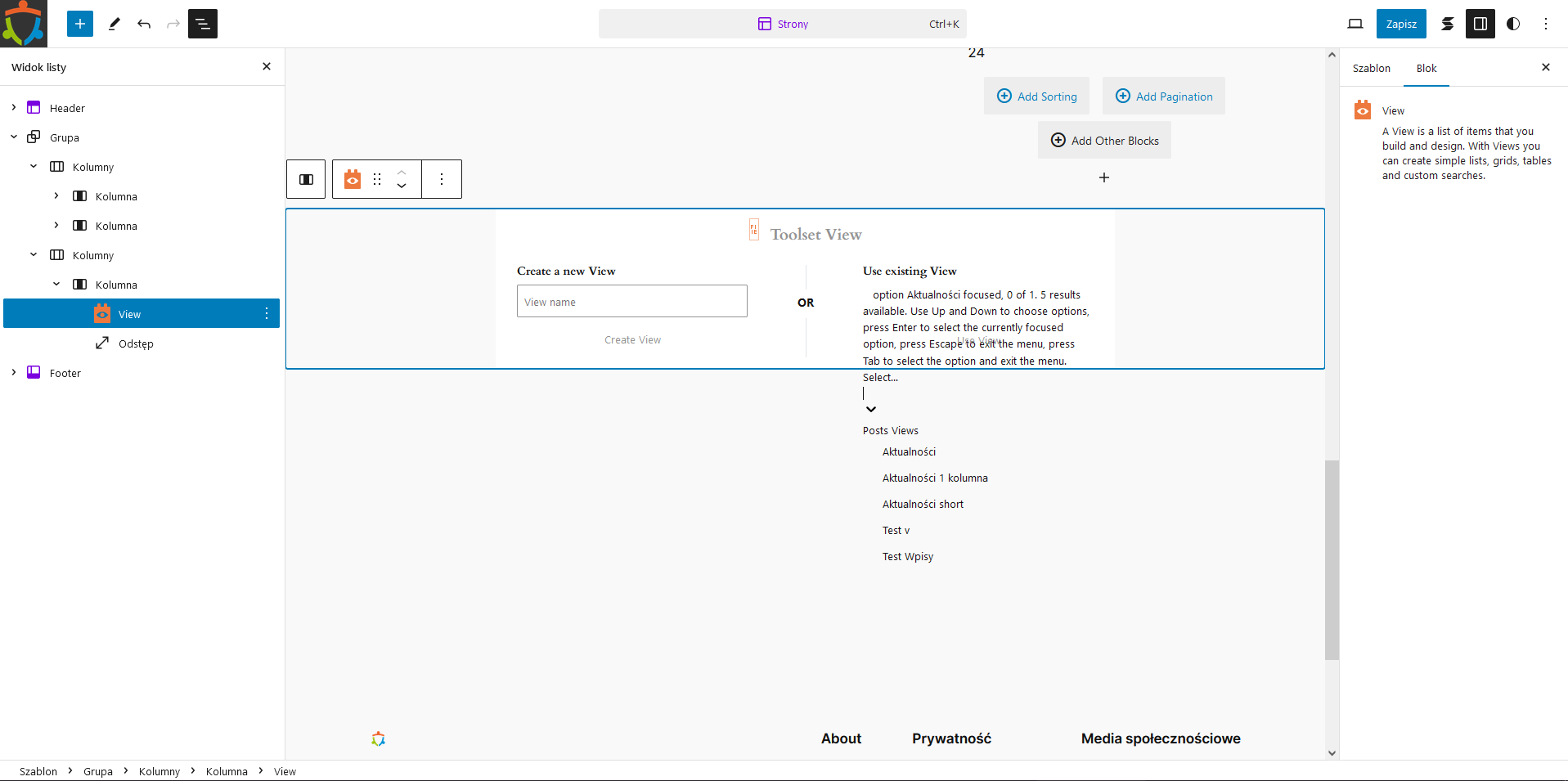
When I am trying to use existing View at theme block editor, the view selection section is displayed incorrectly, i.e. instead of the select field, unformatted text appears and spills into other areas.
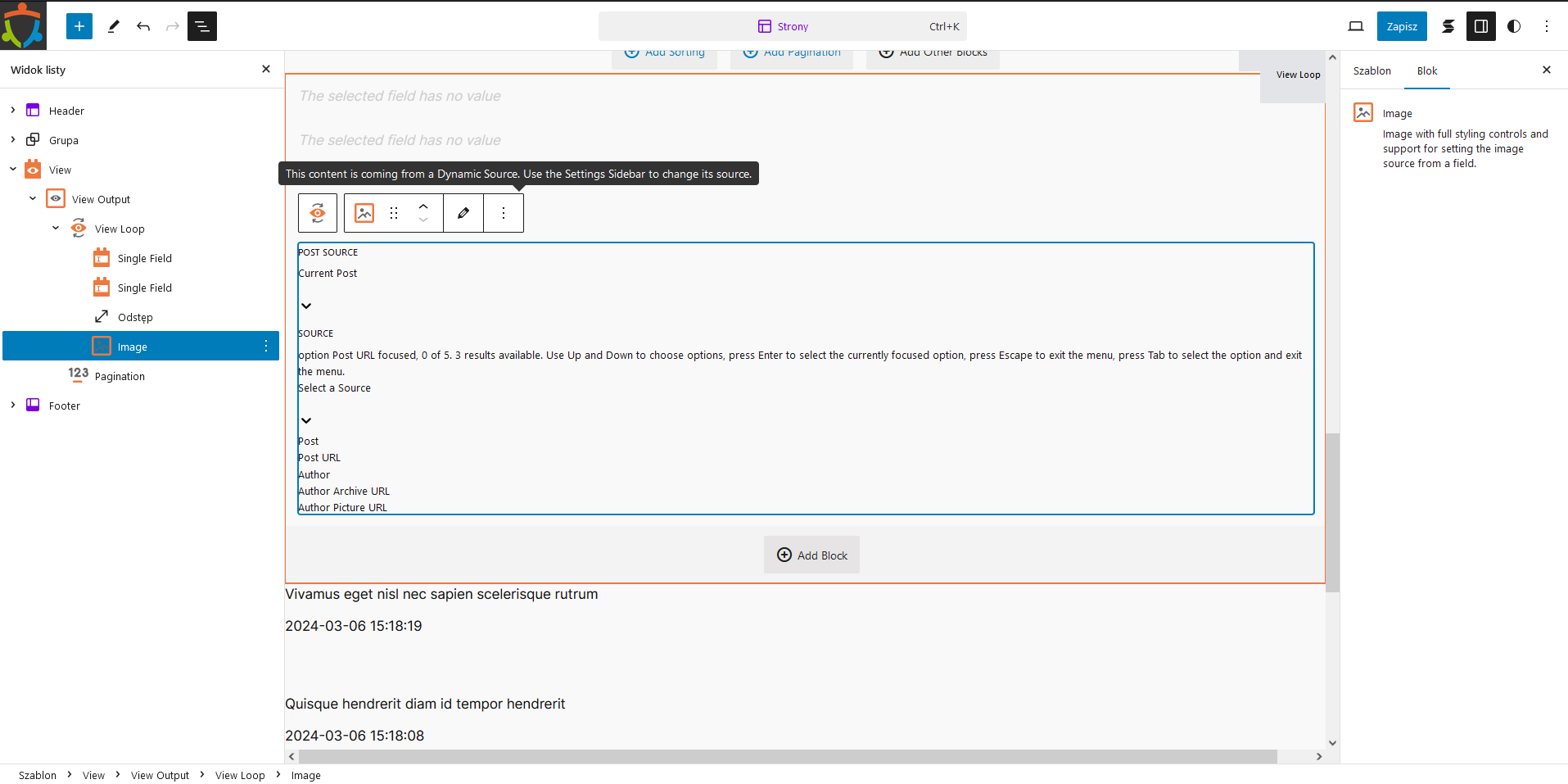
The same problem occurs with the Image block.
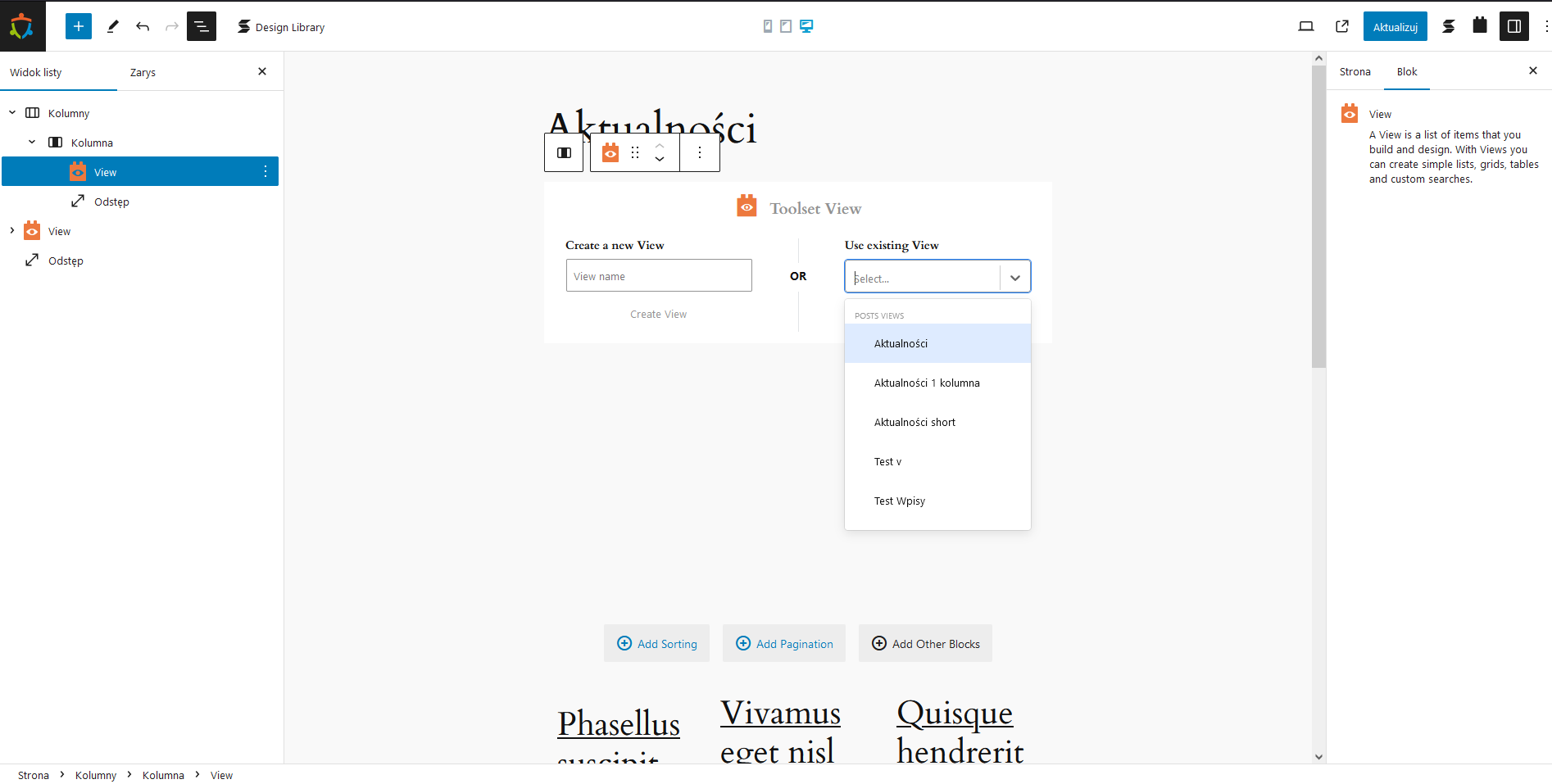
Very important. This module works correctly in a single post or page block editor, but displays incorrectly in a template block editor.
In the attachments I provide a screenshot of a correctly working block and an incorrectly working one.
Env: WordPress 6.4.3 with official Twenty Twenty-Four theme.
In general, I regret to say that the Toolset block plugin works as if it had not been properly adapted to the block template editor, yet this method has been officially recommended by the WordPress community and used in WP core for several years.
I'm afraid Toolset does not support block-based themes. They work in a fundamentally different way to traditional PHP-based themes, and we are still evaluating the best way to proceed in terms of support, as it will likely be a major undertaking.
In the meantime, Toolset can only be used with traditional themes.
The topic ‘[Closed] Use existing View option at theme block editor displayed incorrectly’ is closed to new replies.