Tell us what you are trying to do?
We are trying to change the URL structure to our old situation, which was with a Job board WP extension. In that extension we had the possibility to make the URL's short / 1 path depth such as hidden link . With Toolset and our subcategory structure this seems to be impossible and the URL is a kind of sub category hidden link such as hidden link .
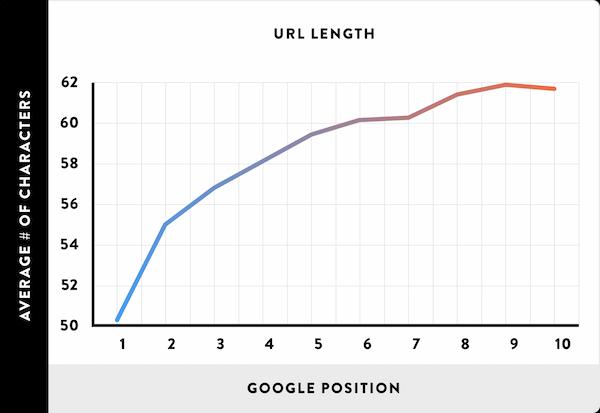
With our previous URL structure we had better SEO ranking results. I found hidden link from the blog hidden link which substantiate this.
How can I fix this?
Is there any documentation that you are following?
Can't find documentation about URL structure.
Is there a similar example that we can see?
Not that I am aware of.
WordPress relies on structures such as site.com/%3Cmain-category%3E/%3Csub-category%3E/ to know how to interpret what is being queried with a given URL.
With a URL such as site.com/something how would it know whether something was the slug of a page or post, or the archive of a custom post type whose slug is something, or the archive for a taxonomy whose slug is something, or—in your case—the term archive for a term whose slug is something, belonging to which taxonomy?
To avoid ambiguity, WordPress relies on particular URL structures.
You don't have to abide by those structures, but that does require you to write custom rewrite rules to instruct WordPress how it should interpret certain URL patterns. It's not a simple topic, and you may need the help of a WordPress developer.
There are quite a few guides describing what's involved, such as hidden link, but if you search you'll find many more.
You can enter simple rewrite rules in the settings for the taxonomy (as well as custom post types), but for what you need you will need to write custom rewrite rules in PHP, or check for plugins that may allow you to set them up via the admin pages.
The topic ‘[Closed] URL structure’ is closed to new replies.