Skip Navigation

[Resolved] Unable to resize image from Image block

This support ticket is created 3 years, 11 months ago. There's a good chance that you are reading advice that it now obsolete.

This is the technical support forum for Toolset - a suite of plugins for developing WordPress sites without writing PHP.

Everyone can read this forum, but only Toolset clients can post in it. Toolset support works 6 days per week, 19 hours per day.

Sun Mon Tue Wed Thu Fri Sat
- 9:00 – 12:00 9:00 – 12:00 9:00 – 12:00 9:00 – 12:00 9:00 – 12:00 -
- 13:00 – 18:00 13:00 – 18:00 13:00 – 18:00 14:00 – 18:00 13:00 – 18:00 -

Supporter timezone: America/Jamaica (GMT-05:00)

This topic contains 5 replies, has 2 voices.

Last updated by michaelF-27 3 years, 11 months ago.

Assisted by: Shane.

Author
Posts
#2288993

I have added a single image field to my custom post type "Wildflowers". I've added a dynamic Image content block and the image is displaying fine, except it is way too big. I can't find any options to set the max height/ width for the image. Please advise?

The website is daywalks.co.uk, if you want to see a current example of how the images are appearing currently please go to daywalks.co.uk/wildflower/snowdrop/ and look at the image at the bottom of the page

#2289017

Shane
Supporter

Languages: English (English )

Timezone: America/Jamaica (GMT-05:00)

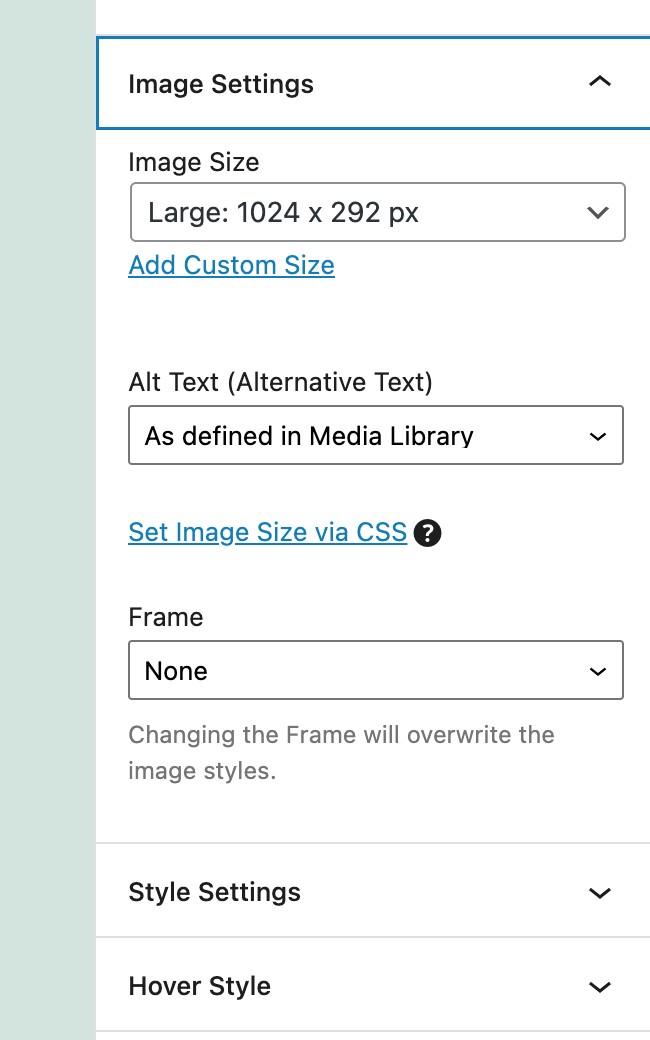
Screenshot 2022-02-10 at 3.51.18 PM.png

Hi Michael,

Thank you for getting in touch.

If you were to click on the image block you should see the Image Settings option. See Screenshot.

This should contain the image size setting that allows you to modify the image size.

Can you send me a screenshot of what you see on your end.

Thanks,
Shane

#2289377
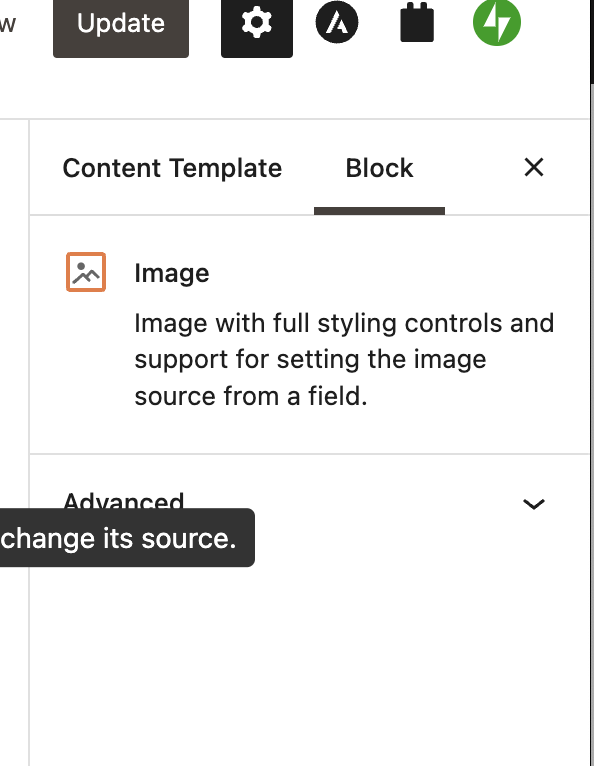
Screenshot 2022-02-11 at 09.40.49.png

Hi,

Many thanks for the swift reply!

Here's a screenshot of what I see - it is unusual as I don't see any options at all for this control.

Mike

#2289659

Shane
Supporter

Languages: English (English )

Timezone: America/Jamaica (GMT-05:00)

Hi Michael,

Thank you for the screenshot.

I would need to look at this in a bit more detail for you.

Can you provide me with admin access to the site so that I can do some further checks?

Also please send me a link to the exact page where you're experiencing the issue with the image block.

Thanks,
Shane

#2289717

Shane
Supporter

Languages: English (English )

Timezone: America/Jamaica (GMT-05:00)

Hi Michael,

Thank you for the link.

The problem was that the post that was selected to edit the content template with didn't have an image attached to the custom field that you were using.

Simply using the View With option at the top of your screen and selecting "snowdrop" allowed me to then determine the image size that should render.

This should help you resolve the issue.

Thanks,
Shane

#2289847

Hi - oh my goodness that is an embarrassingly simple "fix" - its working perfectly now!!

Thank you so much for your help! Have a great Friday/ Weekend!