Hi there,
We are using the Toolset Views plugin (legacy version) on the site for filtering posts.
We have a CPT called "Resources" and a custom taxonomy called 'Resource Categories', and we need to add a checkbox filter.
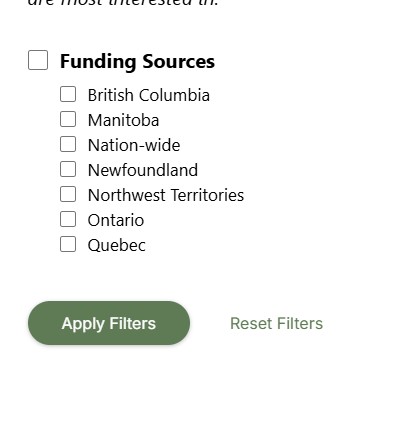
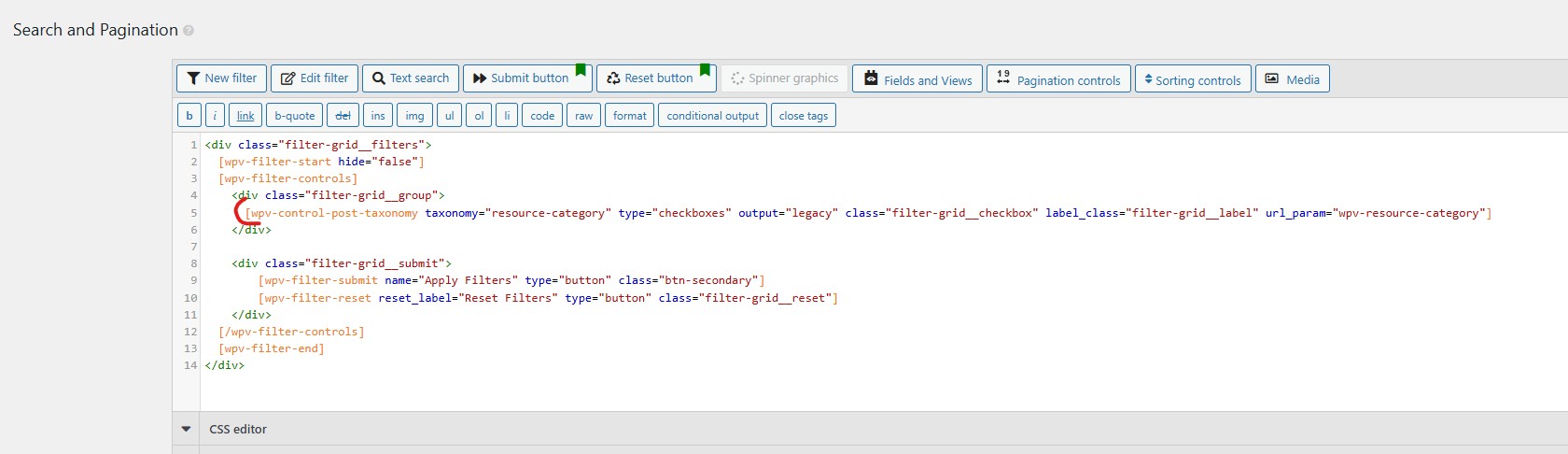
I have the checkbox filter (the terms in Resource Category) already added in to the 'Search and Pagination' box (screenshot attached toolset-view-checkbox-filter.jpg), and it's displaying correctly.
We also want to exclude certain terms in the checkbox filter, so we have used the php hook "wpv_filter_taxonomy_frontend_search_available_terms" to make that happen.
We would like to allow only one term and its child terms to be displayed in the checkbox filter and by using the code below, it worked:
Below is my code:
`
add_filter( 'wpv_filter_taxonomy_frontend_search_available_terms', 'allow_specific_terms_and_children', 10, 3 );
function allow_specific_terms_and_children( $terms, $taxonomy, $view_id ) {
if ( $view_id == 4538 && $taxonomy == 'resource-category' ) {
$allowed_parent_ids = array( 45); // IDs of parent terms you want to keep
$new_terms = array();
foreach ( $terms as $term ) {
if ( in_array( $term->term_id, $allowed_parent_ids ) || in_array( $term->parent, $allowed_parent_ids ) ) {
$new_terms[] = $term;
}
}
return $new_terms;
}
return $terms;
}
`
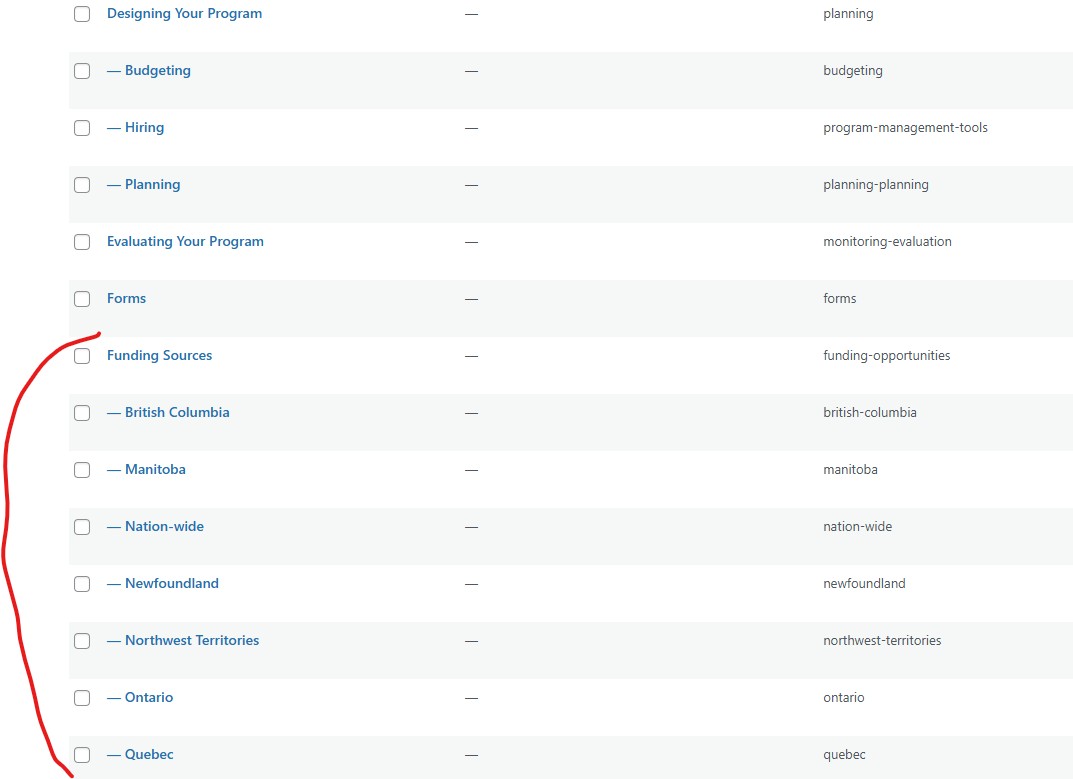
When the code is added in, it is displaying the 'Funding Sources' term and its child terms (screenshots attached: - 'custom-taxonomy-terms.jpg' + - 'checkbox-filter.jpg' ):
That part is working, and it's filtering correctly. However, instead of displaying all the posts on the right, we want to query/show posts that are tagged with the term 'Funding Sources' from the start too. We have used another php hook to make that work, please find the code below:
`
add_filter( 'wpv_filter_query', 'filter_view_by_terms', 10, 3 );
function filter_view_by_terms( $query_args, $view_settings, $view_id ) {
if ( $view_id == 4538 ) {
$query_args['tax_query'] = array(
array(
'taxonomy' => 'resource-category', // Or your custom taxonomy
'field' => 'slug',
'terms' => array( 'funding-opportunities' ), // Slug of the tag
'operator' => 'IN',
),
);
}
return $query_args;
}
`
Adding that code snippet, it displays posts that are tagged with 'Funding Sources', but the filtering isn't working.
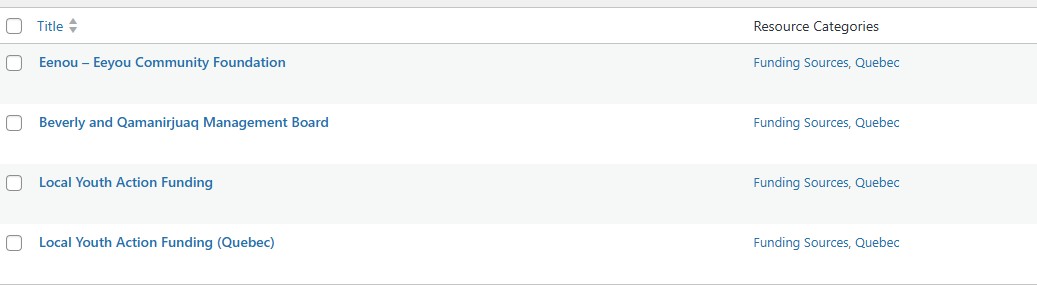
When I selected the term 'Quebec' on the filter, it's still showing all the posts. It should be showing 4 posts if 'Quebec' is selected (screenshot attached quebec-posts.jpg).
Below is a test page that we have created for testing.
hidden link
It seems adding the 'wpv_filter_query' code snippet caused the filter to stop working.
What is the issue?
What is the best way to display posts that are tagged with the term 'Funding Sources' from the start , and at the same time the checkbox filter should display the term 'Funding Sources' and its child terms (British Columbia , Manitoba, Nation-wide, Newfoundland, Quebec, etc..)?
thank you!