Skip Navigation

[Resolved] Toolset plugin cannot connect to toolset[dot]com

This is the technical support forum for Toolset - a suite of plugins for developing WordPress sites without writing PHP.

Everyone can read this forum, but only Toolset clients can post in it. Toolset support works 6 days per week, 19 hours per day.

Sun Mon Tue Wed Thu Fri Sat
- 9:00 – 12:00 9:00 – 12:00 9:00 – 12:00 9:00 – 12:00 9:00 – 12:00 -
- 13:00 – 18:00 13:00 – 18:00 13:00 – 18:00 13:00 – 18:00 13:00 – 18:00 -

Supporter timezone: America/Sao_Paulo (GMT-03:00)

This topic contains 11 replies, has 2 voices.

Last updated by Mateus Getulio 1 year, 10 months ago.

Assisted by: Mateus Getulio.

Author
Posts
#2687705
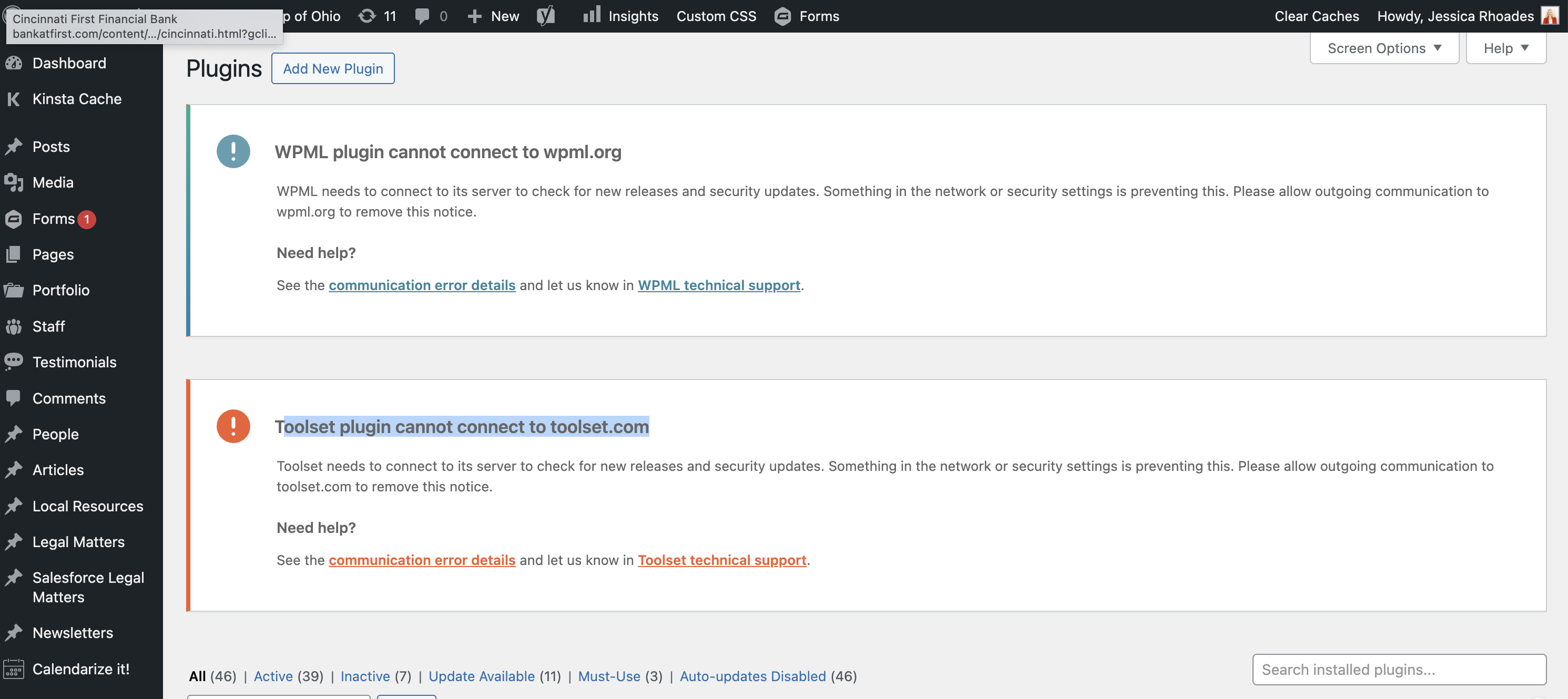
Screenshot 2024-03-13 at 11.56.37 AM.png

I updated to the latest release (Version 2.6.19) last week and it updated fine. When I went to log back in, the error appears in the plugins dashboard. The website is working fine. Do you have instructions on how to resolve the issue?

#2687947

Mateus Getulio
Supporter

Languages: English (English )

Timezone: America/Sao_Paulo (GMT-03:00)

Hey there,

Thank you for contacting us.

Can you please confirm you're running the most up-to-date version of Toolset Types, version 3.5.2 ?

If not, please go to the plugins page, disable and remove the Types plugin, grab an updated version here: https://toolset.com/account/downloads.

Then. install it and activate the Types version.

After that, please try the following procedure:

- Go to https://toolset.com/account/ and remove the key for your site
- Click on 'Add new site' and add your site again and save the new generated key(when adding it again, please make sure to add it exactly as it is registered within the site's DB, eg: with or without https, with or without WWW)
- Go to Plugins > Add New
- Click on "Commercial"
- Click on "Register Toolset" and try to register Toolset again with the new generated key

Thank you, please let me know if this fixes the issue.
Mateus

#2687978

I followed the instructions and the error did not go away.
I created a video to show you the steps that I took: hidden link

#2687987

Mateus Getulio
Supporter

Languages: English (English )

Timezone: America/Sao_Paulo (GMT-03:00)

Hello there,

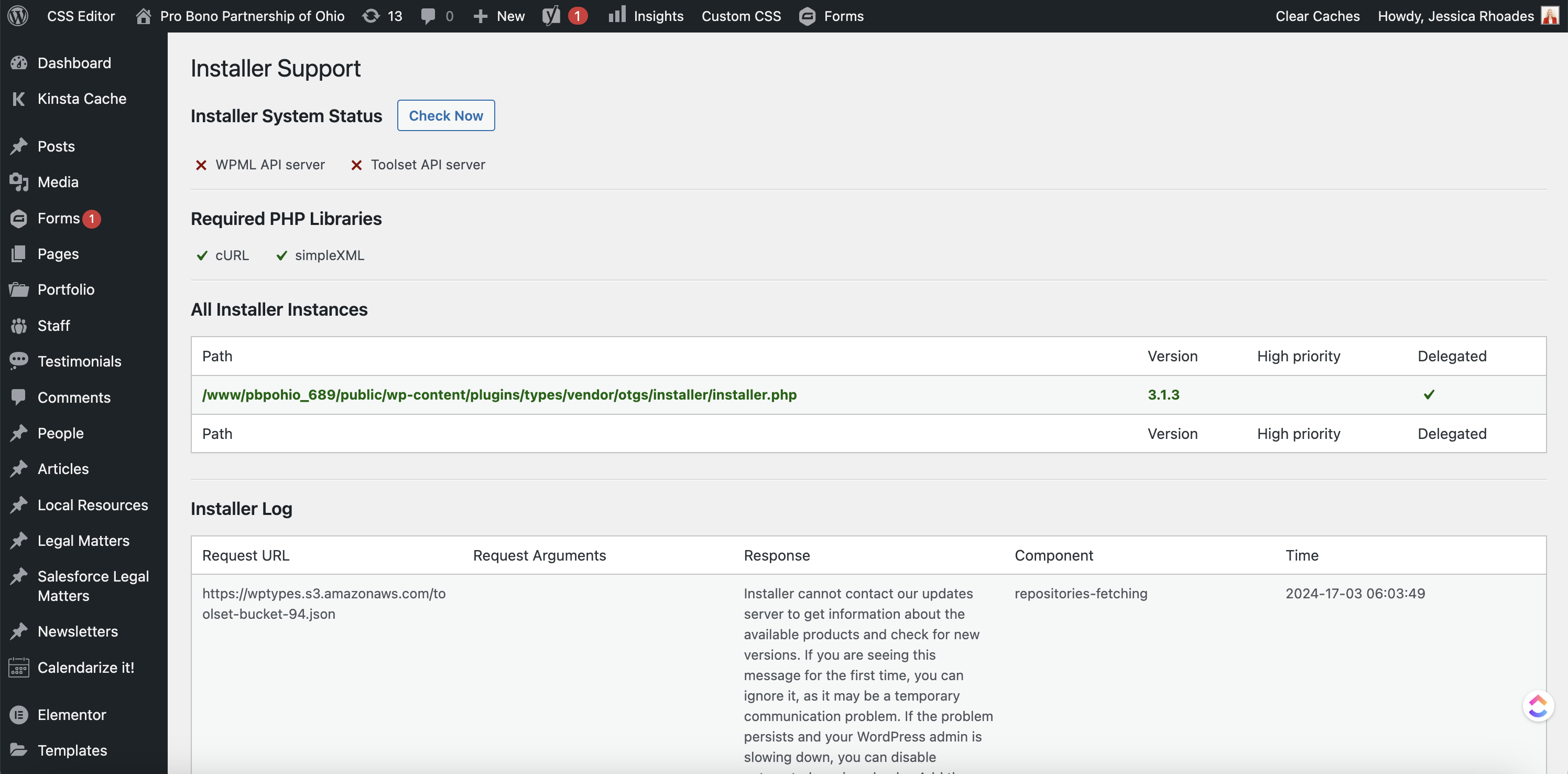
If you go to Toolset > Settings and click the Toolset Debug Information and Troubleshooting link at the bottom. Then, on the resulting page click the Installer Support link.

Do you see any errors in there?

Thank you, please let us know.

Mateus

#2688441
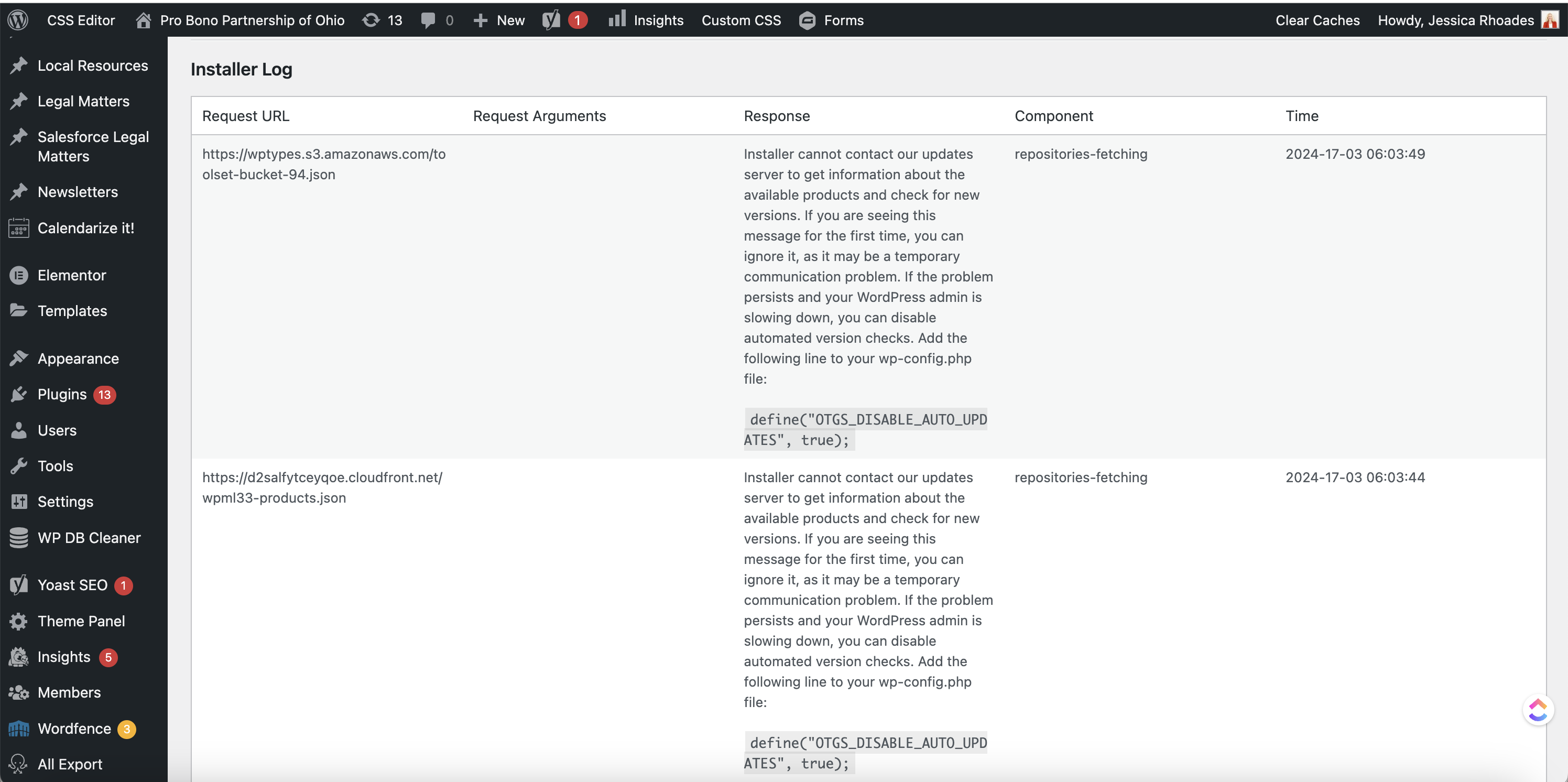
Screenshot 2024-03-18 at 8.12.00 AM.png
Screenshot 2024-03-18 at 8.09.55 AM.png

Yes, I see the errors in there. See attached screenshots.

#2688465

Mateus Getulio
Supporter

Languages: English (English )

Timezone: America/Sao_Paulo (GMT-03:00)

Hello there,

I checked it and this type of error happened before due to a connection block with Cloudfare. In essence, the Cloudfare firewall was preventing the site to connect to our API to get the license validated.

Is it possible for you to temporarily disable Cloudfare for your site and try register again? Just a test to see if there might be some block going on.

Thank you, please let us know if it works.

Mateus

#2688589

I temporarily disabled Cloudflare and it is still not connecting.
See video: hidden link

What is the next step to get this resolved?

Thank you,
Jessica

#2688615

Mateus Getulio
Supporter

Languages: English (English )

Timezone: America/Sao_Paulo (GMT-03:00)

Hello there,

Thank you for testing it.

I created a ticket internally to have our systems support team checking if we might be blocking the connection attempts by chance.

I'll let you know as soon as I hear back from them.

Thank you,
Mateus

#2688839

Mateus Getulio
Supporter

Languages: English (English )

Timezone: America/Sao_Paulo (GMT-03:00)

Hello Jessica,

Our team checked it and they didn't find the site to be blocked in our servers.

Whatever issue is causing this problem, it is something else.

I would like to request temporary access (wp-admin and FTP) to your site to take better look at the issue. You will find the needed fields for this below the comment area when you log in to leave your next reply. The information you will enter is private which means only you and I can see and have access to it.

Our Debugging Procedures

I will be checking various settings in the backend to see if the issue can be resolved. Although I won't be making changes that affect the live site, it is still good practice to backup the site before providing us access. In the event that we do need to debug the site further, I will duplicate the site and work in a separate, local development environment to avoid affecting the live site.

Privacy and Security Policy

We have strict policies regarding privacy and access to your information. Please see:
https://wpml.org/purchase/support-policy/privacy-and-security-when-providing-debug-information-for-support/

**IMPORTANT**

- Please make a backup of site files and database before providing us access.
- If you do not see the wp-admin/FTP fields this means your post & website login details will be made PUBLIC. DO NOT post your website details unless you see the required wp-admin/FTP fields. If you do not, please ask me to enable the private box. The private box looks like this: hidden link

Please, let me know if you need any additional details. Have a nice day.

#2689821

Mateus Getulio
Supporter

Languages: English (English )

Timezone: America/Sao_Paulo (GMT-03:00)

Hello Jessica,

Thank you for your patience as we investigated the connectivity issue you're experiencing with the Toolset plugin on your site.

After a thorough review and considering the feedback from our systems support, we believe the issue is related to your server's DNS resolution capabilities:

1- DNS Resolution Issue: It appears your server is having difficulty resolving the IP addresses of specific domains crucial for Toolset's functionality. This is indicated by the error "cURL error 28: Resolving timed out after 5000 milliseconds."

2- List of Essential IPs: We have identified a list of IPs that your server needs to resolve correctly. Please check with your hosting provider if these IPs are resolving properly:

Domain + IP
api.toolset.com: 3.212.202.81
api.toolset.com: 34.193.222.18
d7j863fr5jhrr.cloudfront.net: 13.33.123.118
cdn.wpml.org: 18.64.207.3
api.wpml.org: 54.146.219.48

If they are not resolving, your host may need to manually add these IPs to the /etc/hosts file.

3- Next Steps with Hosting Provider: Given these findings, we strongly advise you to work closely with your hosting provider to address these issues. They should be able to assist in ensuring proper DNS resolution and advise on safely re-enabling the REST API.

4- Host’s Investigation: It’s crucial that your host investigates any potential blocks or restrictions that might be preventing the Toolset plugin from connecting to our servers.

5- Cloudfare setup, we've had issues like this in the past that were caused by two nested layers of Cloudfare being enabled for the site, this was causing the connectivity issues in that specific scenario, you might want to reach out to Cloudfare too so they can check your settings and see if they're not blocking this traffic by chance.

We understand the importance of resolving this issue as fast as possible and we are here to provide any further assistance or clarification you might need. However, since the problem appears to be related to server configuration, your hosting provider's direct intervention is necessary.

Please feel free to reach out if you have any more questions or need further assistance from our end.

Best Regards,
Mateus

#2689824

What specific problem are these errors causing? If it cannot connect to toolset.com, what specifically does that mean? Will it not get automatic update notices? Does the plugin break? I want to make sure I understand the priority of what this error means.

Thank you,

#2689841

Mateus Getulio
Supporter

Languages: English (English )

Timezone: America/Sao_Paulo (GMT-03:00)

Hello there,

It doesn't impact your site directly, you're able to continue to use Toolset without any issues.

But you won't be alerted of new versions nor will be able to automatically update them. But if there's a major update, or a patch/hotfix you might miss this new version and that can cause issues.

You can still update the most recent plugin version from https://toolset.com/account/downloads/ and update it manually.

Thank you,
Mateus