Hello,
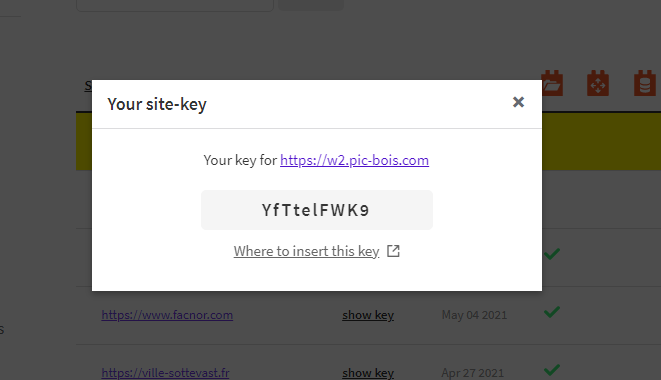
After copying my site from hidden link Objectifmultimedia.com/ to hidden link, I created a new key but I cannot register it.
I disabled toolset and then enabled again. There is always the message "Toolset plugin cannot connect to toolset.com"
then toolset: Site key does not match for hidden link ???
Sorry for my English.
thanks in advance
hidden link Objectifmultimedia.com
Hello and thank you for contacting the Toolset support.
Toolset registration keys are bound to a specific URL. Which means that the key for hidden link won't work for hidden link. Notice that the second URL does not have the s in https. It won't work either for a different domain. As you can see on the error Site key does not match for hidden link;.
You will need to register a new key for this new URL hidden link
Go to your Toolset dashboard and generate a new key for this domain. https://toolset.com/account/sites/
Then register it on the website. Check this article https://toolset.com/faq/how-to-install-and-register-toolset/
If it is a development site, you can generate a developer key.
Then, you can remove your existing key from your Toolset dashboard.
I hope this helps. Let me know if you have any questions.
thank you for your reply.
By typing the url, it went better. However, I still cannot enter the new key.
Go to Plugins->Add New->Commercial(tab), scroll down to Toolset section, then unregister the existing key. After than you will get the button to register this new key.
If you are still encountering issues, allow me temporary access to your website and I'll try to register it based on the key from your last screenshots.
Side note: Images and URLs are only visible to you and the Toolset team. Other users of the forum won't be able to see them.
Thank you for the credentials. I was able to register the website and I am able to check for new updates. I was also able to download Toolset Blocks from the Toolset installer without issues(it is not activated). This proves that the communication completes successfully. hidden link
I was able to get rid of the notice. But, it appeared again. I can confidently say that the communication is now working correctly, even if the message still appears.
If I perform a new communication check, it completes without issues, but it does not add this check to the logs. The first entry of the log was written a couple of hours ago hidden link
Maybe this happens because my user is not an administrator. Maybe not. I can't tell without doing some further investigation.
Can I take a copy of your website and debug it locally? If yes, please install the Duplicator plugin, and the All In One Migration plugin. Login with my user to make sure I can use them. Then, let me know, so I can take the copy. Otherwise, I'll suggest that you perform another check tomorrow and if the notice does not appear, we'll need a copy of the website to debug it.
Thanks for your intervention.
I wait until tomorrow and see if it's working properly. If not, I will give you the option to recover the site.
Marc
Thank you Marc! I'll set this ticket as waiting for your reply. It will remain open for a couple of weeks, and you will receive a couple of notification emails before it gets closed.