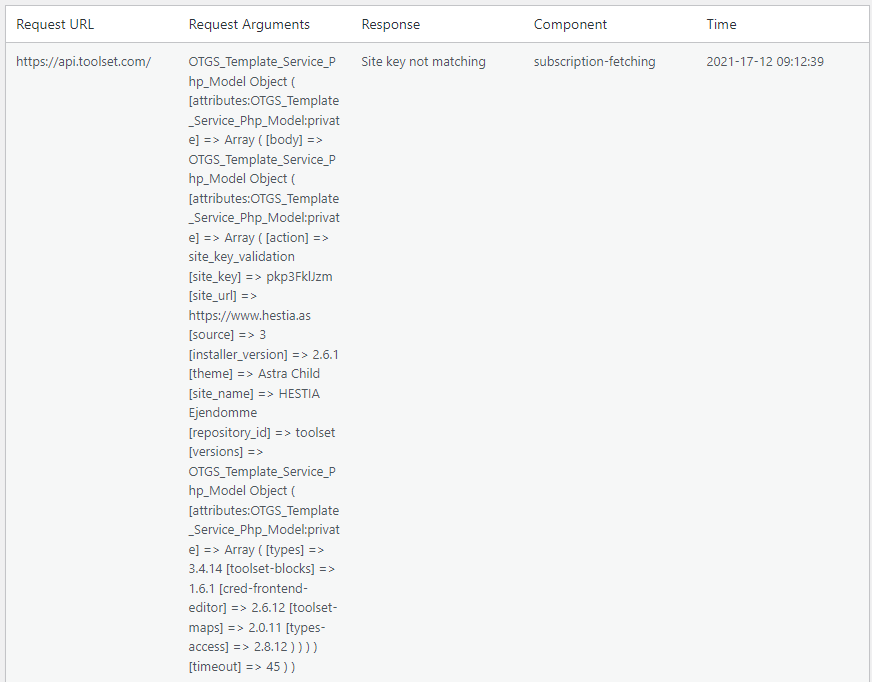
This site have been migrated from a different site, but I have made a "new site" on my toolset dashboard, registered the new key in WP and the "Toolset plugin cannot connect to toolset.com" error still occur.
In the installer support log it checks ok in WPML API server, Toolset API server, cURL and simpleXML - but the log stil says "Site key not matching" with the argument: (See attached)
You still see the problem now? I just checked on our end, where everything looks okay, with the site hidden link correctly registered.
If you do still see the problem I would suggest that you unregister the site, go to your account page and delete the site key, and start again for this site.
The most dependable way to register the site is to use the register link on the main plugins page to go to the custom Toolset installer page, and use the "Get a key for this site" link to register the site against your account and generate the key. (That way ensures that the site URL is an exact match.)
If you do that and you still have problems please let us know, but in any case, sorry for the inconvenience.
Can you please share admin access details and let me see whats going wrong with your setup.
*** Please make a FULL BACKUP of your database and website.***
I would also eventually need to request temporary access (WP-Admin and FTP) to your site. Preferably to a test site where the problem has been replicated if possible in order to be of better help and check if some configurations might need to be changed.
I have set the next reply to private which means only you and I have access to it.