I am trying to get the toolset plugin to recognize that we have an active, paid account in good standing.
Link to a page where the issue can be seen: see attached image. When we click the link to "communication error details" it says "toolset: Site key does not match for hidden link".
I expected to see the ability to update our license path in the toolset admin panel to recognize that our wordpress install is at masslandlords.net/wp.
Please would you update our license path on your end to hidden link?
Hi,
If you received the Toolset key from a developer, you can not change the URL of the website.
But if you purchased the license yourself you can do as follows:
- Make sure that you are logged in toolset.com
- Go to "WordPress Dashboard > Plugins > Add New > Commercial (Tab)".
- Click the unregister link to unregsiter Toolset temporarily.
- Click the "Register Toolset" at the right section of the screen.
- Click the "Get a key for this site" link annotated in the screenshot below.
- A new page will open up and the auto-generated key will show in pop-up.
- Copy the key and paste it into the "Site Key" input box annotated in the screenshot below.
- Click the "OK" button.
Thanks.
In your instructions, there was no "screenshot below."
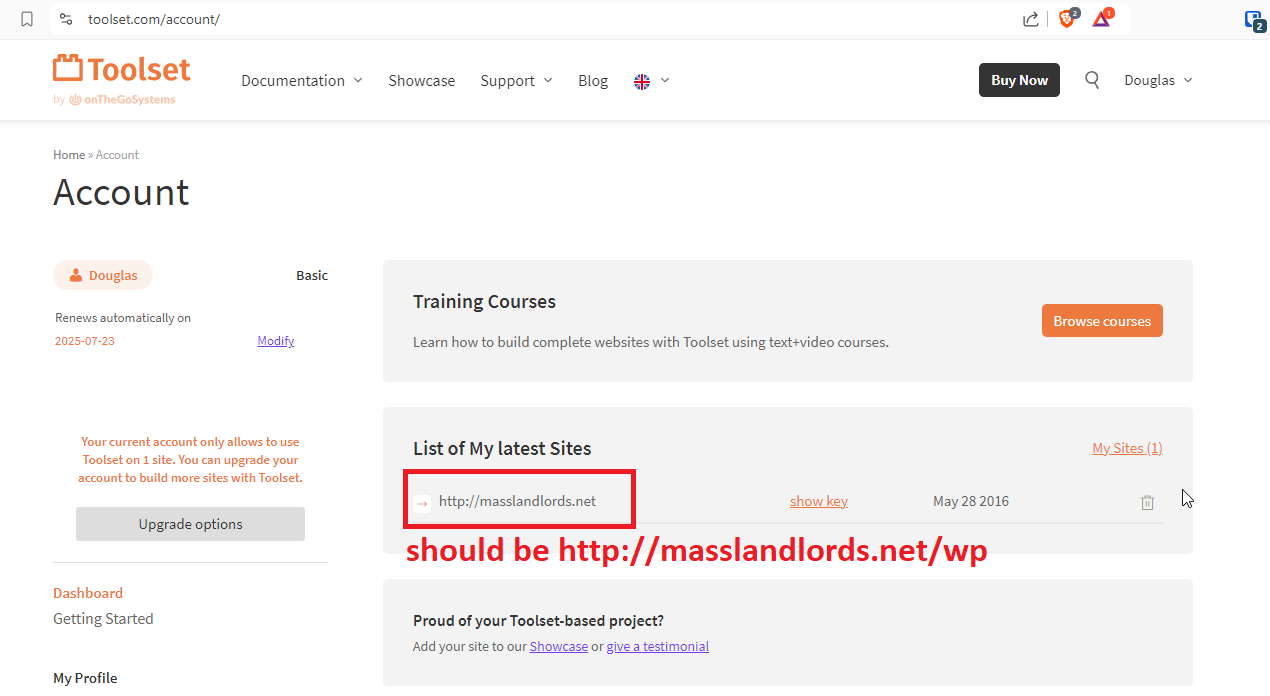
I think the screenshot does not matter. First of all, we do not allow plugins to be added live on our production site, so we cannot follow these instructions. Second, the plugin worked before we changed the directory in which our site was installed. I do not believe refreshing the key is really the answer, except to the extent this refreshes the path you have stored in your database.
I can see very clearly in the toolset dashboard that you have listed our site as "hidden link". Can you please have someone change this on your end to "hidden link"? I know from experience with other plugins that this is likely to solve the issue.
Hi,
It seems we passed each other when it comes to communication.
So let me explain the details:
Did a developer give you the key or you directly purchase Toolset?
That is an important point to know and you did not answer that question.
We have a feature that a developer can give the key to his customer and the renew will be available for the customer.
In such scenarios it is not possible to change the URL of the website that the developer gave the key to the customer.
If you purchased Toolset yourself then the way to change the URL is either clicking the trash icon next to the site URL on your screenshot that you gave, and do the registration of Toolset on your WordPress Dashboard which will detect the correct URL during the process. I already gave the details on how to do so.
Thanks.