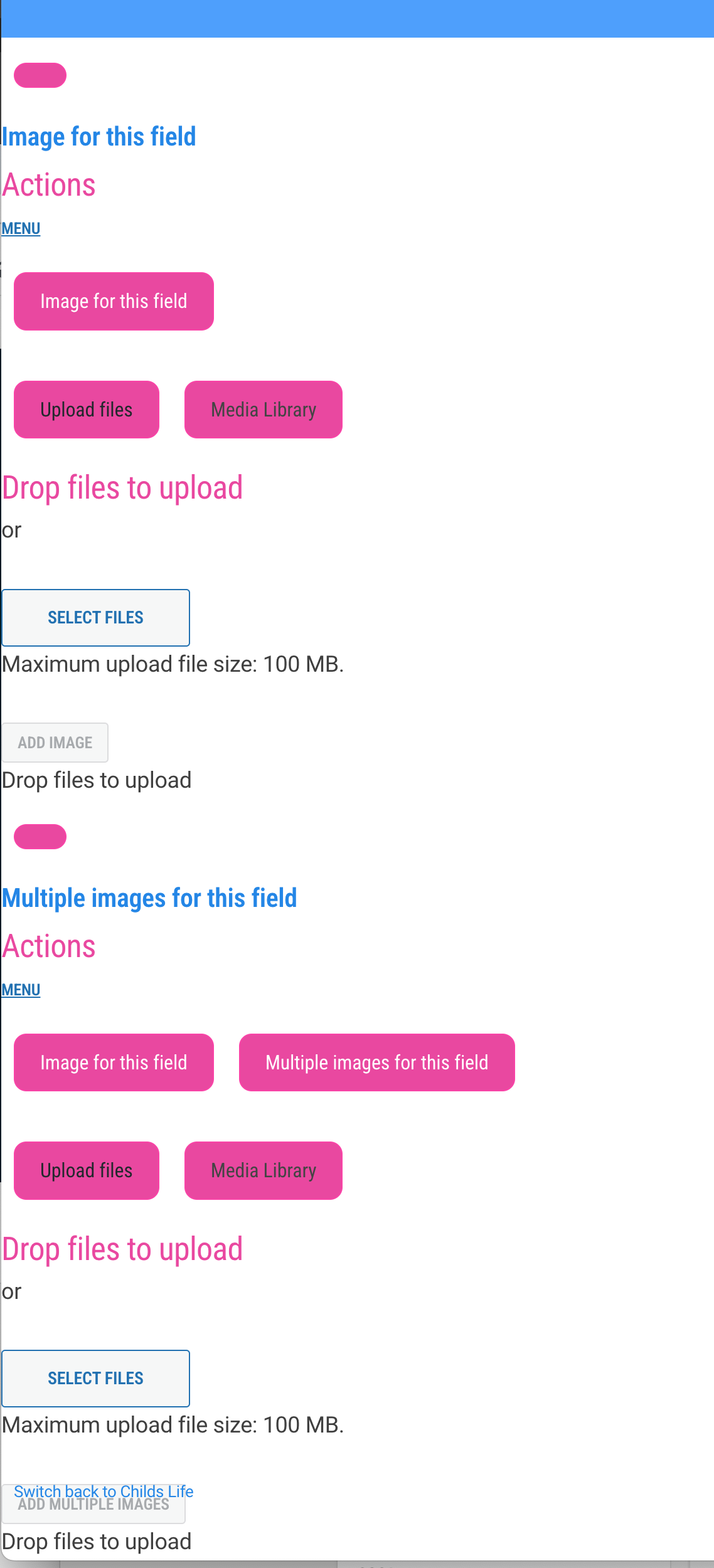
We have encountered an issue with users on our site editing or adding images from within Toolset Forms, after thoroughly testing theme and plug-in conflicts the issue has been narrowed down to only ocurring when Community Events is activated. I have reached out to TEC with the issue but thought you may have had similar reports on your end and there may be a fix?
When a user tries to edit an image the page scrolls down to the very bottom of the page where a confusing menu is displayed. Instead it should bring up the media library menu as a pop-up window. As well, the delete buttons are missing from the gallery images section.
Hello. Thank you for contacting the Toolset support.
Can you please share problem URL where I can see the issue as well as exact steps I will have to follow that should help me to reproduce the issue.
*** Please make a FULL BACKUP of your database and website.***
I would also eventually need to request temporary access (WP-Admin and FTP) to your site. Preferably to a test site where the problem has been replicated if possible in order to be of better help and check if some configurations might need to be changed.
I have set the next reply to private which means only you and I have access to it.
To see the form - you will need to go to a users account as it does not happen under the administrator level. I use the Switch Users plugin.
Switch to the username: info6
then click on 'My Account' in the top blue nav bar
The click my Listings
Edit the listing you see there. Try changing or adding an image and you should see the issue.
Turn off community events plugin to see how it should function.
HI - thanks. Yes as I said updating TEC causes a new issue with the way we have our elementor single page templates set up. Regardless, we have tried this test with the most updated version of TEC as well and the problem still exists. No difference.
I think there may have been a typo on your first response - "I tried to edit the form on "My listing" and I try to upload new image and I see form is saved and now the listing is no more available:"
Are you saying the listing disappeared? I don't understand this: "the listing is no more available" can you explain further?
I will try the sandbox later today - thanks for doing that.
I could not able to connect to the site anymore now.
Also, I've not make any note about what listing it was. I just login and I tried to edit the form on "My listing" and I try to upload new image and I see form is saved and now the listing is no more available.
Thanks - just wondering if you switched to the user account I mentioned, or if you made the update as an admin? It works perfectly as an admin.
We have just had a long weekend here in Canada, so just getting back to things today. I will upload the plugin to the dan box this afternoon and hopefully we can get the issue solved this week! Fingers crossed.
Thank you for adding the The Events Calendar Plug-ins but can you please share a test page where I can see the issue on sandbox site and exact steps I need to follow to see the issue.
Sorry I misunderstood. I'll see if I can figure that out! I'm assuming there is a way to move the form over. I'm not sure if I will be able to do this today, but will let you know as soon as it;s ready.
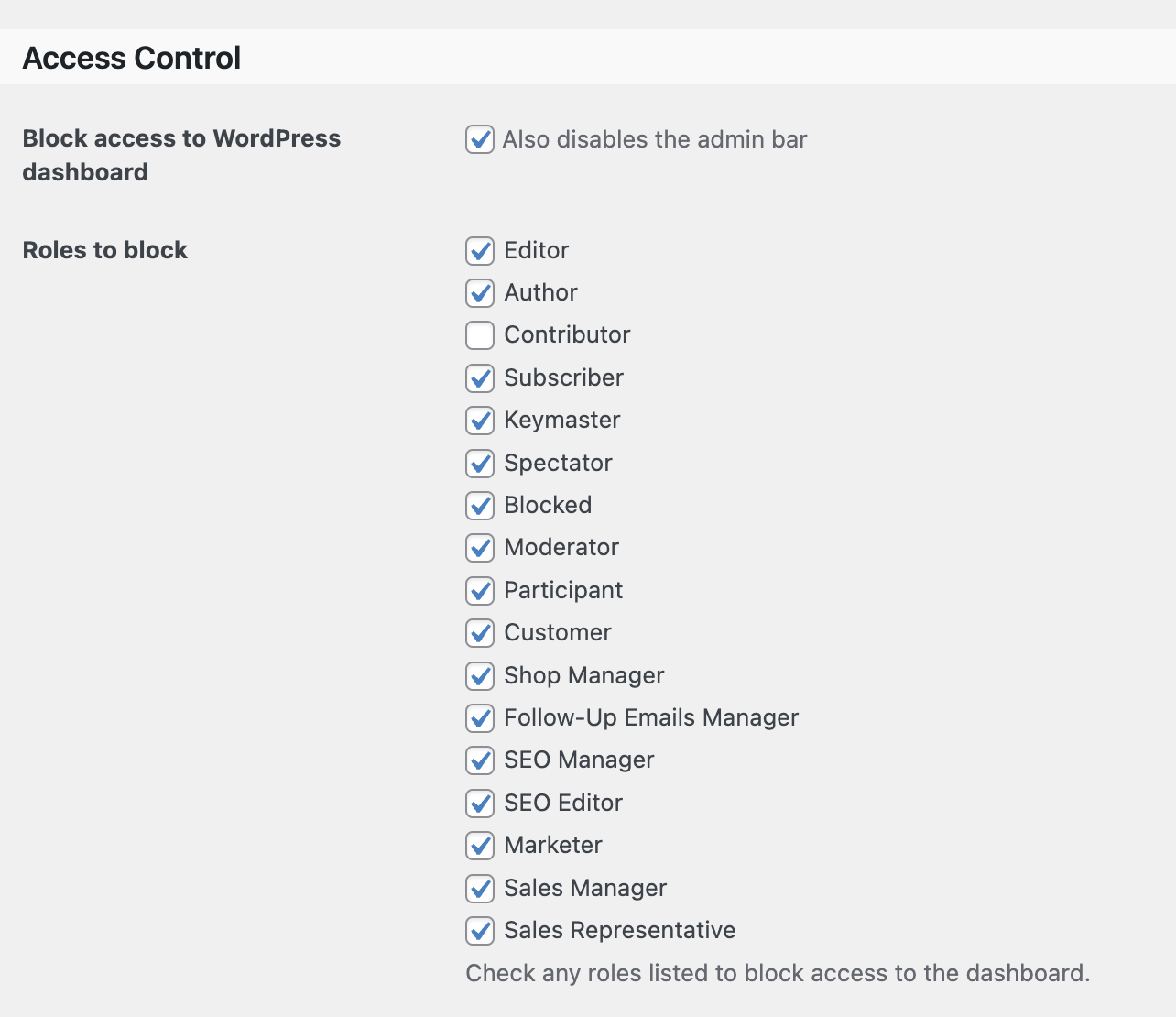
I just wanted to send you an update. I haven't had a chance to afdd the form yet, but I did find to some info from the support team at The Events Calendar. In the Community Events Settings there is a section for access to the admin area (I'll include an image here). If I deselect the 'Contributor' role this problem with the Toolset form goes away. So it is selecting that user role that causes the issue.