On this page: hidden link
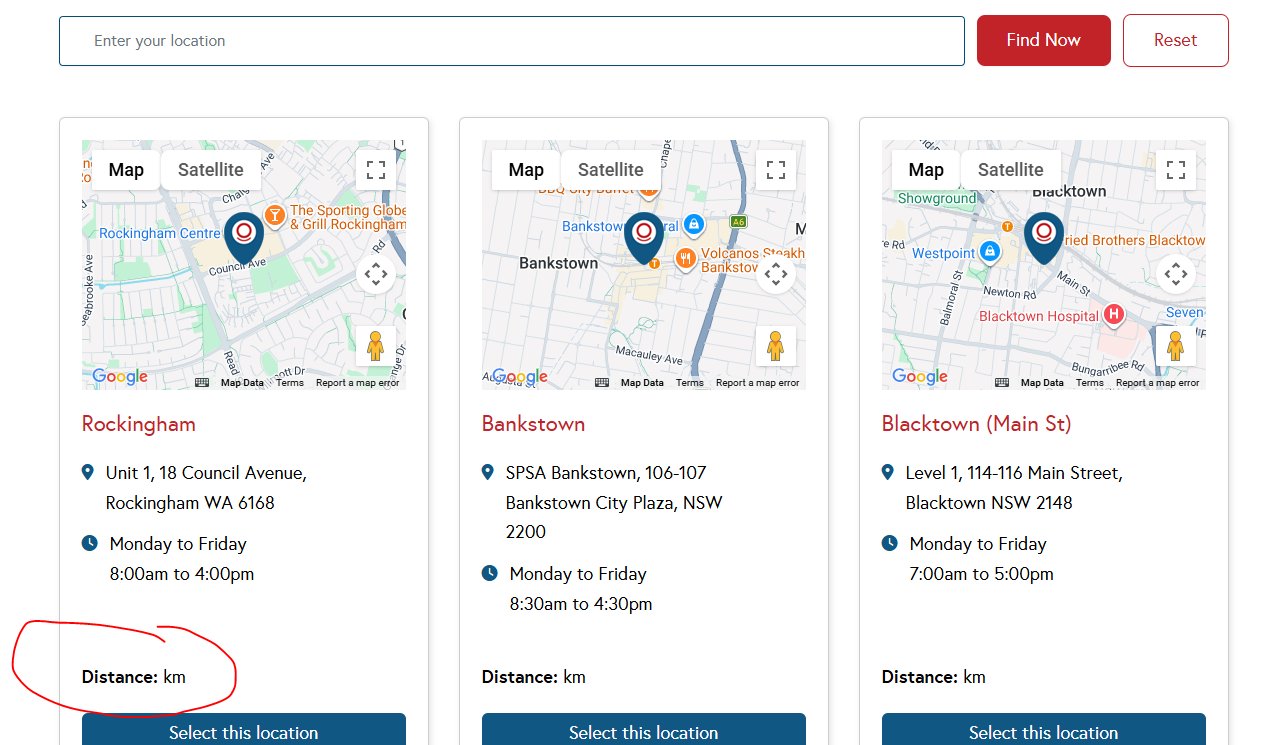
I added distance on the view list.
I used this code:
<div class="distance"><b>Distance:</b> [toolset-maps-distance-value origin_source='url_param' postmeta='wpcf-clinic-map-address' unit="km" decimals='0'] km</div>
But it doens't work in front end. Previosly its working before but suddenly its not working anymore. I'm tired what the issue was, as all correctly setup.
When I input location on the search tab to find nearest location, it doesn't work as well.
Can you help me pls?
View Name: General Booking Location
Hi,
Welcome to Toolset support. From the code of the view I cncluded the points below:
Your address-field key is inconsistent: compare_field="clinic-map-address" vs postmeta="wpcf-clinic-map-address"
In your filter you have:
[wpv-control-distance ... compare_field="clinic-map-address" ...]
But in the loop you calculate distance with:
[toolset-maps-distance-value ... postmeta='wpcf-clinic-map-address' ...]
Distance shortcode expects the actual address field slug (stored in postmeta as wpcf-<slug> for Types fields).
Go to Toolset → Custom Fields (or Types field group) and confirm the real slug of your Address field.
Then make the View consistent, e.g. if the slug is clinic-map-address, the stored meta key is typically:
wpcf-clinic-map-address
So update your distance control to match that:
[wpv-control-distance ... compare_field="wpcf-clinic-map-address" ...]
Also test without wpcf too clinic-map-address
One more thing that can break your layout/JS: broken quotes
You currently have:
<a href="<em><u>hidden link</u></em> field='clinic-location'][/types] target="_blank"">
That’s malformed HTML (the target="_blank" is inside the href attribute). This can mess up the DOM and sometimes “randomly” affect what appears after it in the loop.
Fix it like:
<a href="<em><u>hidden link</u></em> field='clinic-location'][/types]" target="_blank">
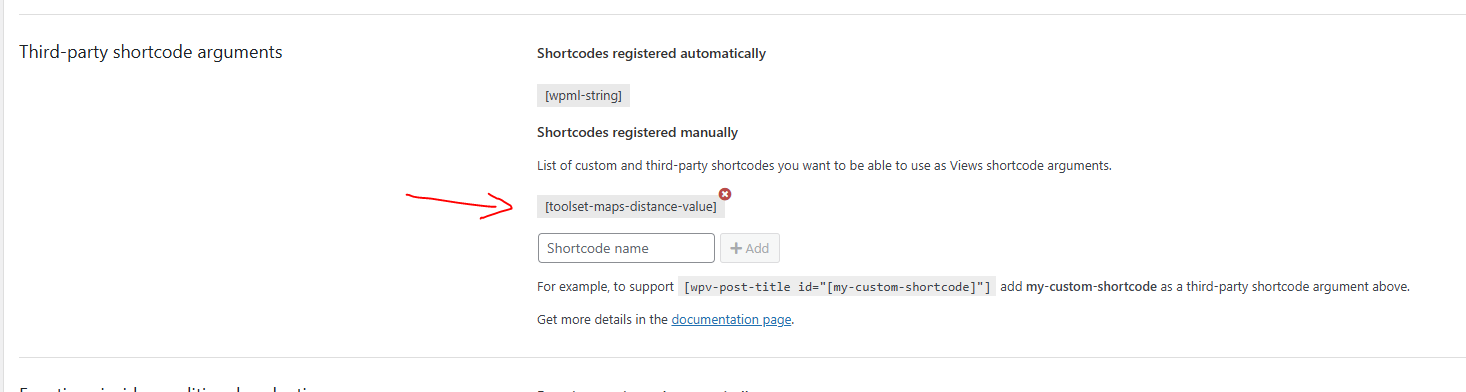
Finally please register toolset-maps-distance-value in WP Admin → Toolset → Settings → Front-end Content → Third-party shortcode arguments.
Thanks.
Hi, thanks for your response!
I already follow your instruction but still doesn't work
1. I've update the filter code to:
[wpv-control-distance default_distance="200" compare_field="wpcf-clinic-map-address" distance_center_url_param="toolset_maps_distance_center" distance_radius_url_param="toolset_maps_distance_radius" distance_unit_url_param="toolset_maps_distance_unit" inputs_placeholder=" %%DISTANCE%% %%CENTER%%"]
2. I've update the achor link to:
<span>hidden link field='clinic-location'][/types]" target="_blank">[types field='clinic-location'][/types]</span>
3. I already registered the "toolset-maps-distance-value"
See screenshot.
I made all changes but unfortunately, still doesn't work on the front-end. PLS HELP ME!
Hi,
Thank you. I spent a lot of time and I could not figure out what the problem might be with the code.
I wonder if it is possible with you to start from scratch with a clear mind as a test without extra bells and whistles. Please follow this:
https://toolset.com/documentation/legacy-features/maps-plugin/filtering-and-ordering-map-markers-by-distance/
See if it works on that case?
Or you can consider using blocks as a test:
https://toolset.com/course-lesson/filtering-and-ordering-map-markers-by-distance/
Thanks.
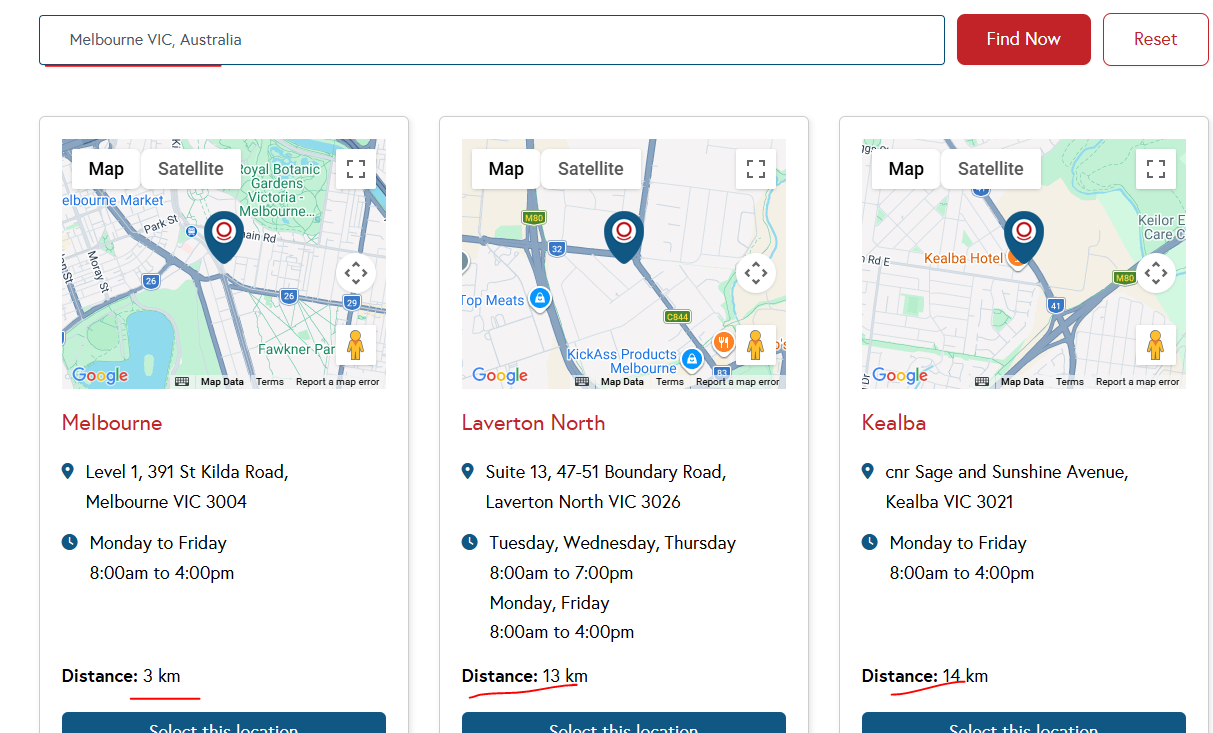
Hi! there was a weird issue here. It seems to work for capital cities but not for other towns and cities.
I tried to search "Melbourne VIC, Australia" and the distance showing up.
See screenshot
Hi,
Thank you for the observation. Again, I could not find any correlation between big and small cities. I do still think it is important that you create a simpler version of the list and see how it works.
Also you are welcome to use a clean installation here:
hidden link
Thanks.