Hello, we've followed the steps to setup one of our fields for "Text Search". We thought it was working at one point, but now it doesn't seem to be. When we type in exact matches it shows "no results".
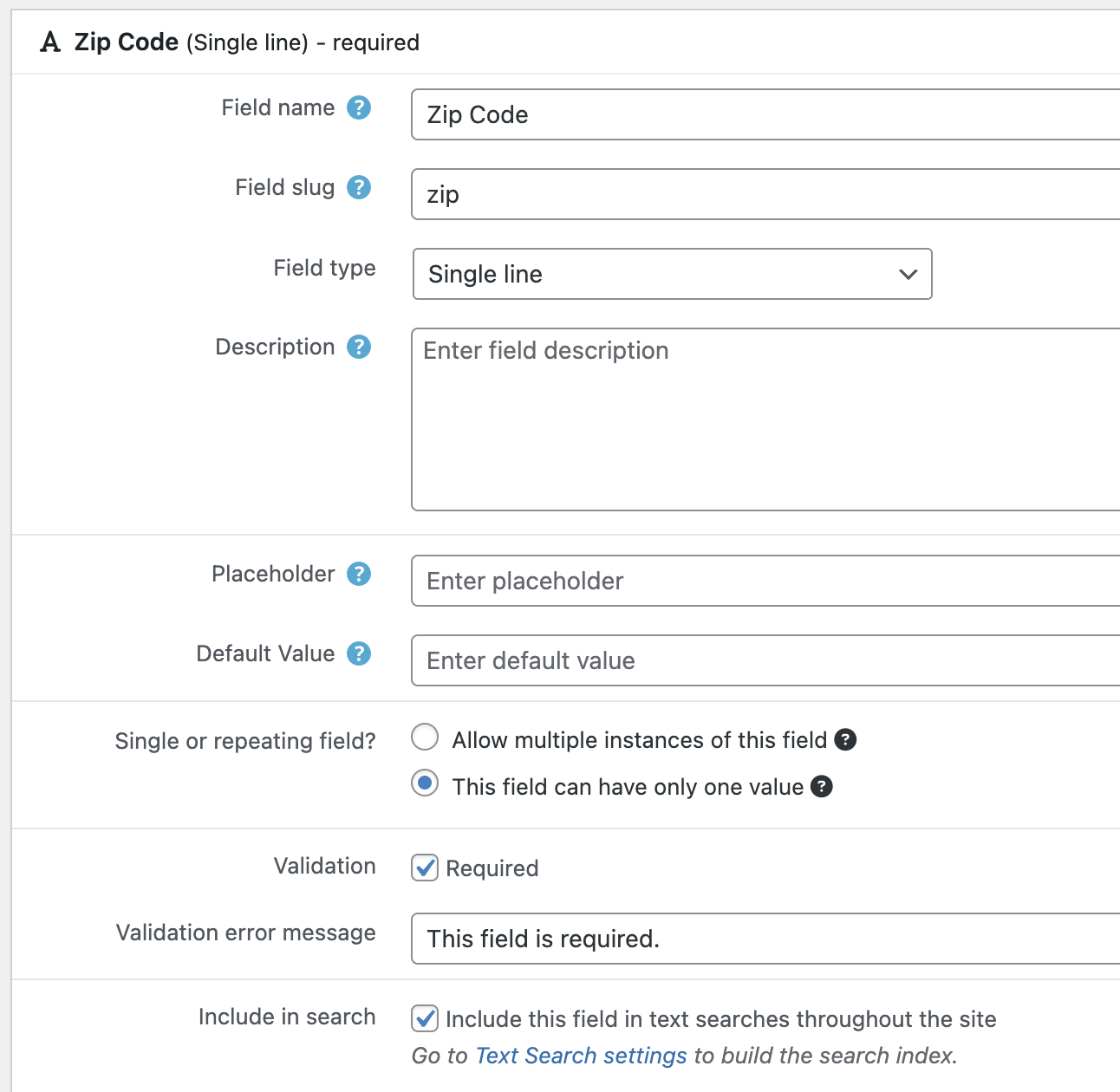
This text search is for our Zip Code field. In the backend we have:
1. Under Custom Fields, we've checked the field to be "included in search"
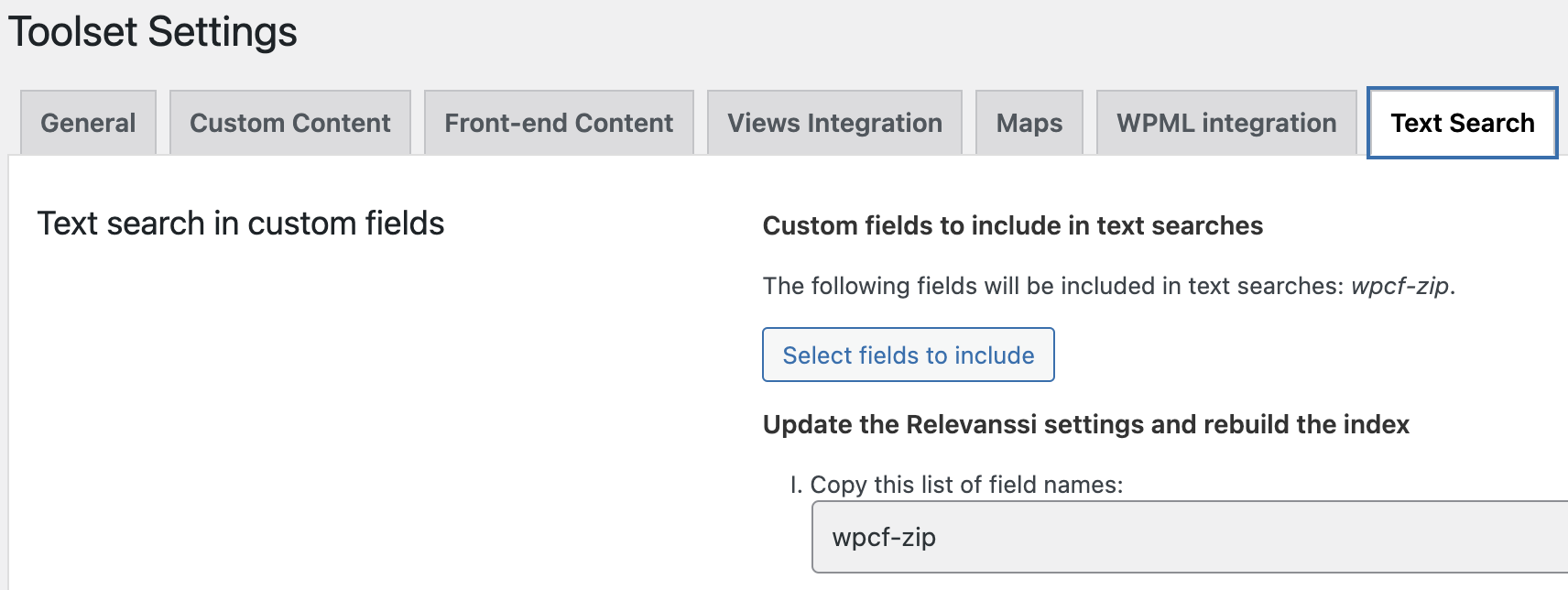
2. Under Toolset Settings > Text Search we've selected our field and copied the field name
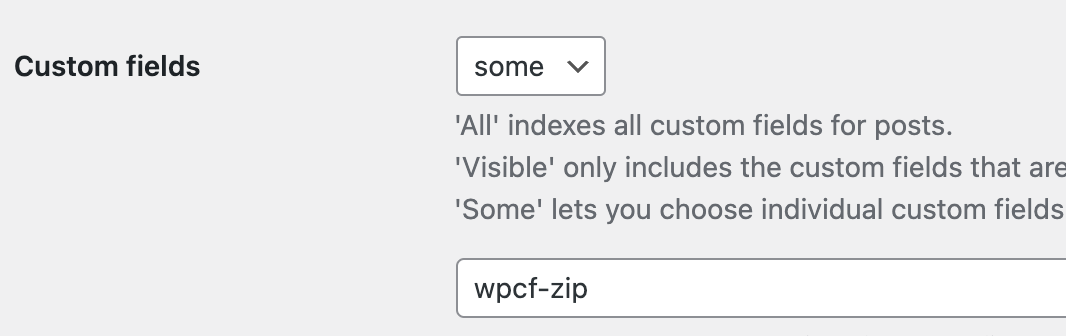
3. Under Relevanssi > Indexing > Custom Fields we've selected "some" and pasted our field name
See attached screenshots showing our current setup.
Can you help us identify what we've missed and why the search is not working correctly?
We're happy to share login credentials to our site for troubleshooting.
Hello. Thank you for contacting the Toolset support.
Can you please share problem URL and tell me what zipcode I should use to test the search result.
*** Please make a FULL BACKUP of your database and website.***
I would also eventually need to request temporary access (WP-Admin) to your site. Preferably to a test site where the problem has been replicated if possible in order to be of better help and check if some configurations might need to be changed.
I have set the next reply to private which means only you and I have access to it.
I'm not quite sure yet why the zipcode search with Relevanssi integration with Toolset custom search is not working on your site.
I just try to create the following sandbox site and you can auto-login to it using the following link:
- hidden link
Where I already installed and activated the Relevanssi plugin.
I've added the zipcode custom field to the following custom field group:
- hidden link
You should try to setup few zipcodes as you like buy editing any gym post:
- hidden link
The gym post type and zipcode custom field is set to index with Relevanssi settings:
- hidden link
Here is a page where you can search with "Gym name" where I set this text search to search in "Title, body and custom fields".
Backend - hidden link
Frontend - hidden link
I setup 364001 as zipcode for the following post:
- hidden link
When I search with the same - as you can see it shows the correct results:
=> hidden link
I see you are using number of third-party plugins. In order to minimize the cause of the issue and to ensure there is no conflict between the theme or plugins you are using:
Could you please try to resolve your issue by deactivating all third-party plugins as well as the default theme to check for any possible conflicts with any of the plugins or themes?
- Do you see any difference?
We tested by deactivating all the plugins except for Toolset and Relevanssi. We also tested by switching to a different Theme. But unfortunately the search still didn’t work in either case.
However, we did resolve the issue by completely rebuilding the Toolset View + Map. Not entirely sure what happened, perhaps something got corrupted on the first view/map. But the new one appears to be working without issues.