We have set up a Toolset view page that lists real estate: hidden link . This is a page built with Divi that shows the Toolset view with the Divi Toolset module. In Toolset we've also created a content template using the Divi builder for each property.
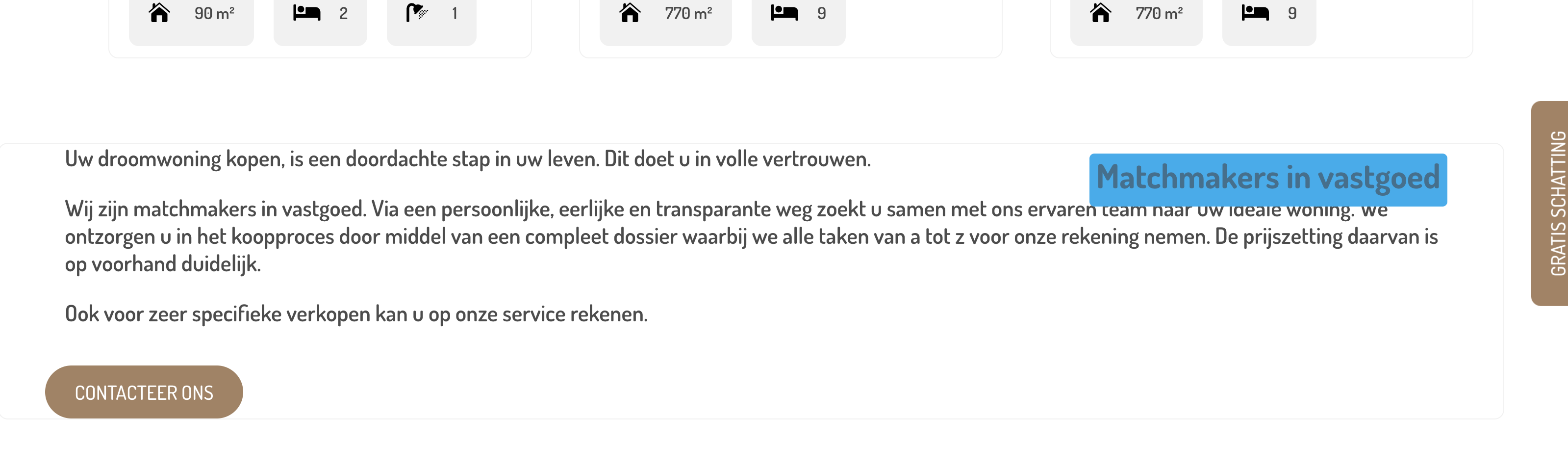
Everything works as planned until you use the filtering. When applying a filter (for example: hidden link) , you can see that some styling applied to the properties is also being applied to the content section below the properties.
It is as if Toolset recognizes the content below the properties also as a property. This content is outside the Toolset view, so it's a bit weird the CSS is 'oozing' out of it :).
Is it possible you could annotate some screenshots to make it clear what the problem is? I visited your search page and it's not obvious to an outsider.
I expect we will need access to your site to see how this is set up to try and identify the problem, if that's okay.
Let me mark your next reply as private so that we can get log-in credentials from you—you may want to create a temporary admin user for us to use that you can later delete. And be sure to have a current backup of your site.
From your description it sounds like you have created Content Templates in Toolset and designed them with Divi. Note that has been discouraged for some time, following problems that arose with Divi 4. It is recommended that you use Divi's own templating system to create templates for custom post types.
I took a look at your site. On closer inspection, it looks like the incorrect styles are inherited from the styling of the View loop items (e.g. the Te Koop tag overlaying the image).
Seeing how this is made, I'm afraid there's nothing I can do to help.
I can see that the mis-styling occurs because of the way Divi applies its styles to its modules (using iterative classnames such as et_pb_text_6 to target individual models), and in the context of generating the content in the loop of a View these iterative classnames have somehow become out of sync.
But it's not something I can send to the developers to investigate and fix, because with Divi 4 we stopped support for designing Toolset templates (including templates used in the output of a View) with the Divi editor.
I'm sorry if that's the route you have taken, but you will need to re-do some of that work and create a View using the block editor, which you can then insert into a page designed with Divi using the View module.