Skip Navigation

[Waiting for user feedback] Smarter search with Google Maps API to handle

This is the technical support forum for Toolset - a suite of plugins for developing WordPress sites without writing PHP.

Everyone can read this forum, but only Toolset clients can post in it. Toolset support works 6 days per week, 19 hours per day.

This topic contains 3 replies, has 1 voice.

Last updated by Christopher Amirian 6 days, 1 hour ago.

Assisted by: Christopher Amirian.

Author
Posts
#2840128
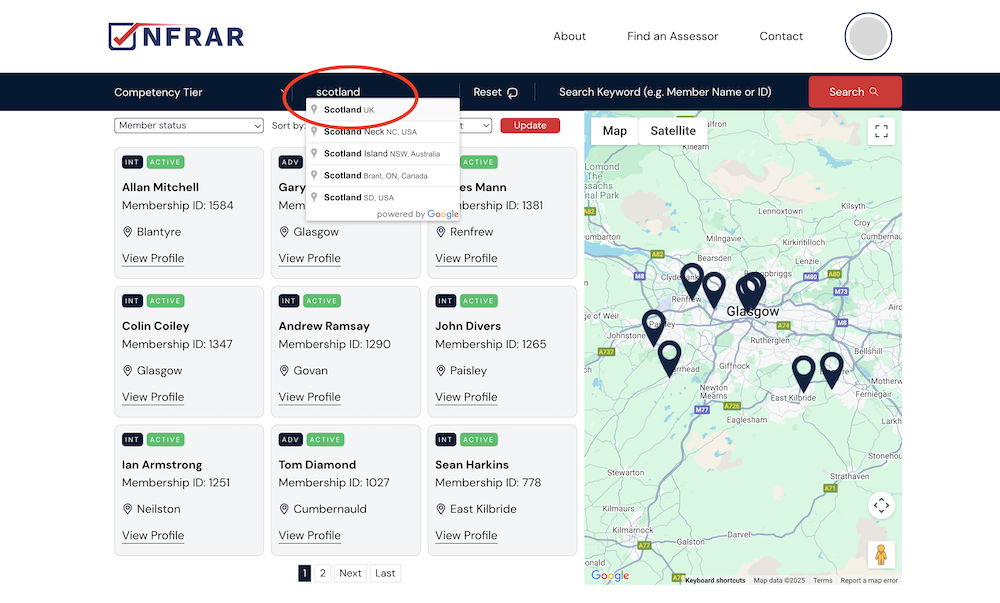
Scotland - search 2.png
Scotland - search 1.png
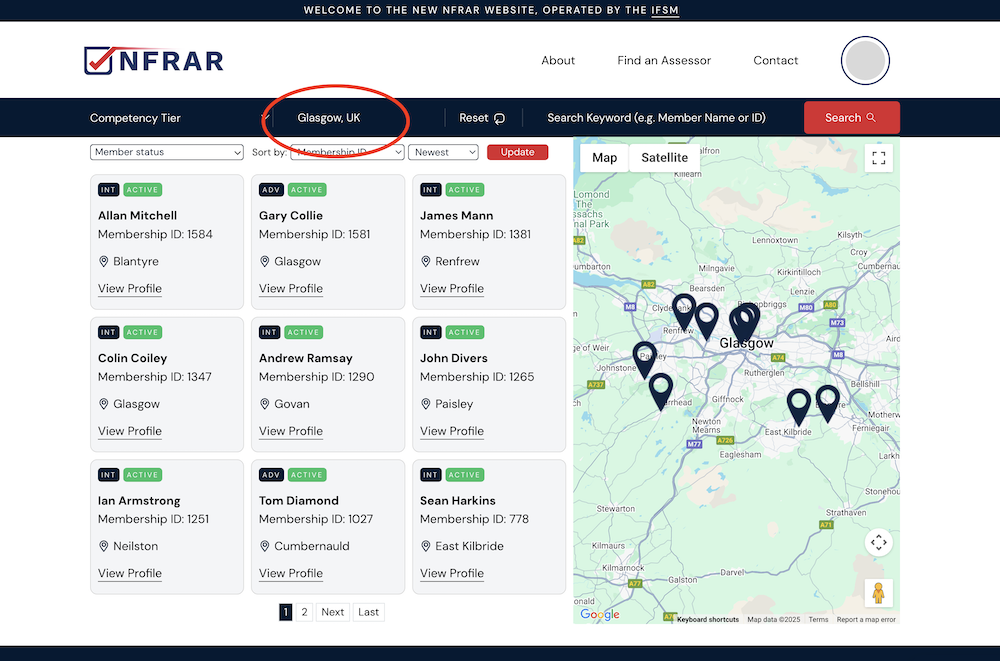
Search - Glasgow.png
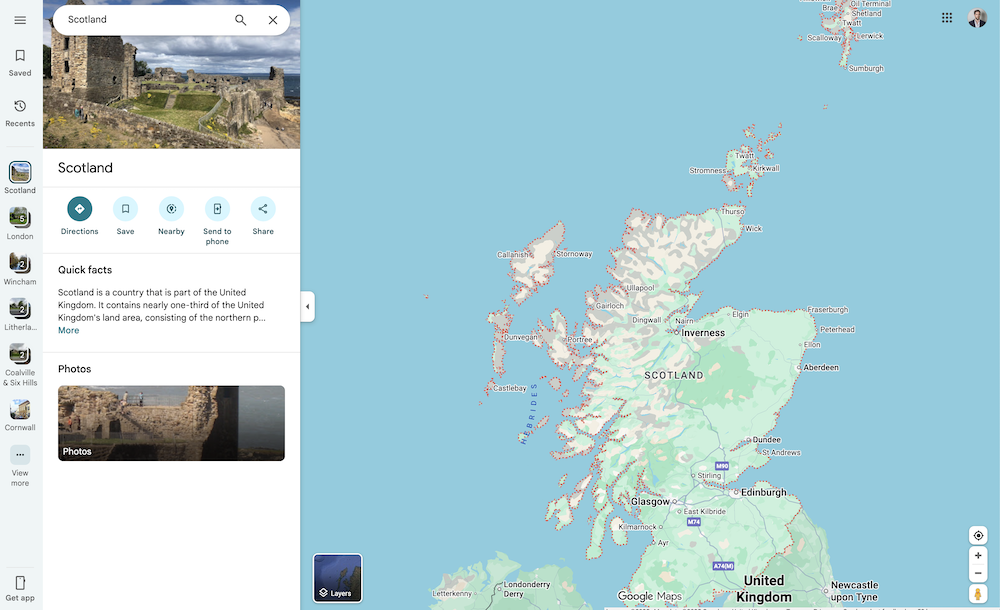
Scotland.png
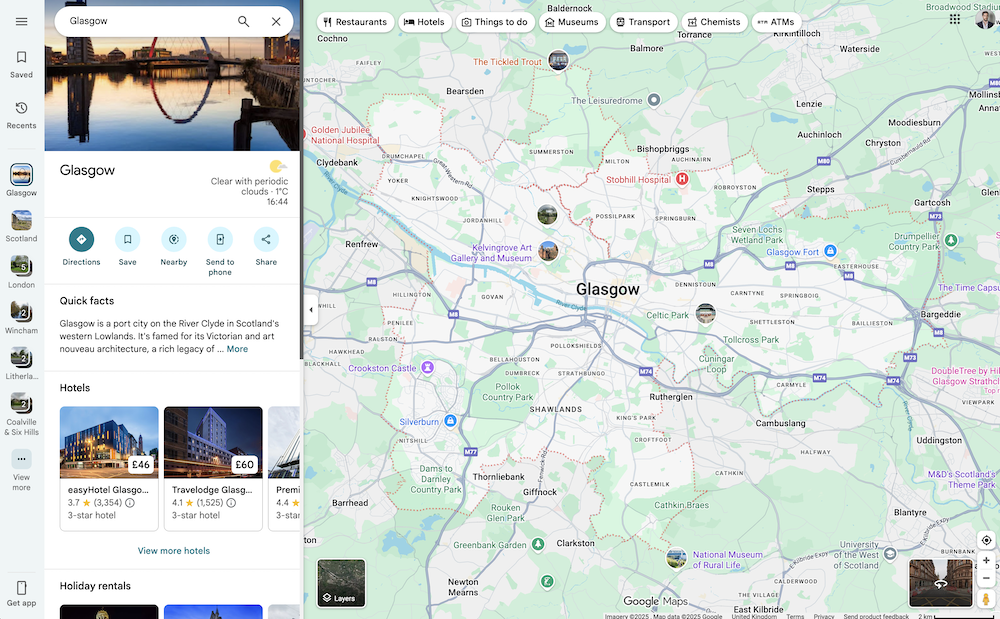
Glasgow.png

We've built a map view which displays a marker for each member registered on the website, using their respective location.

We also have a search function which allows visitors to search for members of the website by location. This location search is powered by the Google Maps API via the Toolset integration.

At the moment, we're using a search filter which includes a member in the location results if they're within a certain radius (currently 15 miles) of the centre of the searched location on a map.

However, we've realised that this method is only appropriate when searching for a relatively small town or city for example, where the 15 mile radius is roughly appropriate for that search area.

It's not suitable for larger areas such as "Scotland" for example, which are much larger than the 15 mile radius.

On the other hand, if we change the radius setting to something much larger such as 100 miles, then this would also negatively impact the results when searching for people only in a smaller, more specific area such as a town - there would be lots of irrelevant results for people who are much further away.

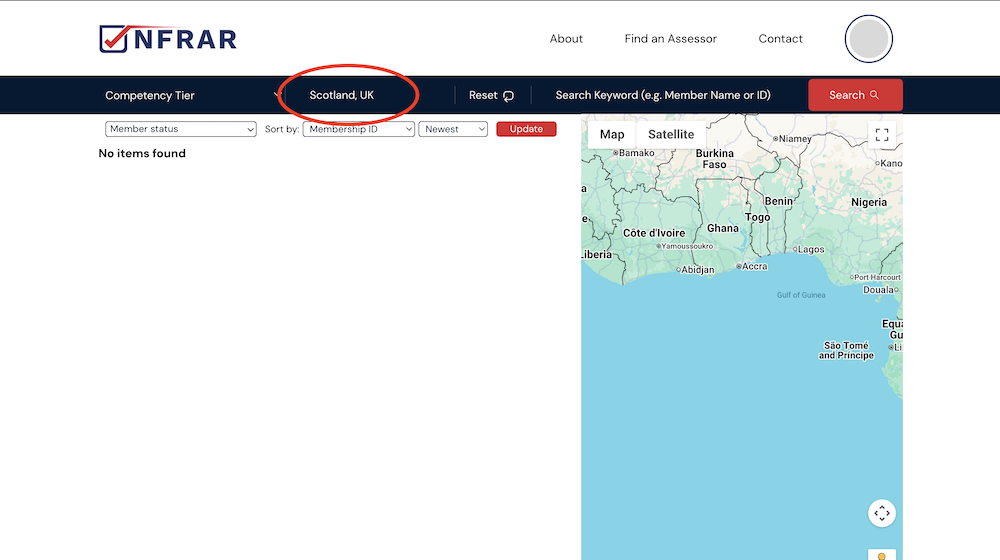
As an example, there are several members who are in Glasgow, a city in Scotland. The search works well if someone searches for "Glasgow" and it returns relevant results. However if they search for "Scotland", the search returns zero results, as there aren't any members who happen to be based within a 15 mile radius of the centre of Scotland on a map. It doesn't recognise that Glasgow is within Scotland, and that there are therefore lots of members who should logically show up in the results.

When using Google Maps itself, their search is of course 'smart' enough to recognise the exact borders of large areas such Scotland and Glasgow, and adjusts the boundaries / size of the resulting map on their results page accordingly. But we're unclear whether there's a way to make use of this same 'smart' location functionality when using the Google Maps API and Toolset to run the search.

Is there a way for us to reconfigure our search in some way, so that (as an example) any members based in Glasgow will also show up when searching a larger area such as "Scotland" too, rather than us having to use an awkward "fixed radius from the centre" type of setting, which isn't suitable for small and large locations simultaneously?

#2840252

Christopher Amirian
Supporter

Languages: English (English )

Hi,

Welcome to Toolset support. Toolset’s Distance Search is always a fixed-radius search around a center point. It does not switch to “region boundaries” (e.g. Scotland) like Google Maps UI does.

I can only give some alternatives that will not be a 100% solution.

Give the radius filter to the viewer to choose from

- In your View, add a Distance search filter (Toolset Maps).
- Configure it so the visitor can select a larger radius when they search broad areas.
- Toolset supports a distance filter control that includes radius.

For more information:
https://toolset.com/course-lesson/filtering-and-ordering-map-markers-by-distance/

Add a second filter for region

- Add a taxonomy/field for region (e.g. Country/Region) and filter by that when the user wants “Scotland”, instead of relying on radius. This is the typical workaround when radius is not enough.

In short: Toolset does not provide a “smart boundary search” via Google Places/Geocoding that expands to administrative borders; it uses distance-from-center logic.

Thanks.

#2840254

Hi Christopher

That's very disappointing news but thanks very much for the feedback.

Just one other thought I had - is there any way of combining the existing geolocation / radius search with text strings that the user saves into address fields (Line 1, Line 2, Town, City, County, Country) so that the search would simultaneously return results for any members that either:

- Have a geolocation within the defined radius in the usual way
OR
- Have a matching text string within one of their address fields, such as having "Scotland" saved as a string in their Country field?

Thanks again.

#2840438

Christopher Amirian
Supporter

Languages: English (English )

Hi,

I want to do my best to help, but the ideas you mentioned are not possible to implement with Toolset. Toolset’s Distance Search can’t be combined with a “general text search / string match” the way you describe (distance won’t apply correctly when mixed with text search filters).

I wish I could give something, but this is how Toolset works.

Thanks.