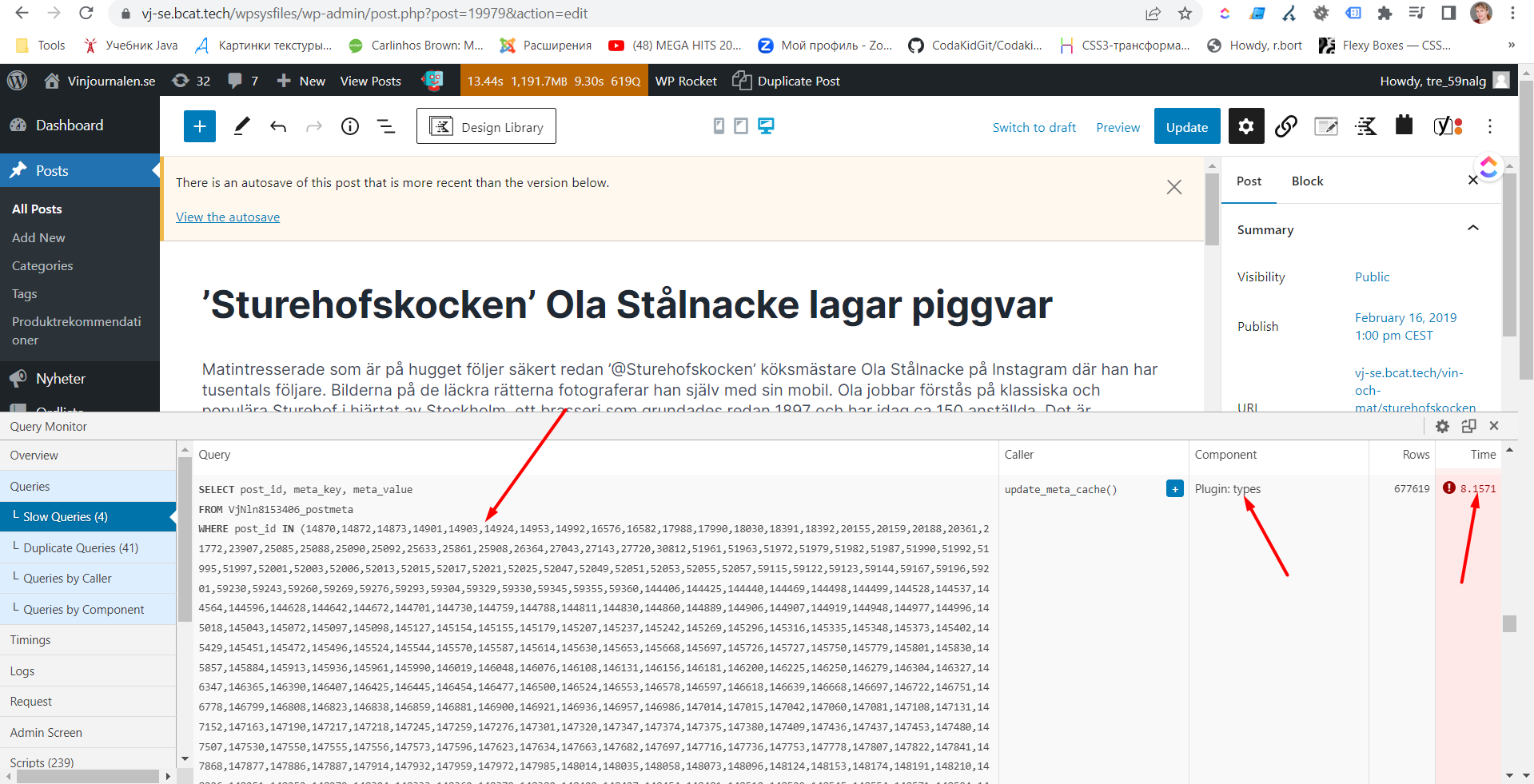
There is very slowly opening edit screen in admin panel. I checked performance by query monitor plugin. It showed me 4 slow query, all made by types(Toolset)
update_meta_cache() types time 10,2
WP_Term_Query->get_terms() types time 1.2
WP_Query->get_posts() types time 0.64
_prime_post_caches() types time 0.07
And also I noticed statement WHERE post_id IN (array) where big array do not contain current post at all. Why this query have been called on the page?
I can not find solution how to cancel unnecessary queries while edit-screen load to speed up edit page loading
The link to my site? hidden link [redacted]
Hi there,
Would you please give us the debug information according to the steps below?
https://toolset.com/faq/provide-debug-information-faster-support/
For the query issue, 8 seconds is a big number indeed. Before delving more into the issue I'd appreciate it if you could give the result for the steps below:
- IMPORTANT STEP! Create a backup of your website.
- Switch to the default theme such as "TwentyTwenty" by going to "WordPress Dashboard > Appearance > themes".
- Go to "WordPress Dashboard > Plugins" and deactivate all plugins except Toolset and its add-ons.
- Check and see if the edit screen is still that much slow.
- That way we will get an idea of the slowness in an isolated environment.
- I also need to know if the same slowness happen on all edit screens or only a specific page edit screen.
Thank you.