Tell us what you are trying to do?
I have Toolset. got view, templates everything. I have 1 custom posttype. With 1 taxonomy tax1 / tax2.
Also using an archive page in the child template. ( archive-verhuurauto.php )
So far so good. Everything is displaying well as it should. Great tool, Toolset
What I want to achieve is the following:
When I use url: hidden link
I want to show prices including tax. They are in the list of course.
When I use url: hidden link
I want to show prices excluding tax. They are in the list of course.
Is there any documentation that you are following?
I searched on the toolset page. nothing found.
Is there a similar example that we can see?
No not that I know of.
What is the link to your site?
Still in development so no access from the outside.
It's not clear from your description where the prices (with or without tax) are coming from or how they are being displayed.
Assuming you are either displaying a single post using a template, or displaying a series of posts using a View, where you intend to display the price you can use a Conditional block to check the value from the wpv-weergave URL parameter.
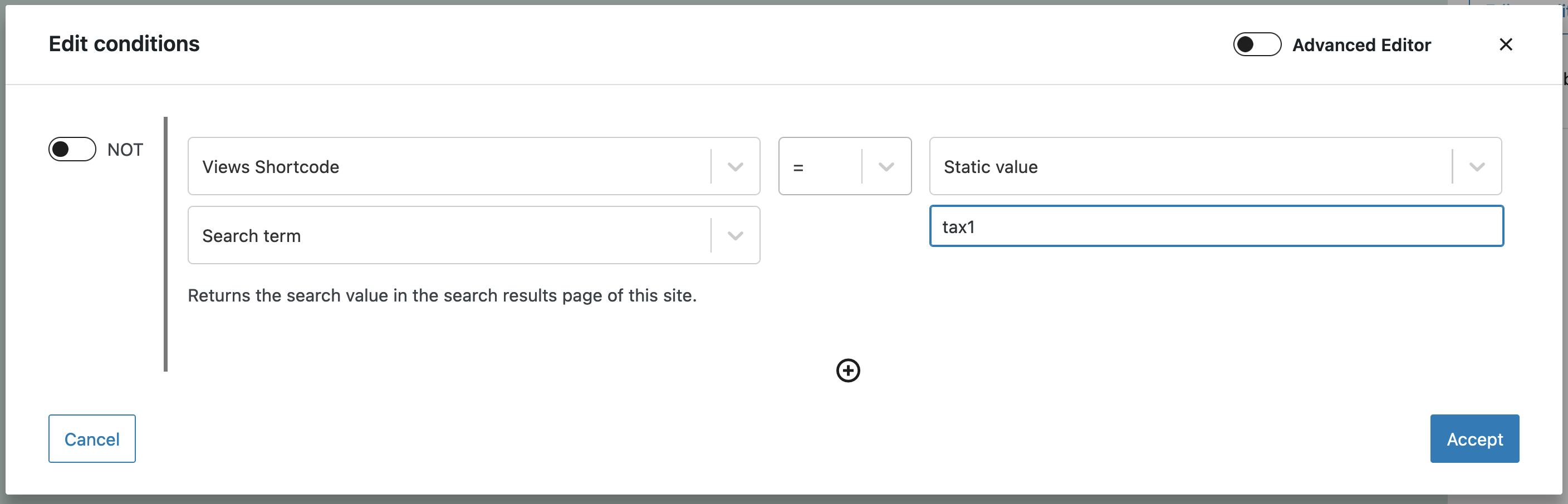
So, add a Conditional block and for the condition choose Views Shortcode > Search term and compare to the static value "tax1". (See screenshot.)
The problem is that the wpv-search-term by default looks for the standard WordPress 's' search parameter. You can specify a different URL parameter with the 'param' attribute, but to be able to add that you now need to switch to the Advanced Editor.