Hi. I have a few issues on this site I'm trying to work out.
1. The first is that I'm trying to make taxonomy field required in a add and edit form. I've tried two different versions of code found in support (linked below) with neither working.
2. The second issue is with pagination. This is an elementor site, for reference, and when we click next page button for a "view", I want for it to go to the top of the view on the next page, but instead it goes to random places, sometimes to the bottom of the page.
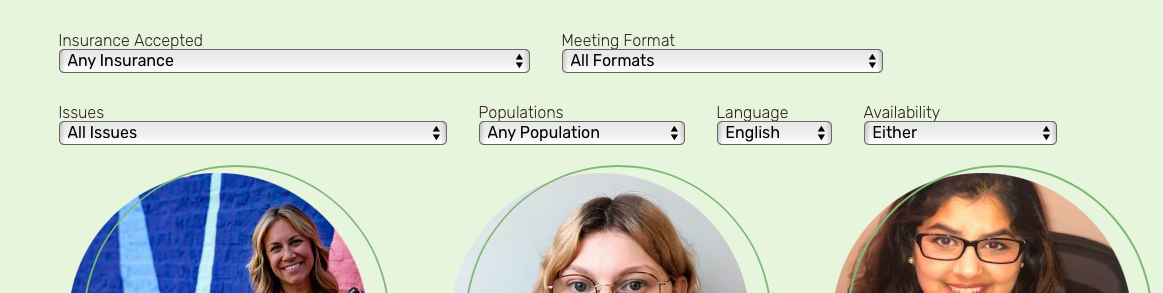
3. Similarly, for the view, for filters. At times it breaks into two lines. There doesn't seem to be a rhyme or reason. I want it all to stay on the same line. Sometimes it's fine. Other times it loads fine at first and then after a few minutes, it breaks. Other times, it breaks after clicking "next page"
Hello. Thank you for contacting the Toolset support.
As per our support policy we entertain only one question per ticket. This will help other users searching on the forum as well as help us to write correct problem resolution summery for the original issue reported.
I will take care of the first question and later on will split the ticket with your additional question.
Regarding taxonomy validation not working to make taxonomy required, that is really strange.
Can you please share problem URL where you added the form and tell me what taxonomy you want to validate as required taxonomy and also tell me where exactly you added the code.
*** Please make a FULL BACKUP of your database and website.***
I would also eventually need to request temporary access (WP-Admin and FTP) to your site. Preferably to a test site where the problem has been replicated if possible in order to be of better help and check if some configurations might need to be changed.
I have set the next reply to private which means only you and I have access to it.
I've adjusted the code added to "Custom Code" section as given under:
add_filter('cred_form_validate','term_checkboxes_form_validation', 10, 2);
function term_checkboxes_form_validation( $field_data, $form_data ) {
    $tax = 'primary-specialty';
    $forms = array( 7424,7423 );
    $msg = 'At least one Primary Specialty is required.';

    // you should not edit below this line

    // field data are field values and errors
    list($fields,$errors)=$field_data;
    // validate if correct CRED form ID
    if ( in_array( $form_data['id'], $forms ) ) {

      if ( empty($fields[$tax]['value']) ) {
              $errors[$tax] = $msg;
      }
    }

    return array( $fields, $errors );
}
This is working now. Thank you. Please open a ticket for the remaining two issues:
2. The second issue is with pagination. This is an elementor site, for reference, and when we click next page button for a "view", I want for it to go to the top of the view on the next page, but instead it goes to random places, sometimes to the bottom of the page.
3. Similarly, for the view, for filters. At times it breaks into two lines. There doesn't seem to be a rhyme or reason. I want it all to stay on the same line. Sometimes it's fine. Other times it loads fine at first and then after a few minutes, it breaks. Other times, it breaks after clicking "next page"
New threads created by Minesh and linked to this one are listed below: