Hello. Thank you for contacting the Toolset support.
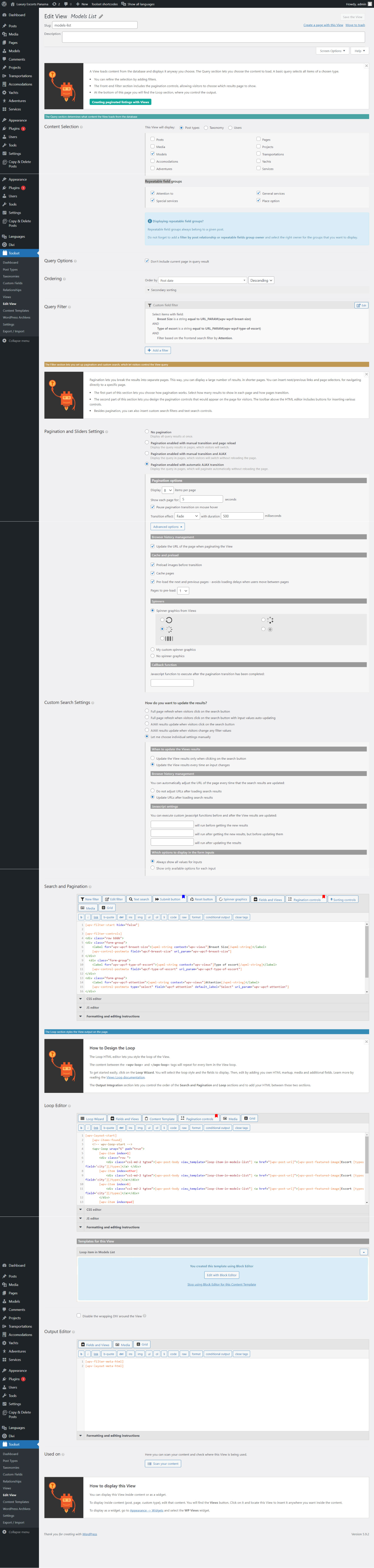
Do you mean that you have post type X (which have 2 fields) where you added the repeating field group Y that holds (which have 3 fields) and you created a view and you added filter to your view for field of both X and Y and view is also set to query both X and Y. Is this correct?
For instance:
- if you have a "Student" post type and Student post type holds custom fields (Status,Rank) and you created a repeatable field group "Personal Information" with fields (phone number, email address, location etc..).
- You create a view and set this view to query both post type "Student" and repeating field group "Personal Information" and added filters for fields for both post type "Student" and repeating field group "Personal Information" then this is not right thing.
When you have custom search, you can only include front-end filters for specific post type. In this case, either you can set your view to query post type "Student" or repeatable field group "Personal Information" at a time.
Lets say, if you set your view to query post type "Student", then you cannot include filters for location field as its belongs to repeating field group. When you set your view to query post type "Student", you can only add search fields that is belongs to that post type, in this case (Status,Rank).
I hope this is clear.
First I will require to know what content you want to search and what fields you want to display as result.
I have post type 'model'. where i have Repeatable fields like Attention,G-Services ,Services,Place. In models archive page there is filter but its not retunrning any data with repetable fields filter.
You can not filter the post type archive using the repeating field group.
A repeatable field group is technically actually implemented as a separate custom post type from its parent post. Each row of an RFG is technically implemented as one post in that custom post type, and each of those RFG instances is related to its parent post in a one-to-many post relationship internally.
You can filter your archive using the custom fields directly associated with that post type.