Tell us what you are trying to do?
We have created different input forms that are giving us problems when activating the friendly urls (they do not send the message and redirect the page to the home page). It only works when activating plain (hidden link) in permalink settings. We have working with Astra Theme and Elementor PRO.
You can test in: hidden link (with friendly url --> hidden link)
Could you help us? thanks for your support.
Hello and thank you for contacting Toolset support.
I am not sure to understand the issue. I tested this URL hidden link and it redirects to hidden link)
I assume that you are using such a URL in a form but it does not redirect to the correct page, right?
Can you explain in steps how I can see this issue?
1. I go to xxx
2. I do xxx
3. I expect to have xxx
4. Instead I get xxx
In order to isolate this issue, please check if it appears when:
- Only Toolset plugins are activated. It will tell us if there is an interaction issue with another plugin.
- The theme is set to a WordPress default like Twenty-Twenty. It will tell us if there is an interaction issue with your theme.
If the problem disappears, start activating one at a time to track where the incompatibility is produced.
Would you allow me temporary access to your website so I can check this closely? Your next reply will be private to let you share credentials safely. ** Make a database backup before sharing credentials. **
I was not able to edit the page using Elementor to check it further. And I have also checked the custom code section to see if there is any code run for this form, and I did not find anything.
I created a private page to test the form inside of it, so we can check if this happens only when Elementor is involved, but the issue persisted hidden link
I need to check in a minimal setup, with a default theme and only Toolset plugins. But, I don't think it is a good idea to try this on your live site.
I suggest that we migrate your website to our online platform and I can debug it there until we have a solution, then we could apply it to your live site. If you would agree, please follow the steps in my private reply(November 2, 2021 at 5:18 pm)
If it is that it also happens that the elementor pages when they have content loading that comes from toolset do not load unless you activate the plain links.
I follow the steps to migrate and I notify you
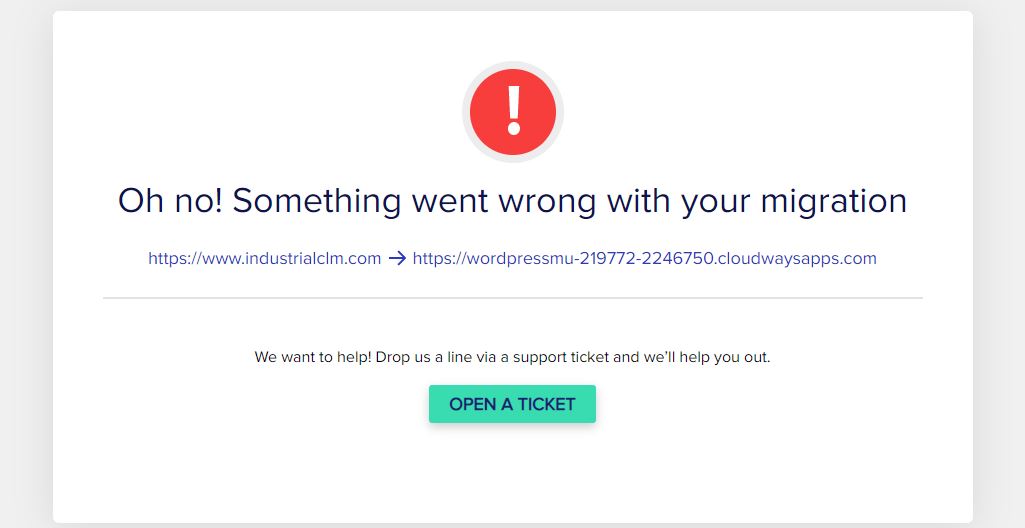
Error when migrating, we have given the user provided before super administrator permissions in case you need it.
It should be done now, we have given superadministrator permissions to the same user above
hi jamal,
I am not convinced that the site will be migrated ok and I have duplicated the web in a test site so that you can do the tests.
This is the site hidden link
If you pass me for a private answer I will give you the accesses again even if you need the ftp I can give it to you.
Sorry for my English!
Thank you for this test site. I logged in and deactivated all the plugins at the network level. Then I activated only Toolset plugins on the root subsite and the 2021 theme, and the issue was not reproduced anymore. Check this screenshot hidden link
I also tried with the WPML plugins too, and the issue was not reproduced.
This apparently happens because of a compatibility conflict with the Astra theme or with one of the existing plugins. Please switch the theme to Astra and test this issue. If it is reproduced, then we can assume Astra is contributing to this issue.
Otherwise, start activating the plugins one at a time to track where the incompatibility is produced.
Once we detect which plugin is the cause, we can try on a clean install, or we'll find a way to take the copy of your site and escalate it to our compatibility team.
I see, but where have you created it from? Because I access the url hidden link and it won't let me upload a new company
I was testing with a clean page that is not using Elementor hidden link
I have also tried with the existing page and it worked as expected. Check this screenshot hidden link
hidden link
I run this test with the following plugins hidden link while having pretty links hidden link
I'll let you check the theme and other plugins, and once the source of conflict is detected, we'll try from our side, on a clean install, if it is a general compatibility conflict or if it happens only on your website. In that case, we'll take a copy of it and escalate to our 2nd Tier for further debugging.
Hi Jamal,
I have tried on the test site to enable the add-ons and everything is ok .. when going to the real environment I have tried with the same active plugins and the same theme and everything ok except on the main page of the multisite industrialclm.com
In the other two websites with similar characteristics it also worked, it is only in the main one of the multisite network
do you have any idea what the problem might be?
The first difference I spot is that the form on the staging site hidden link uses AJAX while the form on the live site does not. Check this screenshot hidden link
Wan you try it on the live site for both languages? Maybe it is a viable solution for you. Let me know what do you think.
Otherwise, we'll need to run the same tests(disabling plugins) on the live site. Can we do it? If yes, please disable the plugins on the network level, so we can enable/disable them on the subsite level. Your next reply will be private to let you share credentials safely. ** Make a database backup before sharing credentials. **
AJAX is not the problem, I have tried turning it on and off and it still doesn't work.
I have tried to disable at the network level and to enable at the site level and if it works, the problem is at the network level and that is why it fails on the main site
You can access with the same credentials as in the test environment if you want to check
Thanks
Well it seems that it works with AJAX in both sites while Toolset plugins are active at the network level, and permalinks on the root subsite as set to pretty links:
- hidden link
- hidden link
Am I missing something? Can you check from your side and let me know the steps to follow to see the issue:
1. I go to xxx
2. I do xxx
3. I expect to have xxx
4. Instead i get xxx
Nothing when disabling everything at the network level and re-enabling it seems that everything works again.
I don't know what could be happening
Thanks for your help