Skip Navigation

[Resolved] Plug doesn't want to install

This support ticket is created 4 years ago. There's a good chance that you are reading advice that it now obsolete.

This is the technical support forum for Toolset - a suite of plugins for developing WordPress sites without writing PHP.

Everyone can read this forum, but only Toolset clients can post in it. Toolset support works 6 days per week, 19 hours per day.

Sun Mon Tue Wed Thu Fri Sat
- 10:00 – 13:00 10:00 – 13:00 10:00 – 13:00 10:00 – 13:00 10:00 – 13:00 -
- 14:00 – 18:00 14:00 – 18:00 14:00 – 18:00 14:00 – 18:00 14:00 – 18:00 -

Supporter timezone: Asia/Kolkata (GMT+05:30)

This topic contains 3 replies, has 2 voices.

Last updated by Minesh 4 years ago.

Assisted by: Minesh.

Author
Posts
#2278421
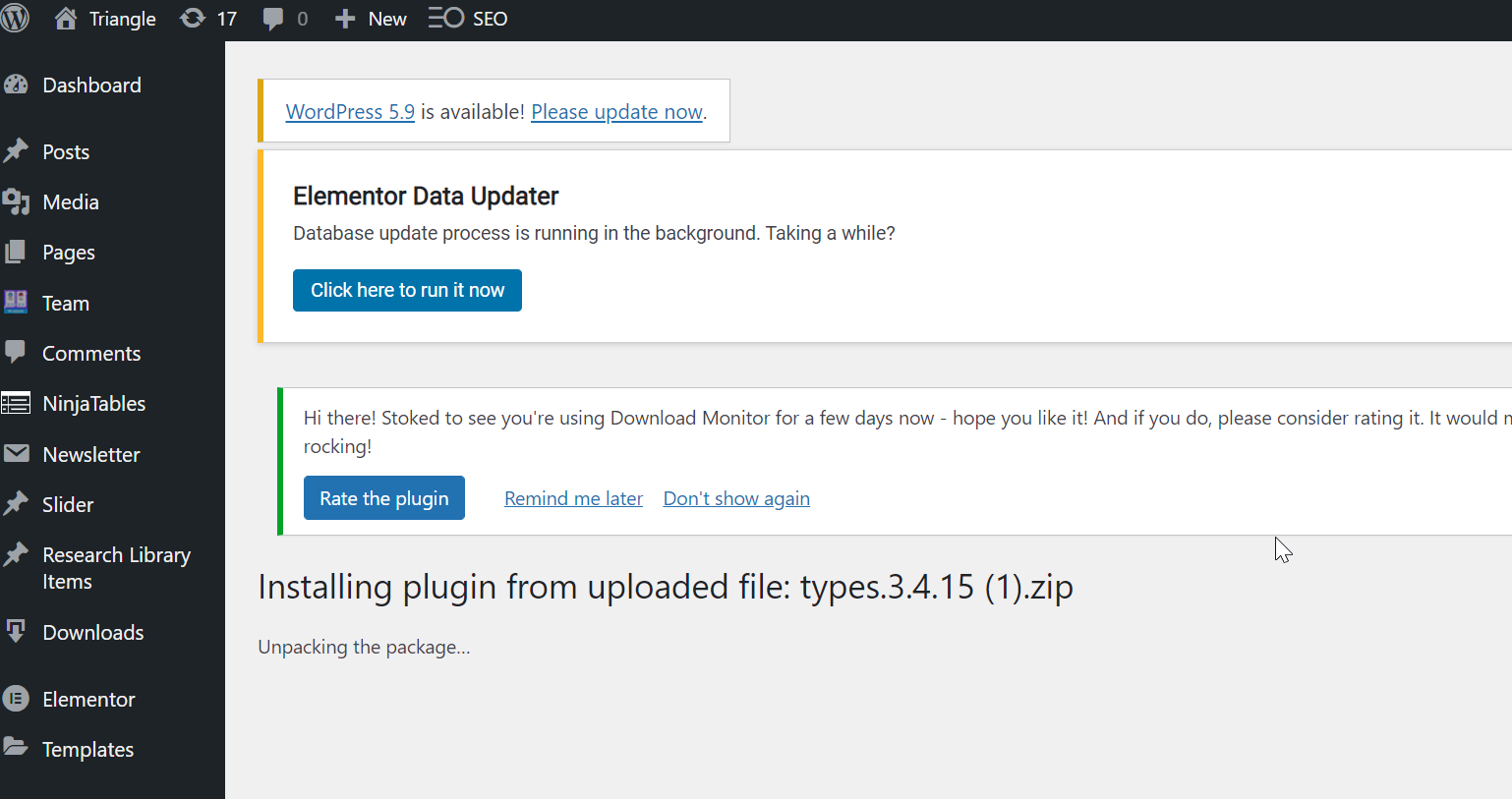
Toolset.png

Hi there,

I am trying to install the new plugin but it simply says unpacking the package and doesn't get any further. Please help as I have an urgent need to get this working!

Best, Jen

#2278433

Minesh
Supporter

Languages: English (English )

Timezone: Asia/Kolkata (GMT+05:30)

Hello. Thank you for contacting the Toolset support.

That is strange. Can you please share admin access details, if its urgent for you I will try to install it either via FTP/SFTP so please share that access details as well.

*** Please make a FULL BACKUP of your database and website.***
I would also eventually need to request temporary access (WP-Admin and FTP) to your site.

I have set the next reply to private which means only you and I have access to it.

#2278441

Hi Minesh,

Thanks for getting back to me so quickly.

I have ticked the boxes stating 'I have created a backup' and 'I accept your legal disclaimer' - I have not done this and I don't accept the legal disclaimer - but I was unable to respond to you without ticking them.

I don't know how to make a full back of the database and site. Please can you advise?

Then I will be happy for you to try and install it.

Thanks, Jen

#2278443

Minesh
Supporter

Languages: English (English )

Timezone: Asia/Kolkata (GMT+05:30)

If you do not know how to take your site backup or database backup.

Here is the WordPress official doc about how you can take database backup:
- https://wordpress.org/support/article/backing-up-your-database/

if you want to create copy of your site, either you can use duplicator plugin :
- https://toolset.com/faq/provide-supporters-copy-site/#creating-a-copy-of-your-site
or Use WP All In One WP Migration plugin.
- https://wordpress.org/plugins/all-in-one-wp-migration/

If you still do not know how to do it, you can check with your hosting authority and ask them to take full backup of your database and website.

Once you take backup, you can get back to us by sharing admin access details and I would be happy to install the Types plugin on your site.