I am trying to: Run Types on a site in Flywheel
Link to a page where the issue can be seen: its set to private unfortunately
I expected to see: No errors
Instead, I got: A fatal error when trying to load the site after migration
There are actually 2 fatal errors, one was on the website.
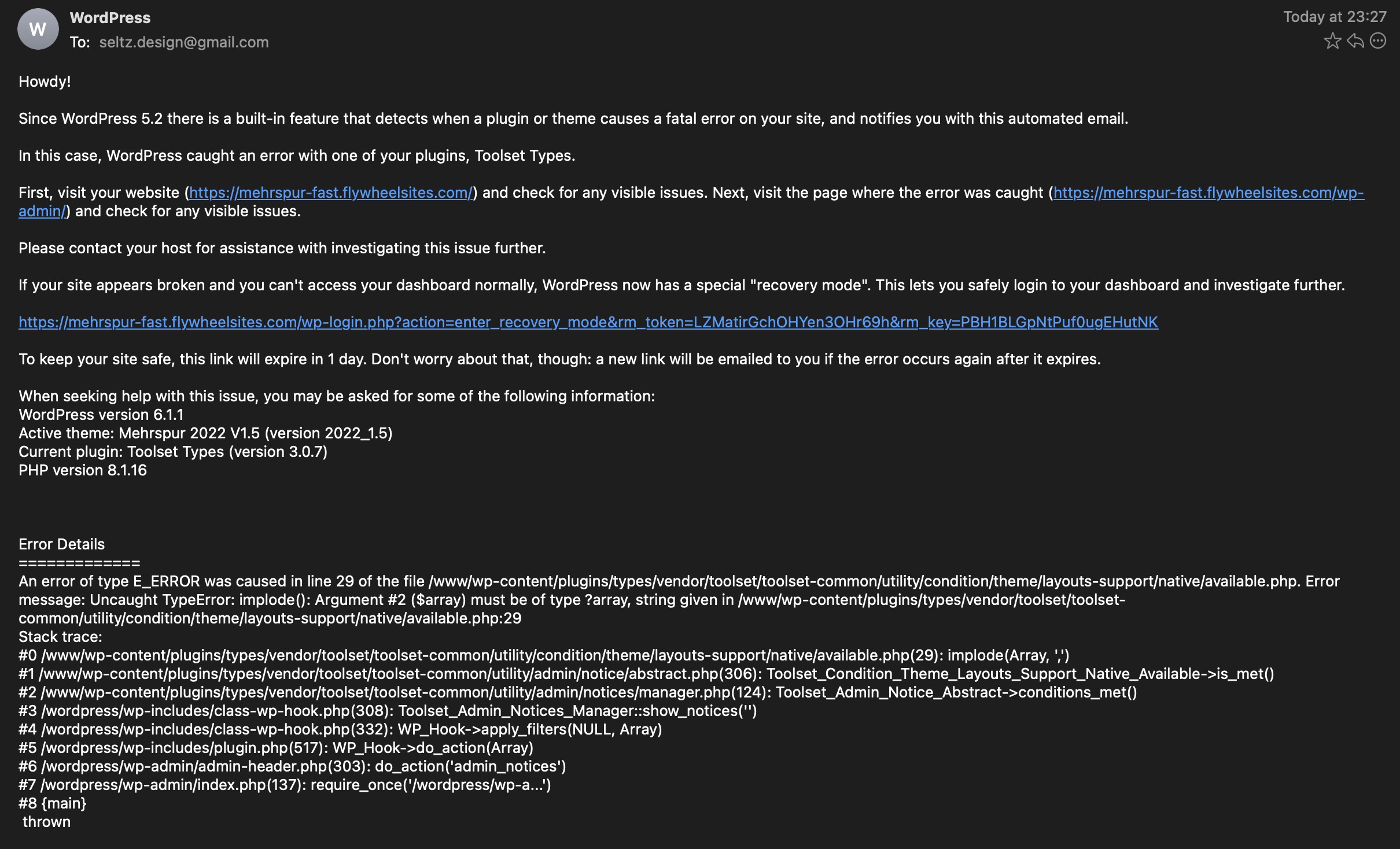
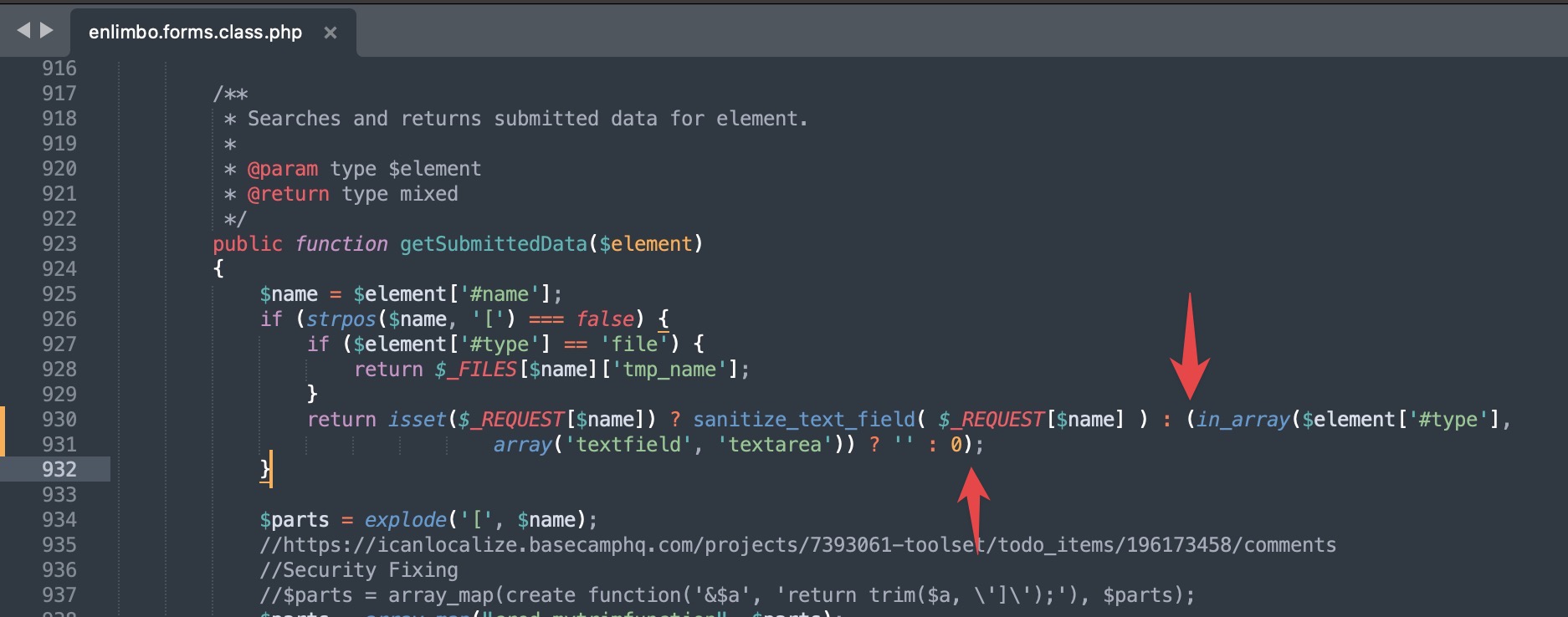
The first one in enlimbo.forms.class.php is the error: Unparenthesized `a ? b : c ? d : e` is not supported on line 930. It's a simple fix as shown in the first image you just add () parentheses around either the first or second if statement.
The error was reported by Flywheel's xDebug.
The second one I just saw when trying to open the wp-admin. It was sent from WordPress by email. The contents are:
Howdy!
Since WordPress 5.2 there is a built-in feature that detects when a plugin or theme causes a fatal error on your site, and notifies you with this automated email.
In this case, WordPress caught an error with one of your plugins, Toolset Types.
First, visit your website (hidden link) and check for any visible issues. Next, visit the page where the error was caught (hidden link) and check for any visible issues.
Please contact your host for assistance with investigating this issue further.
If your site appears broken and you can't access your dashboard normally, WordPress now has a special "recovery mode". This lets you safely login to your dashboard and investigate further.
hidden link
To keep your site safe, this link will expire in 1 day. Don't worry about that, though: a new link will be emailed to you if the error occurs again after it expires.
When seeking help with this issue, you may be asked for some of the following information:
WordPress version 6.1.1
Active theme: Mehrspur 2022 V1.5 (version 2022_1.5)
Current plugin: Toolset Types (version 3.0.7)
PHP version 8.1.16
Error Details
=============
An error of type E_ERROR was caused in line 29 of the file /www/wp-content/plugins/types/vendor/toolset/toolset-common/utility/condition/theme/layouts-support/native/available.php. Error message: Uncaught TypeError: implode(): Argument #2 ($array) must be of type ?array, string given in /www/wp-content/plugins/types/vendor/toolset/toolset-common/utility/condition/theme/layouts-support/native/available.php:29
Stack trace:
#0 /www/wp-content/plugins/types/vendor/toolset/toolset-common/utility/condition/theme/layouts-support/native/available.php(29): implode(Array, ',')
#1 /www/wp-content/plugins/types/vendor/toolset/toolset-common/utility/admin/notice/abstract.php(306): Toolset_Condition_Theme_Layouts_Support_Native_Available->is_met()
#2 /www/wp-content/plugins/types/vendor/toolset/toolset-common/utility/admin/notices/manager.php(124): Toolset_Admin_Notice_Abstract->conditions_met()
#3 /wordpress/wp-includes/class-wp-hook.php(308): Toolset_Admin_Notices_Manager::show_notices('')
#4 /wordpress/wp-includes/class-wp-hook.php(332): WP_Hook->apply_filters(NULL, Array)
#5 /wordpress/wp-includes/plugin.php(517): WP_Hook->do_action(Array)
#6 /wordpress/wp-admin/admin-header.php(303): do_action('admin_notices')
#7 /wordpress/wp-admin/index.php(137): require_once('/wordpress/wp-a...')
#8 {main}
thrown
Thanks for taking a look at both.
Kind regards,
Armin.