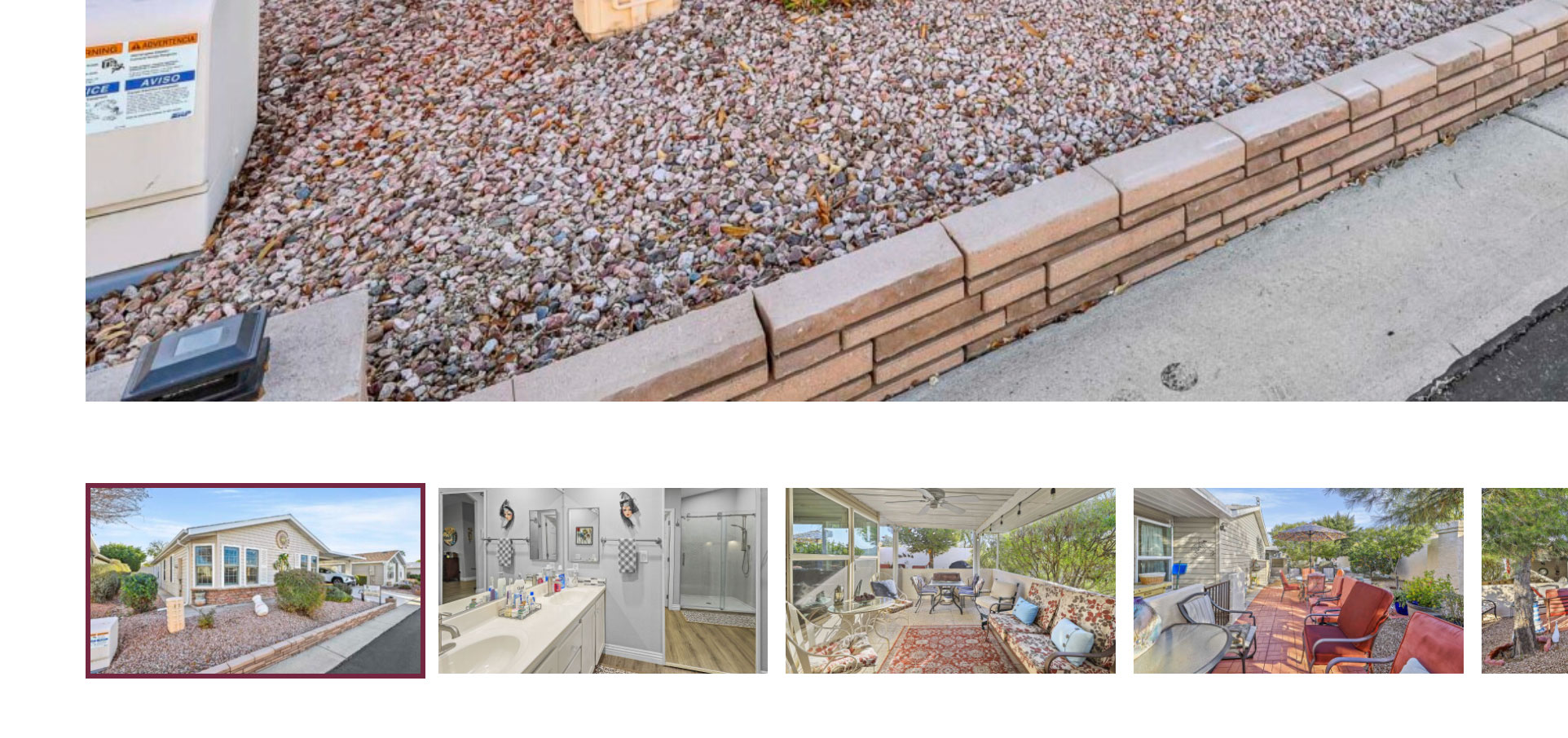
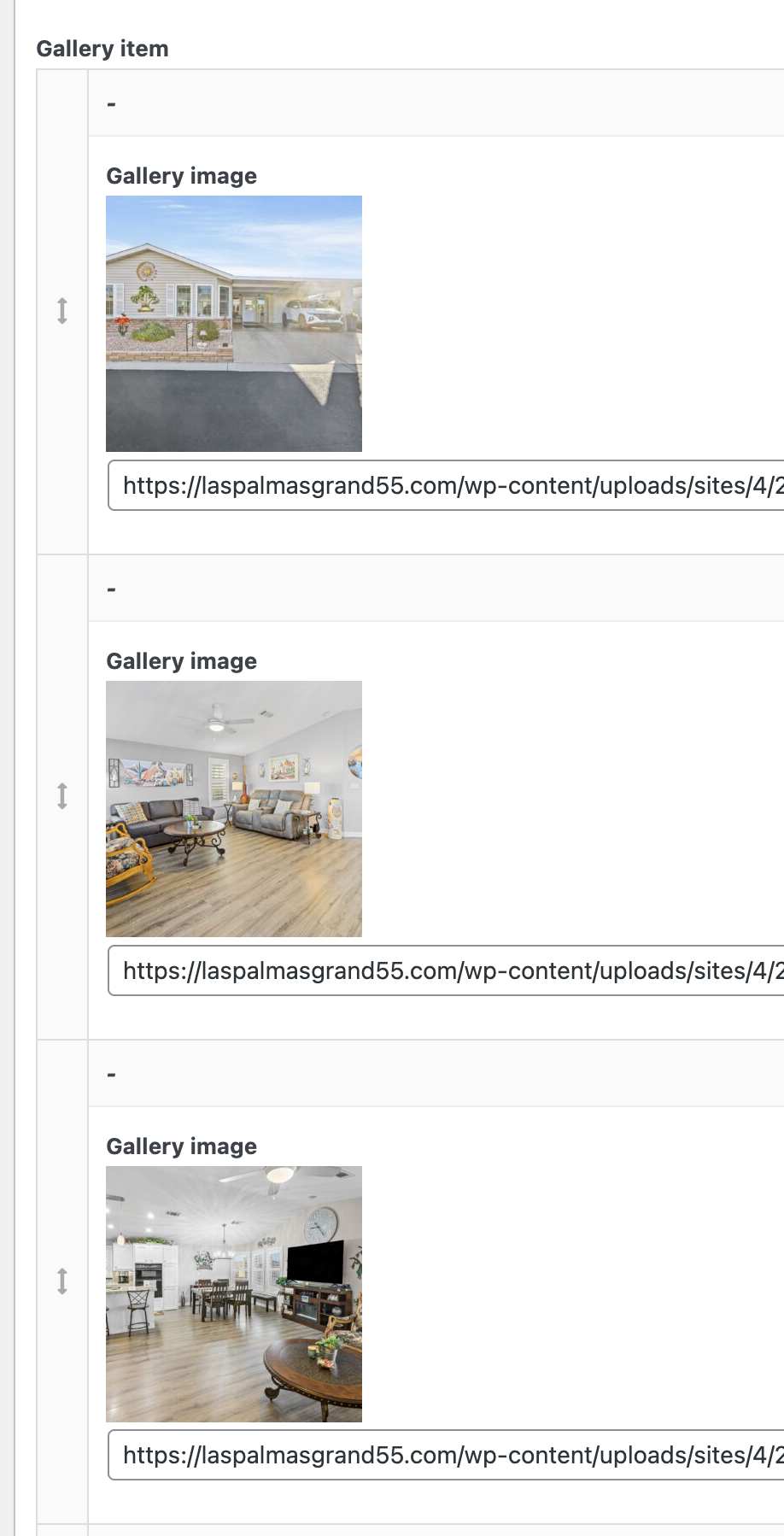
My client consistently adds images to their website for new homes. The gallery images in the admin are placed in a specific order (drag & drop) but the images are not showing in that order on the front end.
See attached order in admin vs front end for the same home
Home: hidden link
Hello. Thank you for contacting the Toolset support.
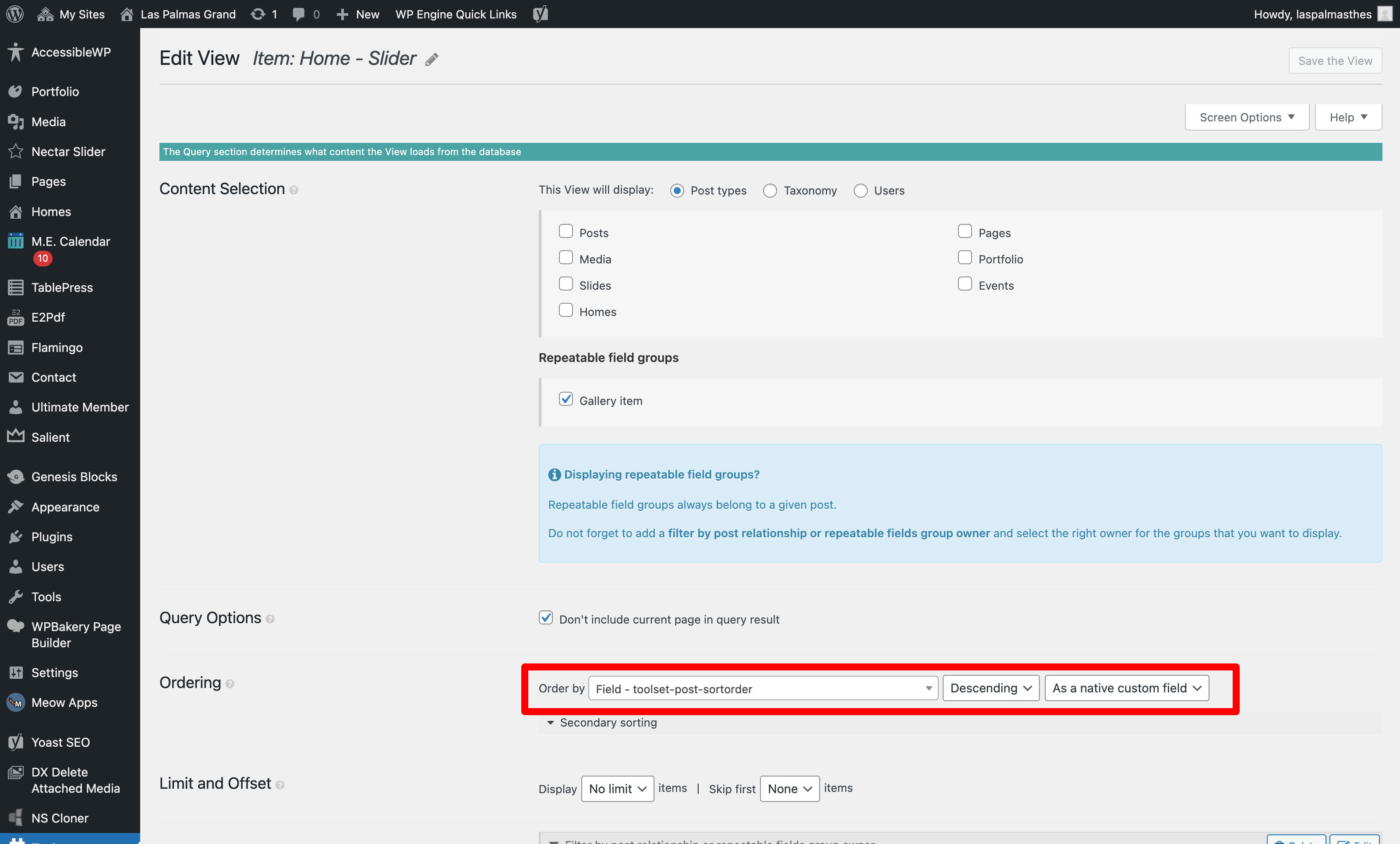
Based on the screenshot you shared - I see you are using the repeating field group and when you want to display the repeating field group items same as the order you set in admin, you should set your view's ordering to "Field – toolset-post-sortorder " option.
I tried to make this update - I couldn't find it in a place that looked like the screen grabs on the article you sent, but I updated here for every view and didn't see a change. Can you let me know where exactly to find the correct location to set the order to "Field - toolset-post-sortorder"?
That is really strange. The field "Field - toolset-post-sortorder" is automatically set as per the sort order you set.
I would like to know - have you added those repeating field group items using Toolset form?
Can you please share admin access details and problem URL and tell me what images you want to display with what sort order?
*** Please make a FULL BACKUP of your database and website.***
I would also eventually need to request temporary access (WP-Admin and FTP) to your site. Preferably to a test site where the problem has been replicated if possible in order to be of better help and check if some configurations might need to be changed.
I have set the next reply to private which means only you and I have access to it.
I can see the issue on your install But I do not see the issue with the sandbox site:
I've created the following sandbox site and you can auto-login to it using the following link:
- hidden link
As you can see there is a repeating field group "Opening Hours" assigned to Gym post type:
- hidden link
This is the gym post that have four repeating field group items setup:
- hidden link
I've created the following view that shows the repeating field group belongs to the above post "The Energy Club":
- hidden link
This is the page where I've added the above view to display repeating field group items and I can see that it does display the correct results either I set the view to display items order by "Field - toolset-post-sortorder" ASC or DESC :
- hidden link
In this case - I suspect either ordering is affected by the custom JS library or plugin or something else. To ensue and minimize the cause of the issue:
Could you please try to resolve your issue by deactivating all third-party plugins as well as the default theme to check for any possible conflicts with any of the plugins or themes?
- Do you notice any difference?