Skip Navigation

[Resolved] Not possible to use with undsgn . com Theme

This support ticket is created 3 years, 6 months ago. There's a good chance that you are reading advice that it now obsolete.

This is the technical support forum for Toolset - a suite of plugins for developing WordPress sites without writing PHP.

Everyone can read this forum, but only Toolset clients can post in it. Toolset support works 6 days per week, 19 hours per day.

Sun Mon Tue Wed Thu Fri Sat
- 9:00 – 12:00 9:00 – 12:00 9:00 – 12:00 9:00 – 12:00 9:00 – 12:00 -
- 13:00 – 18:00 13:00 – 18:00 13:00 – 18:00 14:00 – 18:00 13:00 – 18:00 -

Supporter timezone: America/Jamaica (GMT-05:00)

This topic contains 6 replies, has 2 voices.

Last updated by Shane 3 years, 5 months ago.

Assisted by: Shane.

Author
Posts
#2440753

Tell us what you are trying to do?
we use unsgn for most of our customers. Now having the need to add real estate fintionality we tested to integrate toolset on such a page.

Is there any documentation that you are following?
Yes - we created custom post-type, added custom fields and created a template - but no toolset elements are shown - seems undsgn does not load the toolset template

Is there a similar example that we can see?
??

What is the link to your site?
as choosen above

will this work anyhow or do we either need to abandon undsgn theme or toolset?

#2440877

Shane
Supporter

Languages: English (English )

Timezone: America/Jamaica (GMT-05:00)

Hi Matthias,

Thank you for getting in touch.

When you say no Toolset elements are shown are you referring to the content template is not showing on the frontend ?

Please provide a bit more clarity on this one for me.

Thanks,
Shane

#2440893
2022-08-19 15_28_56-Window.png
2022-08-19 15_26_56-Window.png
2022-08-19 15_26_05-Window.png
2022-08-19 15_25_14-Window.png

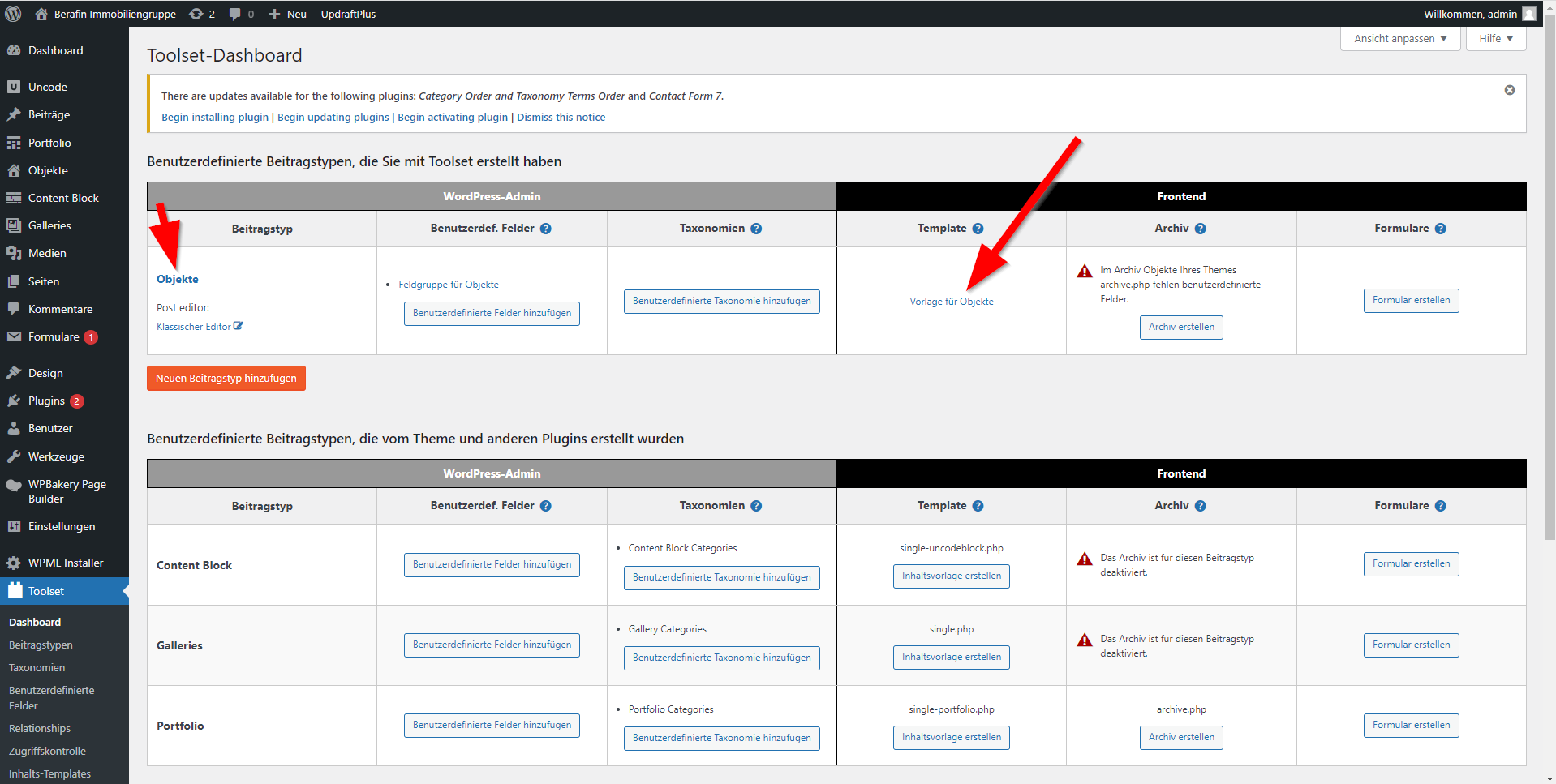
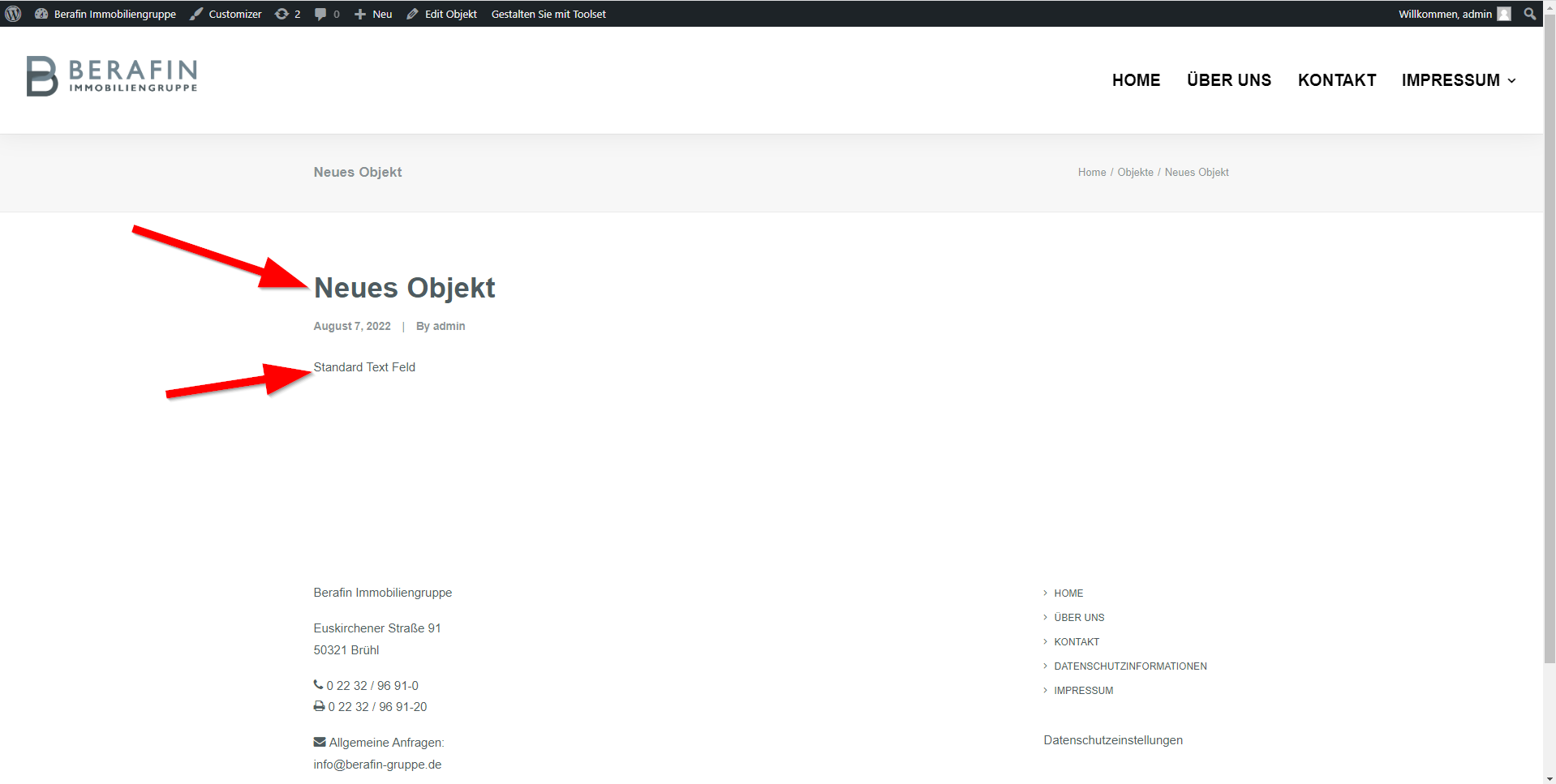
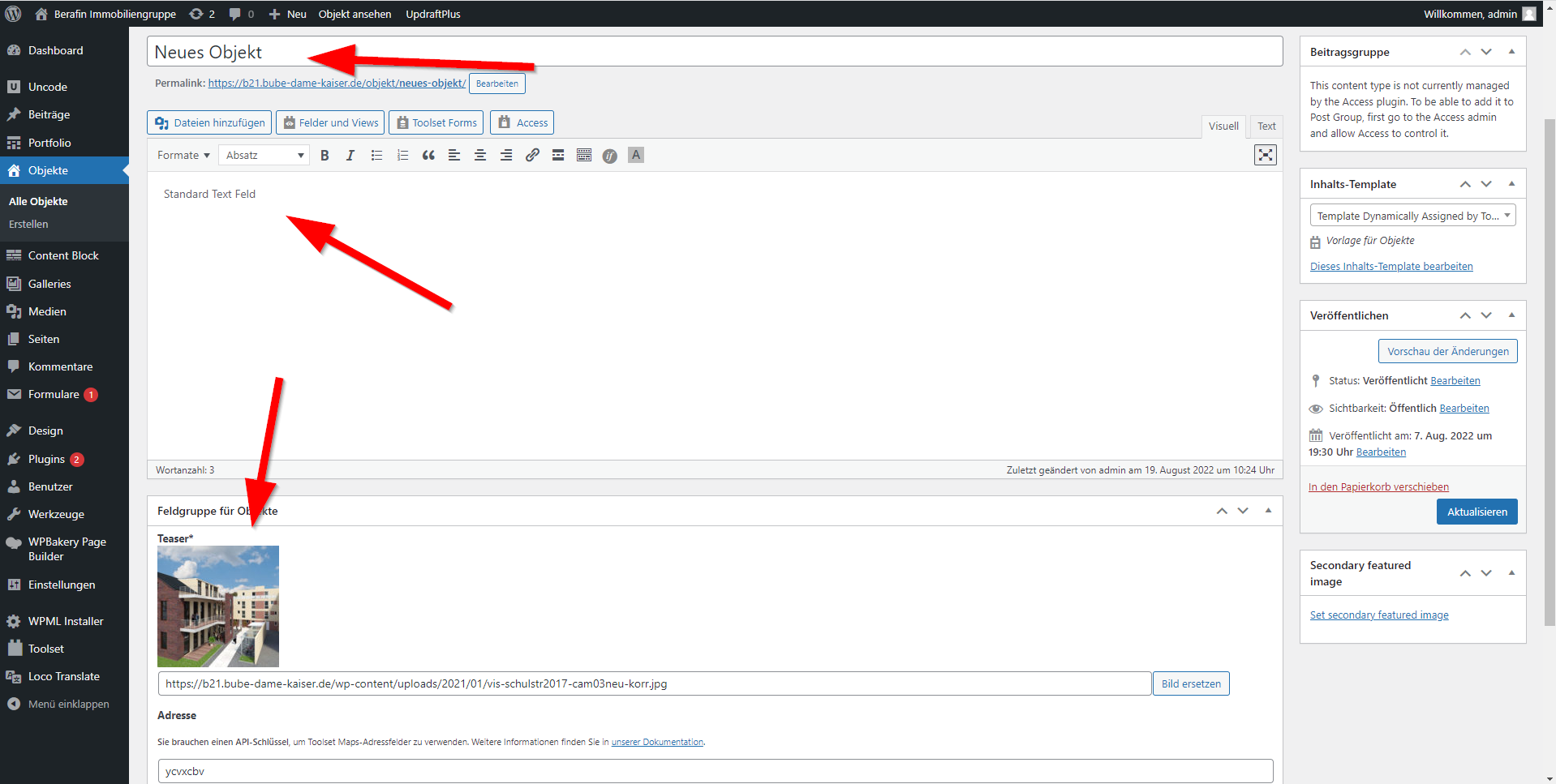
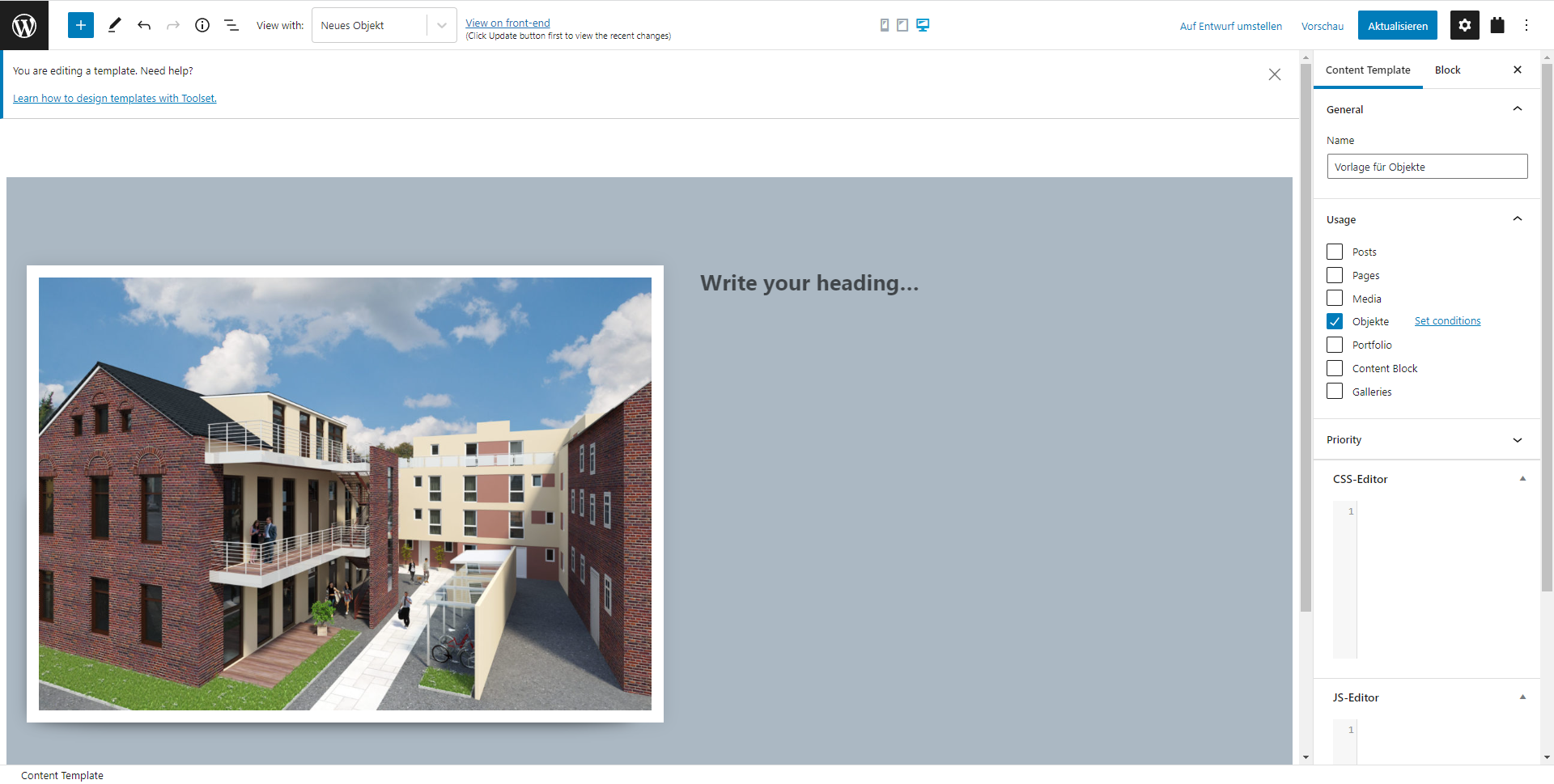
Hi, thanx for the swift reply. As you can see I created all the necessary things (really basic just to test) and assigned the template to the post type the content (as of the template editor) is not shown when looking at the post (=objekt).

Obviously wordpress still uses the template from my theme rather than the template I created for this post.

hope that helps to understand my issue.

after these test I doubt that toolset will work together with my theme....

#2441003

Shane
Supporter

Languages: English (English )

Timezone: America/Jamaica (GMT-05:00)

Hi Mathias,

Would you mind allowing me to have admin access to the website so that I can have a more detailed look at this for you ?

Please where applicable please provide me with a link to an example page where I can see the issue.

I've enabled the private fields for your next response.

Thanks,
Shane

#2443527

Shane
Supporter

Languages: English (English )

Timezone: America/Jamaica (GMT-05:00)

HI Mathias,

Thank you for the credentials, however they don't seem to work.

Can you double check them on your end and let me know if they work for you.

Thanks,
Shane

#2443535

sorry - seems there was a typo or whatever - please retry with the given credentials...

please keep in mind I created a new site for your: tool.bube-dame-kaiser.de

#2443641

Shane
Supporter

Languages: English (English )

Timezone: America/Jamaica (GMT-05:00)

Hi Mathias,

The template should be working now.

It appears that your theme is using a custom filter to trigger the template loading. I had to add this filter trigger to our Toolset content template debugging option at Toolset -> Settings -> Frontend.

Thanks,
Shane