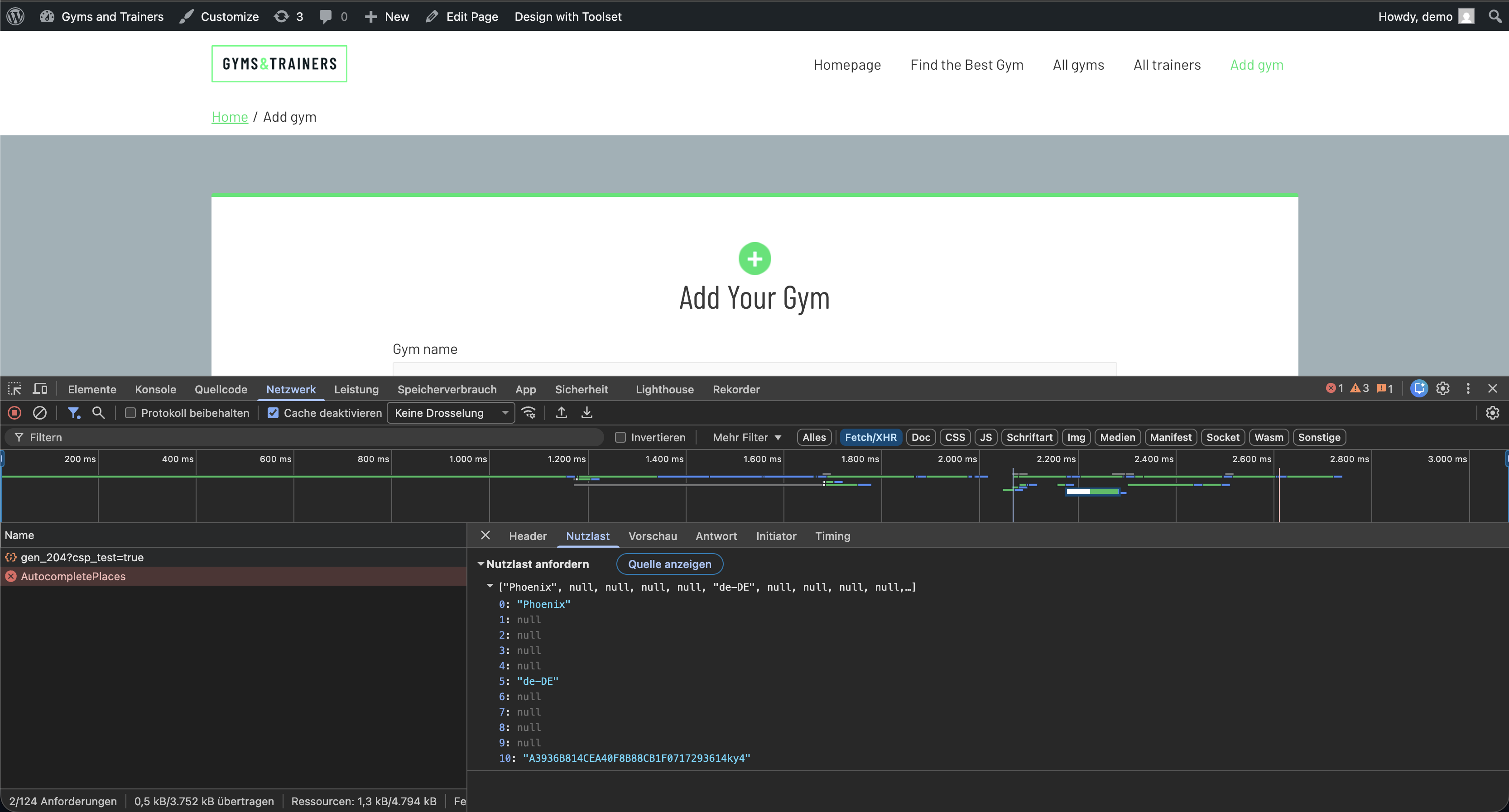
We use the map extension for Toolset on our website. In our forms, we have two address input fields and a view with an address filter. When the form with the two address input fields is called up, six requests are sent to the Google API with the word ‘Phoenix’. When the view is called up, there is one request with the word ‘Phoenix’. These calls without completion result in high costs for the Google API. How can we deactivate these unnecessary requests?
Hello. Thank you for contacting the Toolset support.
Can you please share problem URL and admin access details as well as exact steps that should help me to reproduce the issue.
*** Please make a FULL BACKUP of your database and website.***
I would also eventually need to request temporary access (WP-Admin and FTP) to your site. Preferably to a test site where the problem has been replicated if possible in order to be of better help and check if some configurations might need to be changed.
I have set the next reply to private which means only you and I have access to it.
When I logged in as admin and try to access the form:
- hidden link
It asks me to upload profile picture.
And when I access the above URL as guest user I do not see any form. Do I require front-end user access details that should help me to see the form and what are the two address fields you are using?
Sorry for the delay but when I try to login now, it shows the following error message:
LOGIN BLOCKED: 2FA is required to be active on your account. Please contact the site administrator.
Can you please send me working admin access details as well as disable 2FA if you have.
I have set the next reply to private which means only you and I have access to it.
I've investigate this further and it seems that you have having multiple requests because you have added lat-lon with the map address autocomplete search field.
To test this with normal behaviour, I've created the following sandbox site and you can auto-login to it using the following link:
- hidden link
If you can check the following page where the form is added with the map address field:
- hidden link
When I try to search the "Phoenix" work it only fires one google AutocompletePlaces request. Also, it fire the request when you select any of the autocomplte suggested option.
In your case, when I check:
- hidden link
It fires goggle map AutocompletePlaces request even when you type. When I check further I found that you added some custom JS code to your form:
- hidden link
And you also have lat-lon field. If you want to have lat-log we can get the when you submit the form and we can automatically get saved once you submit the form.
You need to investigate further what custom code you added is the cause that fires multiple AutocompletePlaces requests.
Hello Minesh,
Thank you very much for your feedback. I don’t think we’ve quite got to the bottom of the problem yet. All our customisations should be in order. The issue is that on our website, and also on the test site you provided, a request containing the word ‘Phoenix’ is sent to the Google API even before any input is entered. This request is executed as soon as the page is loaded. This behaviour is also visible on your test site.
Hello Minesh,
Thank you very much for sending the code. The query is no longer being executed, but your website now using the old Google Maps API. This responds more slowly, does not support session-based billing, and is gradually being phased out. It is therefore not yet a suitable solution for us.
Hello Minesh,
Thank you very much. The code seems to work in your test environment. However, the old API is then used automatically. This responds more slowly, does not support session-based billing, and is gradually being phased out. It is therefore not yet a suitable solution for us. The automated query (Phoenix) must be disabled, but the new API must still be used for requests.
The automatic 'Phoenix' is a test query is set to test the map API connection. I will check with our Dev if we can disable that and other then this I do not have any other solution to share.
If you navigate to: Toolset => Settings => Maps tab under section "Google Map API key" you can see two input boxes where you can add the google map API key.
The second input box under this section says "For added protection of your API keys, you may want to set up a 2nd key for server-side requests:" - you can use that for the server side request.
However - I've added the following code to the form's custom JS section:
(function () {

    let userInteracted = false;

    // detect real user interaction
    jQuery(document).on('input keydown focus', '.js-toolset-google-map', function () {
        userInteracted = true;
    });

    const timer = setInterval(function () {

        if (
            window.google &&
            google.maps &&
            google.maps.places &&
            google.maps.places.AutocompleteSuggestion &&
            !google.maps.places.__probePatch
        ) {

            clearInterval(timer);

            google.maps.places.__probePatch = true;

            const original =
                google.maps.places.AutocompleteSuggestion.fetchAutocompleteSuggestions;

            google.maps.places.AutocompleteSuggestion.fetchAutocompleteSuggestions =
                function (request) {

                    // block ANY automatic test request before user interaction
                    if (!userInteracted) {

                        if (request && request.input) {
                            console.log("Blocked automatic autocomplete probe:", request.input);
                        }

                        // abort request but return success so Toolset keeps new API
                        return Promise.resolve({
                            suggestions: []
                        });
                    }

                    return original.apply(this, arguments);
                };

        }

    }, 50);

})();