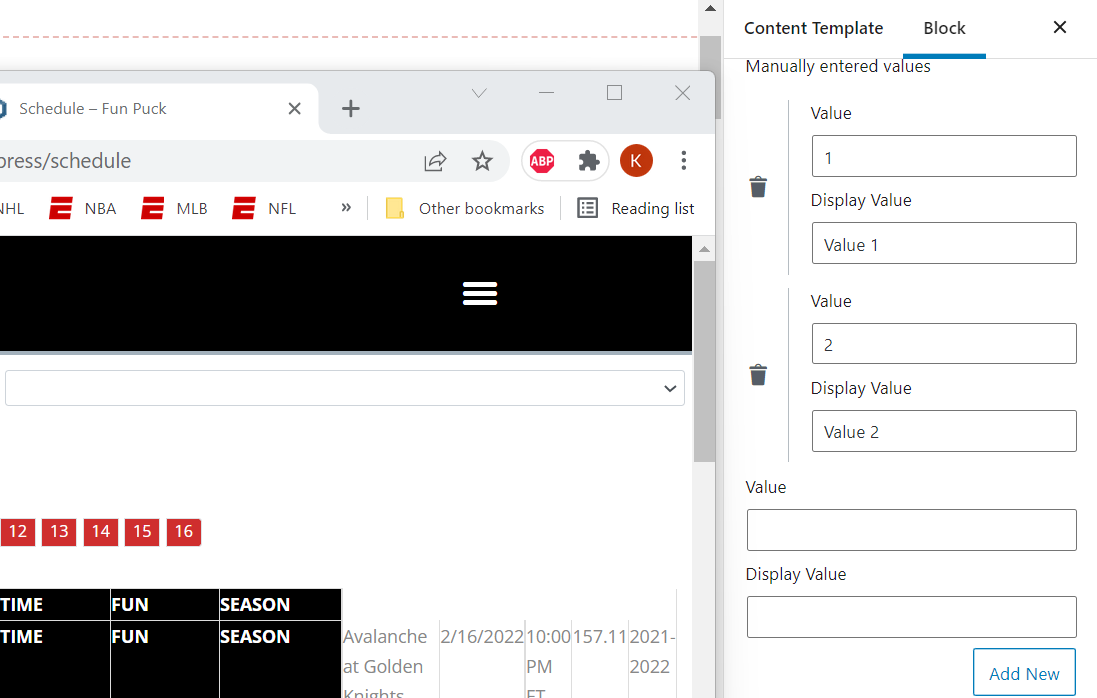
I am trying to: Populate Custom Search Filter dropdown with my manually entered values to conduct a search on the selcted value
Link to a page where the issue can be seen: localhost on my dev machine
I expected to see: A dropdown with my manually entered values for the user to select one to search a Custom Field
Instead, I got: A blank dropdown with no values in it. Values dont seem to be saving when I save the View.
Hi there,
We are aware of the issue and the development team is working to fix the issue in future releases.
Here is the known issue announcement:
https://toolset.com/errata/choosing-manual-options-for-custom-search-filter-provokes-js-error/
Thank you.
Hi there,
We are aware of the issue and the development team is working to fix the issue in future releases.
Here is the known issue announcement:
https://toolset.com/errata/choosing-manual-options-for-custom-search-filter-provokes-js-error/
Thank you.
me too. I have this problem. I look forward to having a fix...thanks. Thanks for documenting.
Hi there
I wanted to let you know that we published plugin updates today that includes a fix for this issue.
If the updates do not show up on your plugin installer page (click the registered link beneath the plugin name to go to the custom installer page) click the Check for Updates button to update the list.
Or you can download the latest versions from your accounts page: https://toolset.com/account/downloads
Thank you.