Tell us what you are trying to do?
Im just trying to get an elementor page template to display an edit post form from toolset , and dynamically receive the information of that post that needs to be edited.
So, what I have:
1) 1 elementor page template to edit a post (which now now has the toolset edit form in it)
2) 1 edit post form from toolset
3) 1 elementor page template that controls the display of my custom content type (where i need a dynamic link to edit it)
Is there any documentation that you are following?
I tried following this post, #1941317 but got lost quite honestly with some of examples and the terms used 🙂
It seems a few people have tried to do this, maybe there should be a small step by step tutorial about it.
From what I see here you want to add your Toolset Edit form to an elementor template and when you click on the edit link on the post on the frontend you want to open that elementor template with the edit form?
Unfortunately that won't be possible because the edit form actually replaces your current elementor template page content with the actual form.
So you will need to add the edit form to our Toolset Content template in order for you to display it in the elementor template. I should also add that for this to work you will need to have the post content widget from elementor on your posts template so that the form can replace this content area.
If you can send me a link to the forum post that you're referring to it will greatly help as well.
Let me see if I can provide some clarity on this for you.
Here are a few steps that should allow you to achieve your goal.
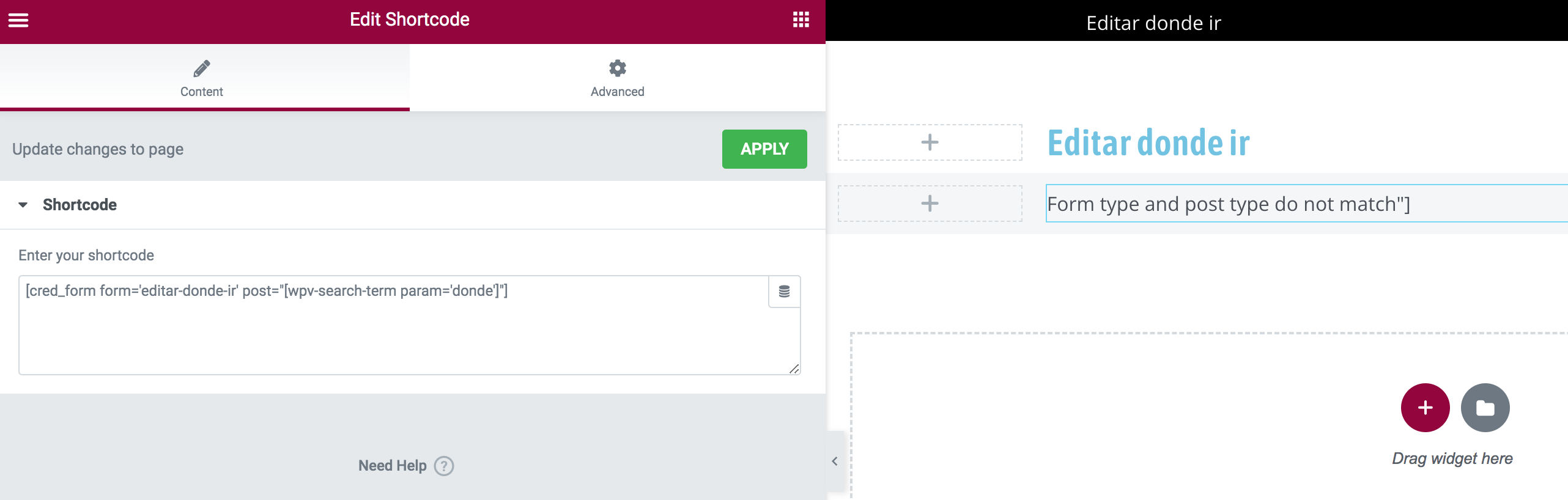
1. Create your edit post page with an elementor template and add your edit form to that page using the shortcode. Here is an example of the shortcode you will use [cred_form form='edit-vendor-listing-post-form' post="[wpv-search-term param='url_parameter']"]
2. Replace "edit-vendor-listing-post-form" with the slug of your edit form.
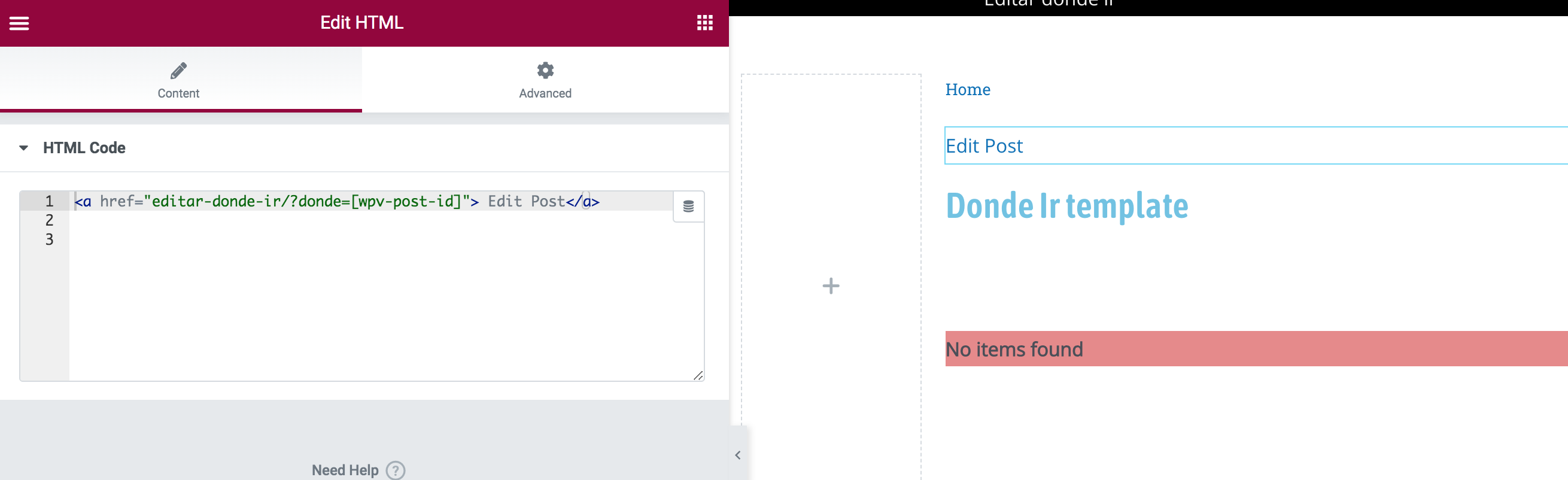
3. Now go to your elementor template for your post that you want to have the edit form for on the frontend and add a manual link to your edit page in the format below.
Where "linktoeditpagegoeshere" is the actual link to the edit page, "url_parameter" is the parameter that you want to use to pass the ID for the current post to the edit form. Now you will need to replace these with the actual URL and with an appropriately named url parameter.
These steps above are essentially what you need to achieve your goal.
In summary you're manually linking your post to the edit page via the link that is added manually to the page. Please let me know if any steps are unclear for you.
I got the first step right.
Here's where I am a little confused:
"url_parameter" is the parameter that you want to use to pass the ID for the current post to the edit form. Now you will need to replace these with the" actual URL and with an appropriately named url parameter".
I feel silly asking you this but, can you give and example of what "url_paramenter" to pass?
let's say my custom content type is "tours" should i pass that as the paramenter and would that parameter also be used
here: [cred_form form='edit-vendor-listing-post-form' post="[wpv-search-term param='url_parameter']"]
Hi Luigi,
I feel silly asking you this but, can you give and example of what "url_paramenter" to pass?
My apologies I wasn't so clear on this section. The "url_parameter" is a query string variable where we will assign the ID of the current post to it using this shortcode [wpv-post-id] hence we create a url like this below.
As you can see i've made use of the text "url_parameter" to store the current post id that is being generated by [wpv-post-id] which is a shortcode from our views plugin.
Now when we click to the edit form page this "url_parameter" variable will show up in your browsers URL section in the form hidden link where 1234 is the post id to be edited.
Your edit form will now pick up the post ID with the shortcode below.
You basically had everything setup. The only issue was the widget types that you were using to add the code to the page.
You should've used the text editor widget instead of the shortcode and html widgets.
This is because the shortcode widget for elementor doesn't allow for nesting of shortcodes and the html widget doesn't process shortcode. However everything should be working fine now.