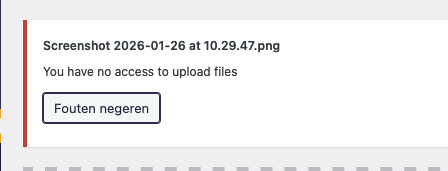
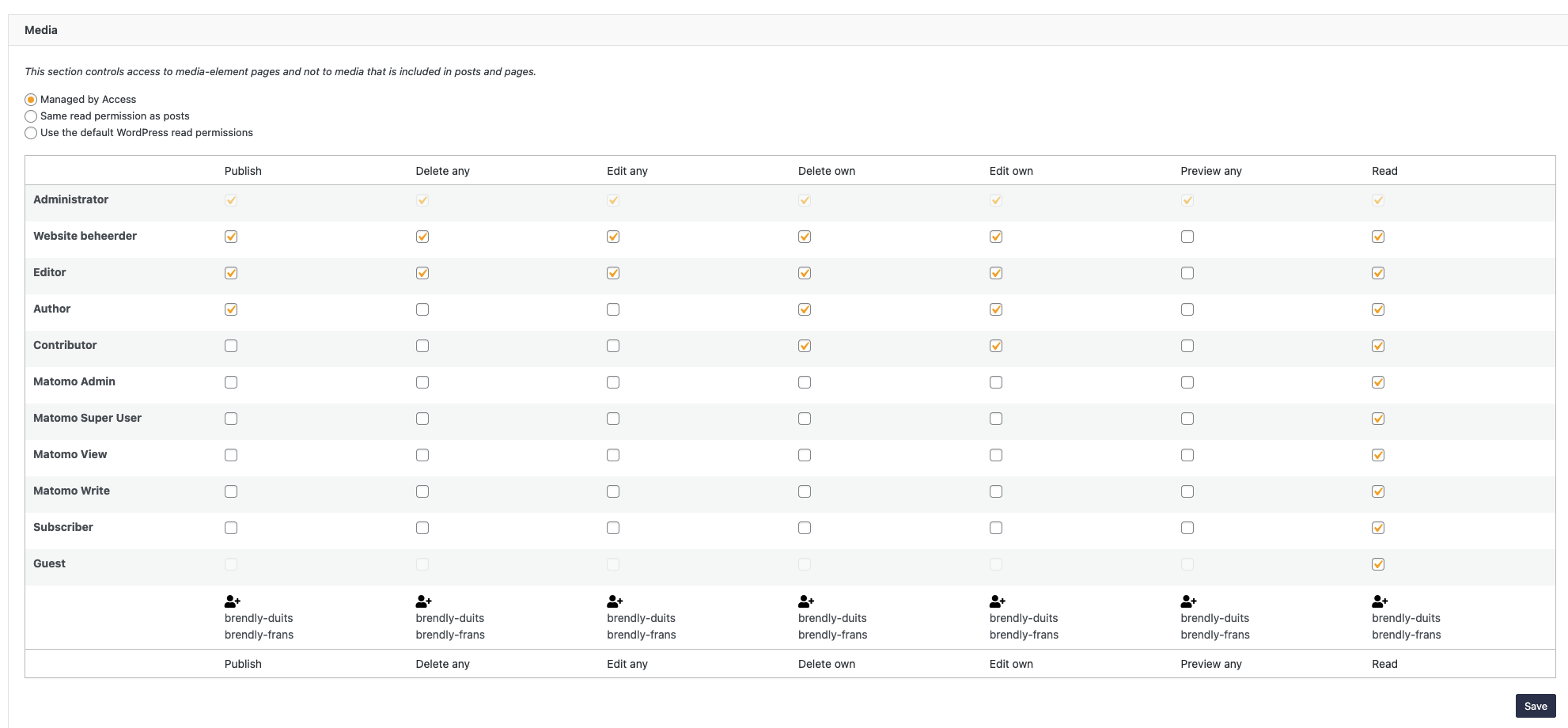
Tell us what you are trying to do?
I'm trying to set up a WordPress install with WPML and Toolset Access following this guide (https://wpml.org/documentation/translating-your-contents/how-to-use-access-plugin-to-create-editors-for-specific-language/), but struggling with getting the users with 'special' accounts to upload images to the media library. I've given them all rights in the Access settings, but I still keep getting an error that uploads are not allowed with that account.
Is there any documentation that you are following?
Yes, this guide: https://wpml.org/documentation/translating-your-contents/how-to-use-access-plugin-to-create-editors-for-specific-language/
Is there a similar example that we can see?
What is the link to your site?
hidden link
Hi,
Welcome to Toolset support. First, please check if you can deactivate Toolset Access, the upload is possible? That will confirm the issue is the settings in the Toolset Access and not another reason.
If the issue is the settings, then please check the points below:
1) Give the role the upload_files capability
WP Admin → Toolset → Access Control → Custom Roles → edit the role → General capabilities → enable upload_files.
2) If upload happens via a Toolset Form, enable the Media Library option for that role
WP Admin → Toolset → Access Control → Toolset Forms tab → enable “Use any Media Library file when adding files to front-end Post Forms” for that role.
3) Make sure the form uses the native WP media manager
In the Form settings, enable using the WordPress media manager for image/file fields (so logged-in users can use the Media Library UI).
If you’re using the Add Media button inside a WYSIWYG field, Access’ “limit Media Library to own media” does not work there:
https://toolset.com/errata/access-setting-to-limit-media-library-to-own-media-doesnt-work-with-add-media-button-of-wysiwyg-editor
Thanks.
Hi Christopher,
Thanks for the reply! When I disable the plugin, the editor-accounts for the specific languages have no usable rights because they are set up as subscribers just like the tutorial suggests.
Should I change the subscriber role capabillities, or is it wise to create a custom role and then give them upload_files rights?
We are not using Toolset Forms, just the regular Media Library and upload in pages and Elementor. All regular capabilities.
Thanks!
Hi,
Thank you for the details, and sorry for the late reply So it seems you followed the steps correctly, but I am not sure if the documentation was intended to give permission to upload media using Page Builders.
Would you please create a backup of your website nd set the next reply as private and provide the login for the administrator, and also give the login info for the "special" editor?
I want to test if I add a custom capability to the special editor, will it work or not.
Thanks
Hello and thank you for the login information.
I recorded a video showing a workaround for the situation:
hidden link
Video summary:
- Subscribers do not have access to the Media Library by default in WordPress.
- Media items are treated as a separate post type, so post permissions alone are not enough.
- I created a custom role called German Subscriber using Toolset Access Control.
- The new role inherits Subscriber permissions but includes the “Upload files” capability.
- After assigning this role to the user, Media Library access works correctly.
Thanks.
Hi Christopher,
Thanks for the reply! Since we will have many languages in a website and thus many translators, is it the best route to create one global translator role, give them the correct rights and then follow the steps from the guide to give them access to individual languages?
Thanks!
mm... Now that you say I think your method would be logical to avoid too many roles.
At the end of day the whole reason of the role is to add the upload_file capability and the rest will be set in the Access Control WPML Group.
So I should agree with your approach.
Thanks.