Skip Navigation

[Resolved] issue with fullscreen

This support ticket is created 4 years, 3 months ago. There's a good chance that you are reading advice that it now obsolete.

This is the technical support forum for Toolset - a suite of plugins for developing WordPress sites without writing PHP.

Everyone can read this forum, but only Toolset clients can post in it. Toolset support works 6 days per week, 19 hours per day.

Sun Mon Tue Wed Thu Fri Sat
- 9:00 – 12:00 9:00 – 12:00 9:00 – 12:00 9:00 – 12:00 9:00 – 12:00 -
- 13:00 – 18:00 13:00 – 18:00 13:00 – 18:00 14:00 – 18:00 13:00 – 18:00 -

Supporter timezone: America/Jamaica (GMT-05:00)

This topic contains 3 replies, has 2 voices.

Last updated by Shane 4 years, 3 months ago.

Assisted by: Shane.

Author
Posts
#2183619

Hi,

I have been trying to make templates for my directory pages and somehow none of the modules are full screen. Do you have any idea why is that?

Best,

Gaby Gosztola

#2183829

Shane
Supporter

Languages: English (English )

Timezone: America/Jamaica (GMT-05:00)

Hi Gaby,

Thank you for getting in touch.

I'm not sure what you mean by "none of the modules are full screen" can you provide a little more detail on this one for me.

Thanks,
Shane

#2183977
Screenshot 3.png
Screenshot 2.png
Screenshot 1.png

Hi Shane,

thank you for getting back.

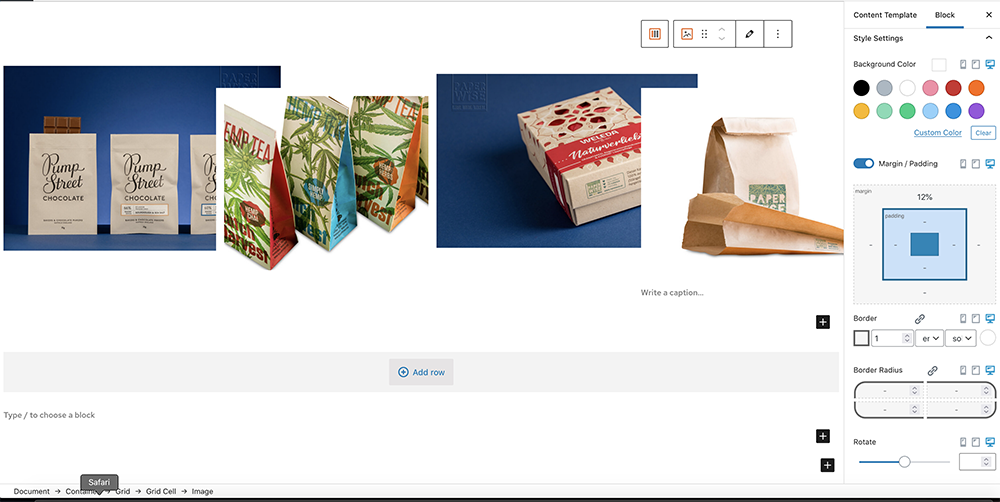
On this link, you can see that the page is not fullwidth, though there are no margain or padding around the images, the grid or the container. hidden link
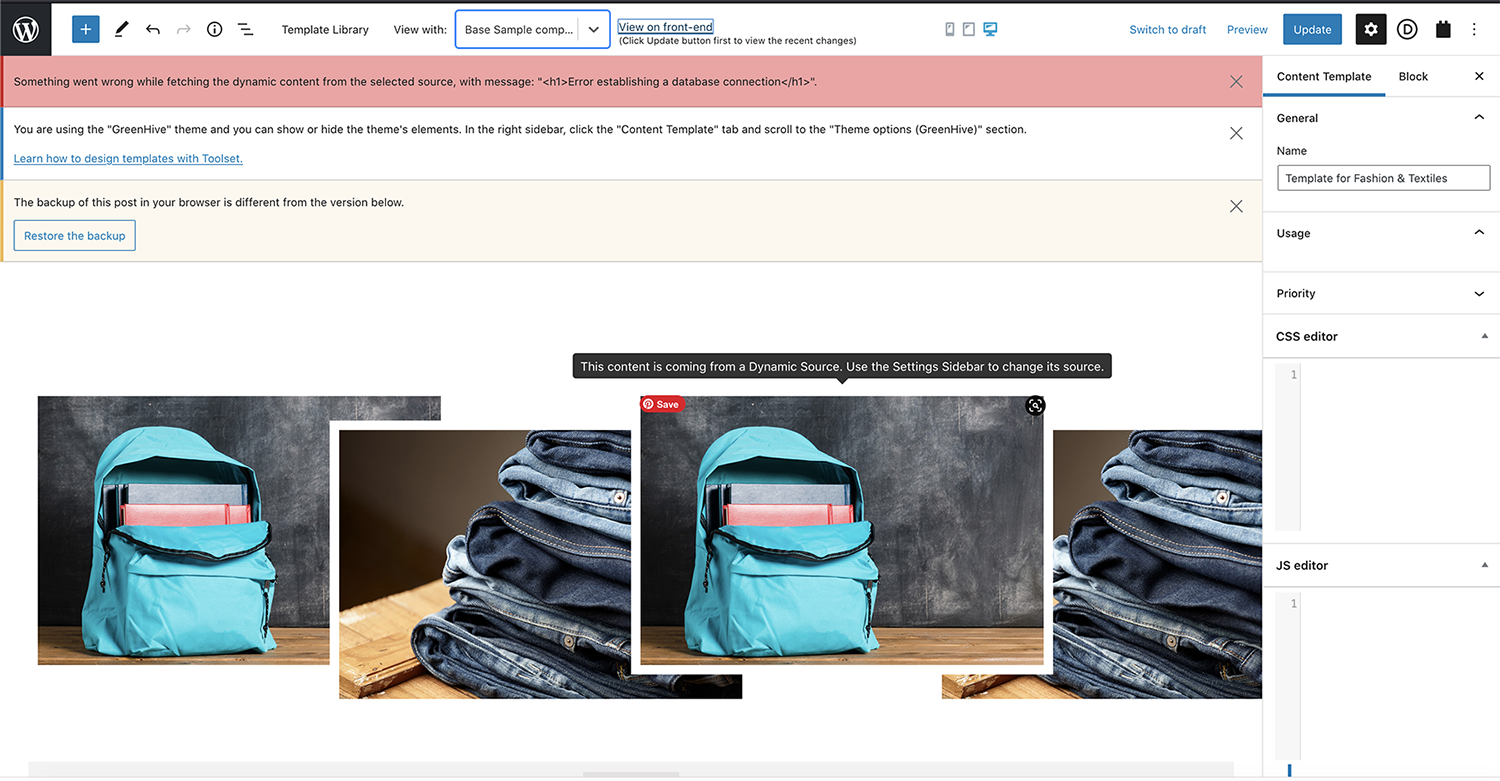
I have also attached an image (Screenshot 1 and Screenshot 2), how the back end looks and fx the borders and the placing doesn't show up on the live view.

Then also the template shows this error multiple times (Screenshot 2) and when I want to view it in live view, it either just shows an error page or only the non-dynamic parts of the page (Screenshot 3).

Any way to have these problems solved?

Best

#2184105

Shane
Supporter

Languages: English (English )

Timezone: America/Jamaica (GMT-05:00)

Hi Gaby,

The only way to make your blocks full width is if in the Advanced section they have the option for Block Alignment.

If it doesn't then you will need to add a container block and then set the container Block Alignment to full width then add your other blocks inside the container block.

Should the container block not have the full width option then your theme doesn't support it.

Thanks,
Shane