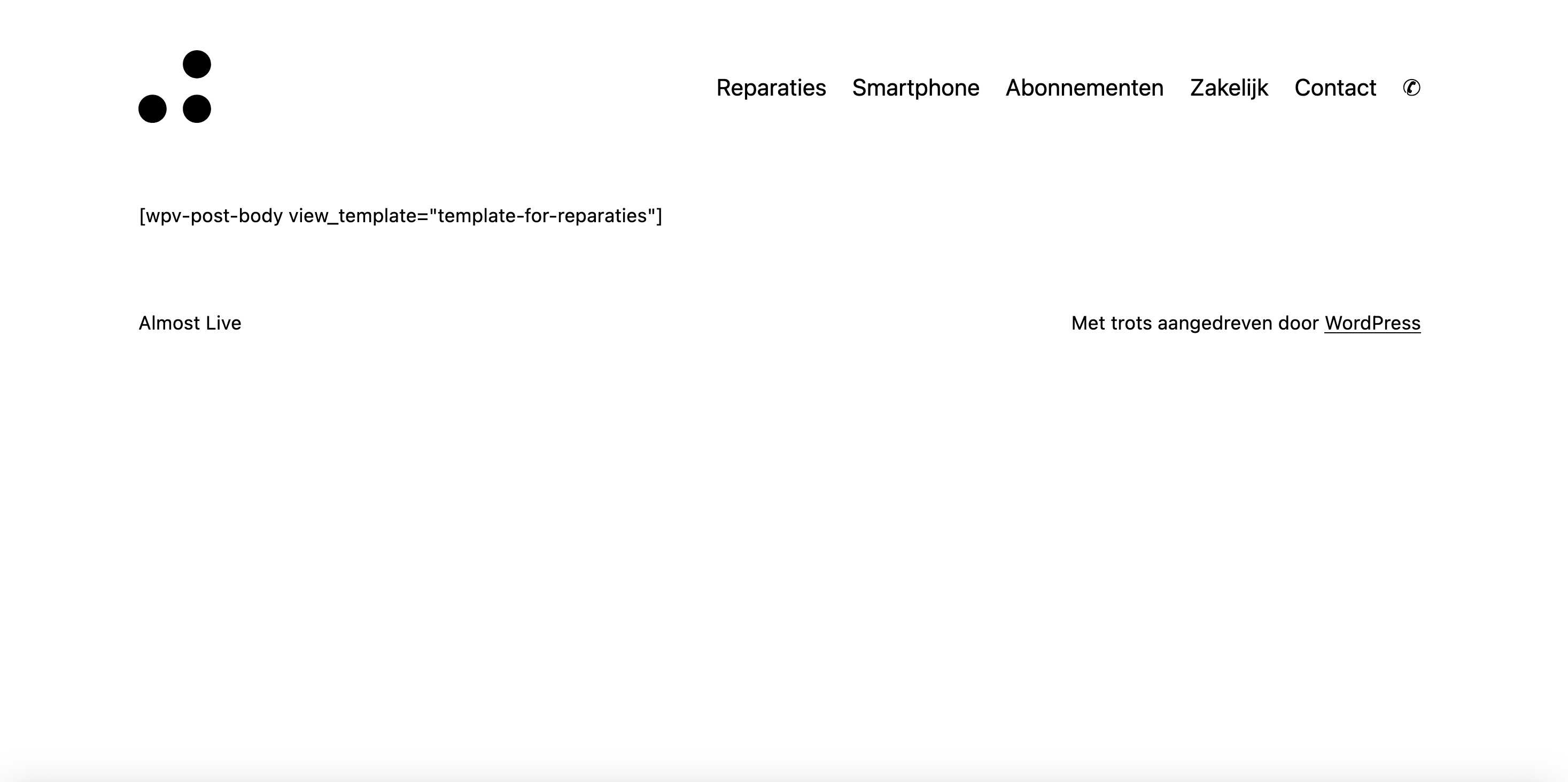
I am reaching out to report an issue with a WordPress website that's currently preventing its Content Template from loading on the front-end. Instead of the intended content, a shortcode is being displayed on the webpage. This is an urgent matter that's impacting the functionality of the site.
URL of the affected page: hidden link
Bug Details:
Instead of loading the expected template, the following shortcode is being displayed: [wpv-post-body view_template="template-for-reparaties"].
The relevant system information is as follows:
• WordPress version: 6.2.1
• PHP version: 8.2.2
• Theme: Twenty Twenty Three (child theme)
• Page Builder: Gutenberg
Several troubleshooting steps have been undertaken with no success, including:
1. Deactivating all plugins to check for conflicts. The issue persisted with only essential plugins active: Toolset Blocks, Toolset Types, Yoast SEO, and SVG Support.
2. Checking and switching PHP versions (7.4 to 8.2.2).
3. Testing with another theme (Twenty Twenty Two), with the same issue occurring.
4. Enabling 'WP_DEBUG', which did not yield any informative error messages.
We also noted that the documentation provided on your website seems to be out of date, making it difficult to find relevant, current information to aid in troubleshooting.
I am requesting your assistance in resolving this issue, as it is impacting the user experience on the site. I am eagerly awaiting your expert advice on this matter.
Firstly, I want to express my gratitude for your response. Your quick attention is appreciated.
The changes made in the new WordPress updat, to be frank, have been a disaster. As someone who relies heavily on Shortcode Blocks in our process when using Block Themes, their absence or changes made to them have caused a significant disturbance to our workflow.
If the change was implemented due to security concerns, then I strongly urge the Toolset team to reconsider the way they handle the implementation of shortcodes. In my view, it's a core feature of WordPress and shouldn't be compromised.
I understand from your message that this issue is known and originates from WordPress itself. I've checked the link you provided for more information, and I appreciate the context provided there.
I'm left with two options, it seems. Either I wait for the next hotfix release of WordPress, or I downgrade my WordPress to version 6.2. While neither is ideal, I appreciate your guidance on potential solutions.
I trust that you and the Toolset team understand the impact this update has on users like myself. I look forward to seeing how you will address this issue moving forward.