Skip Navigation

[Resolved] Invalid site key

This thread is resolved. Here is a description of the problem and solution.

Problem:

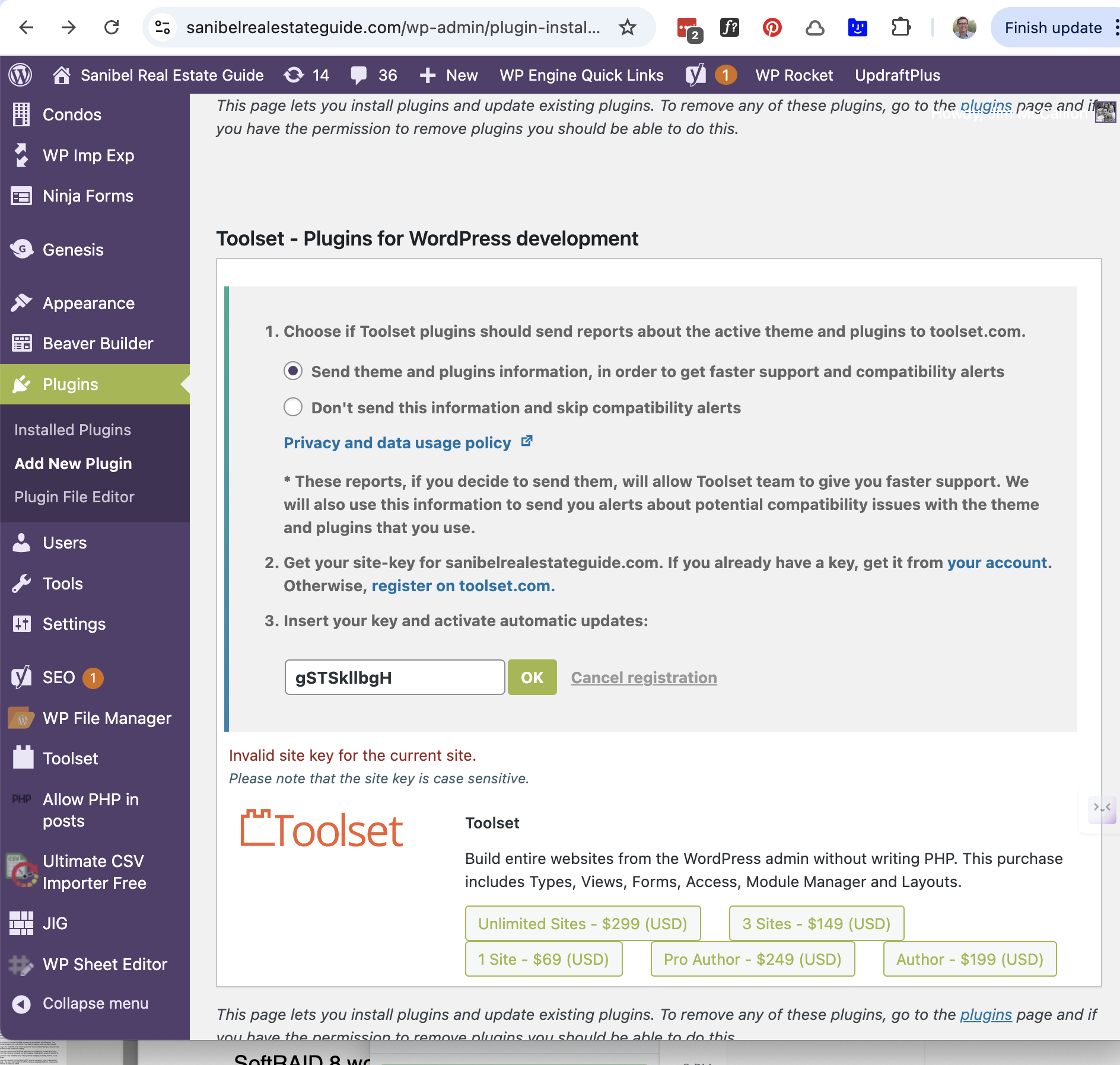
I am trying to update my Toolset plugins, but I am receiving an error indicating that my site key is invalid.

Solution:

- Ensure you are logged in at toolset.com.
- Visit: https://toolset.com/account/sites/
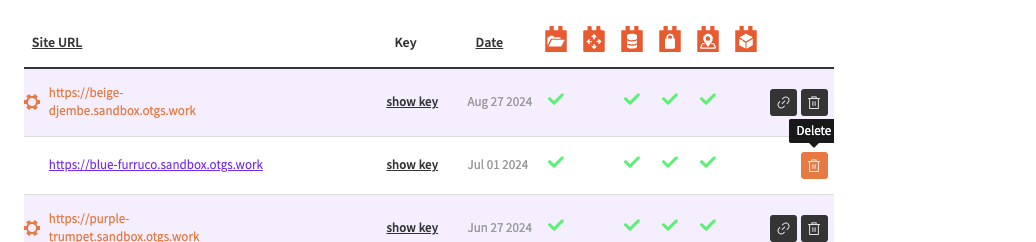
- Click the trash icon next to your website name to remove the site key.
- Re-register the site:
- Go to "WordPress Dashboard > Plugins > - Add New > Commercial (Tab)".
- Click "Register Toolset" on the right.
- Click "Get a key for this site" to generate a new key.
- Copy the key and paste it into the "Site Key" input box.
- Click "OK" to complete the registration.

This is the technical support forum for Toolset - a suite of plugins for developing WordPress sites without writing PHP.

Everyone can read this forum, but only Toolset clients can post in it. Toolset support works 6 days per week, 19 hours per day.

This topic contains 1 reply, has 2 voices.

Last updated by Christopher Amirian 1 year, 2 months ago.

Assisted by: Christopher Amirian.

Author
Posts
#2780633
Screenshot 2024-11-02 at 12.32.37 PM.png

Tell us what you are trying to do?
I am trying to update my toolset plugins but it is showing my site key as invalid. See image.

Is there any documentation that you are following?

Is there a similar example that we can see?

What is the link to your site?

#2781098

Christopher Amirian
Supporter

Languages: English (English )

Screenshot 2024-11-03 at 2.22.24 PM.png

Hi,

Please make sure you are logged in toolset.com, and go to:

https://toolset.com/account/sites/

Click the trash icon next to the website name in the table to remove the key.

Then follow the registration process again and that should do the trick:

- Go to "WordPress Dashboard > Plugins > Add New > Commercial (Tab)".
- Click the "Register Toolset" at the right section of the screen.
- Click the "Get a key for this site" link annotated in the screenshot below.
- A new page will open up and the auto-generated key will show in pop-up.
- Copy the key and paste it into the "Site Key" input box annotated in the screenshot below.
- Click the "OK" button.