Skip Navigation

[Resolved] Installing plugin types.3.4.15

This support ticket is created 3 years, 12 months ago. There's a good chance that you are reading advice that it now obsolete.

This is the technical support forum for Toolset - a suite of plugins for developing WordPress sites without writing PHP.

Everyone can read this forum, but only Toolset clients can post in it. Toolset support works 6 days per week, 19 hours per day.

Sun Mon Tue Wed Thu Fri Sat
- 10:00 – 13:00 10:00 – 13:00 10:00 – 13:00 10:00 – 13:00 10:00 – 13:00 -
- 14:00 – 18:00 14:00 – 18:00 14:00 – 18:00 14:00 – 18:00 14:00 – 18:00 -

Supporter timezone: Asia/Kolkata (GMT+05:30)

This topic contains 6 replies, has 2 voices.

Last updated by michaelA-16 3 years, 12 months ago.

Assisted by: Minesh.

Author
Posts
#2282257
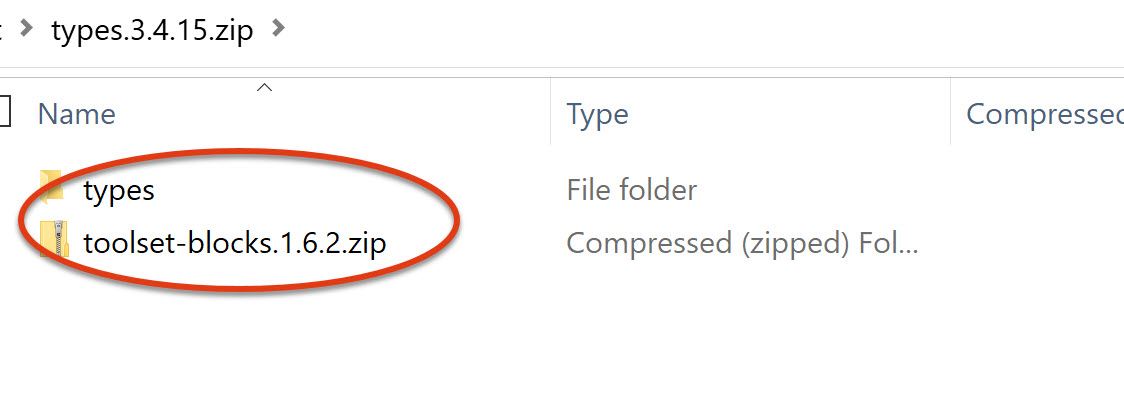
type1.jpg
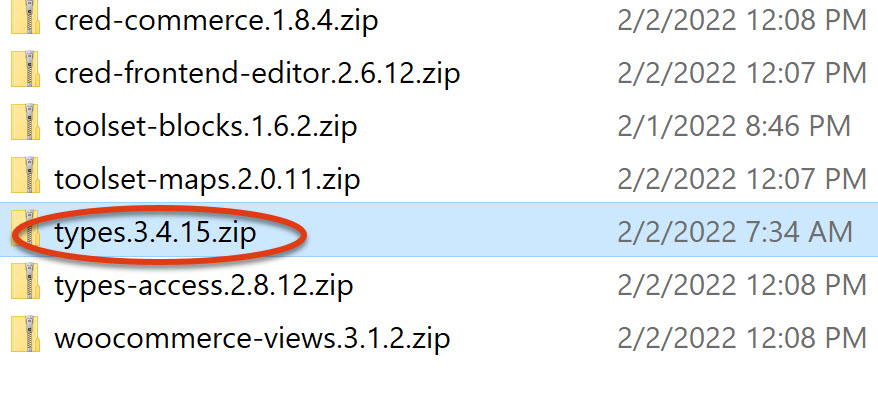
type2.jpg

I downloaded all of the plugins, and am having trouble with types.3.4.15.zip. I get the error no valid plugins in the file.

I see basic installation of plugins, but not specifically for this.

I have seen similar issues to this in the past, and opened the zip file, and saw toolset-blocks.1.6.2.zip (which is the same as another plugin I downloaded). Please a folder named types.

So...just need some guidance.

hidden link

#2282455

Minesh
Supporter

Languages: English (English )

Timezone: Asia/Kolkata (GMT+05:30)

Hello. Thank you for contacting the Toolset support.

Have you followed the steps mentioned with the following Doc:
=> https://toolset.com/faq/how-to-install-and-register-toolset/#installing-the-toolset-types-plugin

If yes:
Can you please tell me where exactly the issue is, when you try to upload and install the Toolset Types plugin? What if you try to redownload it and install just Toolset Types plugin as mentioned with the above Doc.

And then register your site key and try to follow the steps mentioned with the following Doc to install addon plugins:
- https://toolset.com/faq/how-to-install-and-register-toolset/#automatic-installation-once-you-have-types-plugin-installed

#2282985

I followed the instructions to upload the Types pluging. I get these messages when activating it.

Warning: require_once(/home/xdhecqi9p0z3/public_html/wp-content/plugins/types/application/bootstrap.php): failed to open stream: No such file or directory in /home/xdhecqi9p0z3/public_html/wp-content/plugins/types/wpcf.php on line 75

Fatal error: require_once(): Failed opening required '/home/xdhecqi9p0z3/public_html/wp-content/plugins/types/application/bootstrap.php' (include_path='.:/opt/alt/php73/usr/share/pear') in /home/xdhecqi9p0z3/public_html/wp-content/plugins/types/wpcf.php on line 75

#2283381

Minesh
Supporter

Languages: English (English )

Timezone: Asia/Kolkata (GMT+05:30)

That is strange.

Can you please share admin access details so I can check whats going wrong with your setup.

*** Please make a FULL BACKUP of your database and website.***
I would also eventually need to request temporary access (WP-Admin and FTP) to your site. Preferably to a test site where the problem has been replicated if possible in order to be of better help and check if some configurations might need to be changed.

I have set the next reply to private which means only you and I have access to it.

#2283873

Minesh
Supporter

Languages: English (English )

Timezone: Asia/Kolkata (GMT+05:30)

The admin access details you shared is not working at this end. Can you please share working admin access details.

I have set the next reply to private which means only you and I have access to it.
#2283891

Minesh
Supporter

Languages: English (English )

Timezone: Asia/Kolkata (GMT+05:30)

I've installed and activated the Toolset Types plugin on your install. When I try to install it took bit time but seems fine for me now.

#2283913

All the toolset plugins were activated, and I was able to register my site. Thanks.