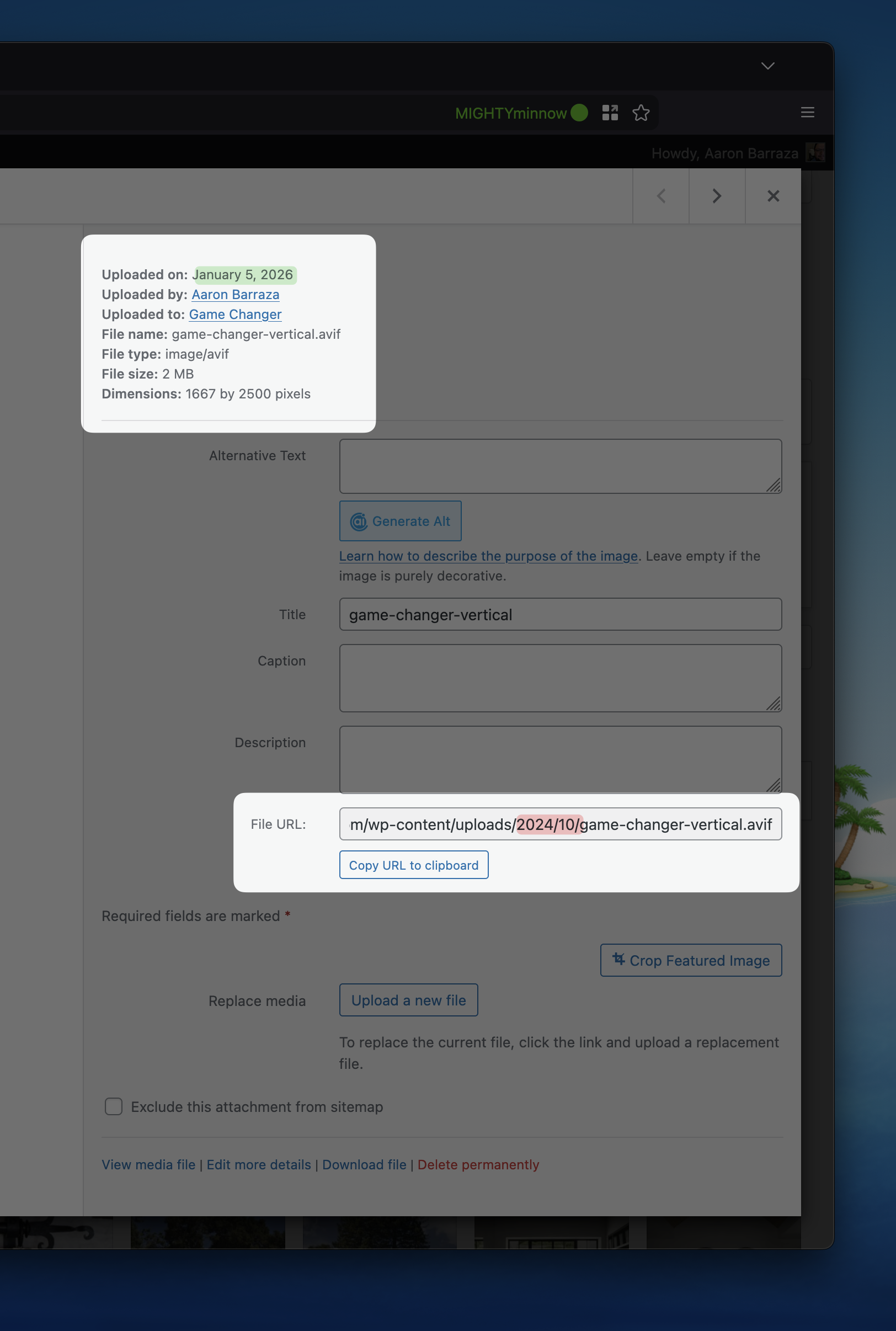
For some reason, when we upload an image via an Image Field created with Toolset, the image is being saved to /wp-content/uploads/2024/10/ instead of /wp-content/uploads/2026/01/.
This issue does not occur when uploading the image directly through the Media → Library admin page.
Hello. Thank you for contacting the Toolset support.
That is really strange.
I just checked with the brand new snadbox site where only Toolset plugin(s) active.
Here is a the auto-login link you can use to access the sandbox site:
=> hidden link
I've created Book post type and custom field group that is assigned to Book post type and added custom image field.
Then I've added couple of posts to Book post type and I can see image is uploaded to correct directory:
- hidden link
I'm not sure if you are using Toolset Form or you are trying to upload image from admin.
In order to minimize the cause of the issue and to ensure there is no conflit with the theme/plugins you use:
Could you please try to resolve your issue by deactivating all third-party plugins as well as the default theme to check for any possible conflicts with any of the plugins or themes?
- Do you see any difference?
Disabling all plugins and switching to the default Twenty Twenty-Five theme didn’t resolve the issue.
However, I noticed something important: the upload directory for images is based on the post’s published date (year/month).
For example, I created a post dated 2024: hidden link
As you can see, the image was uploaded to /wp-content/uploads/2024/06/.
This behavior only occurs when the post is already published. It does not happen while initially creating a post with an old date, but it does apply once you return to the post later.