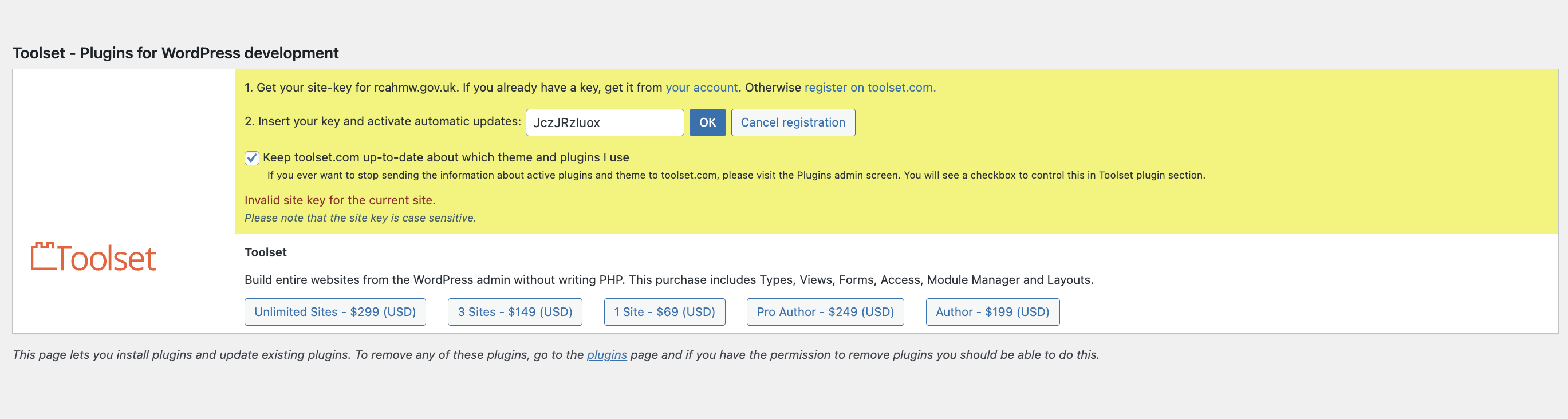
Tell us what you are trying to do?
adding site key to the production site
Is there any documentation that you are following?
Is there a similar example that we can see?
What is the link to your site? hidden link
Hi,
Welcome to Toolset support.
Please go to https://toolset.com/account/sites/
Delete the key in the table by clicking the trash icon.
Then follow the steps below:
- Make sure that you are logged in toolset.com
- Go to "WordPress Dashboard > Plugins > Add New > Commercial (Tab)".
- Click the "Unregister Toolset" link. (Your translations will be safe)
- Click the "Register Toolset" at the right section of the screen.
- Click the "Get a key for this site" link annotated in the screenshot below.
- A new page will open up and the auto-generated key will show in pop-up.
- Copy the key and paste it into the "Site Key" input box annotated in the screenshot below.
- Click the "OK" button.
If the issue persists, I'd appreciate it if you could give me the URL/User/Pass of your WordPress dashboard after you make sure that you have a backup of your website.
It is absolutely important that you give us a guarantee that you have a backup so if something happens you will have a point of restore.
Make sure you set the next reply as private.
Thanks.