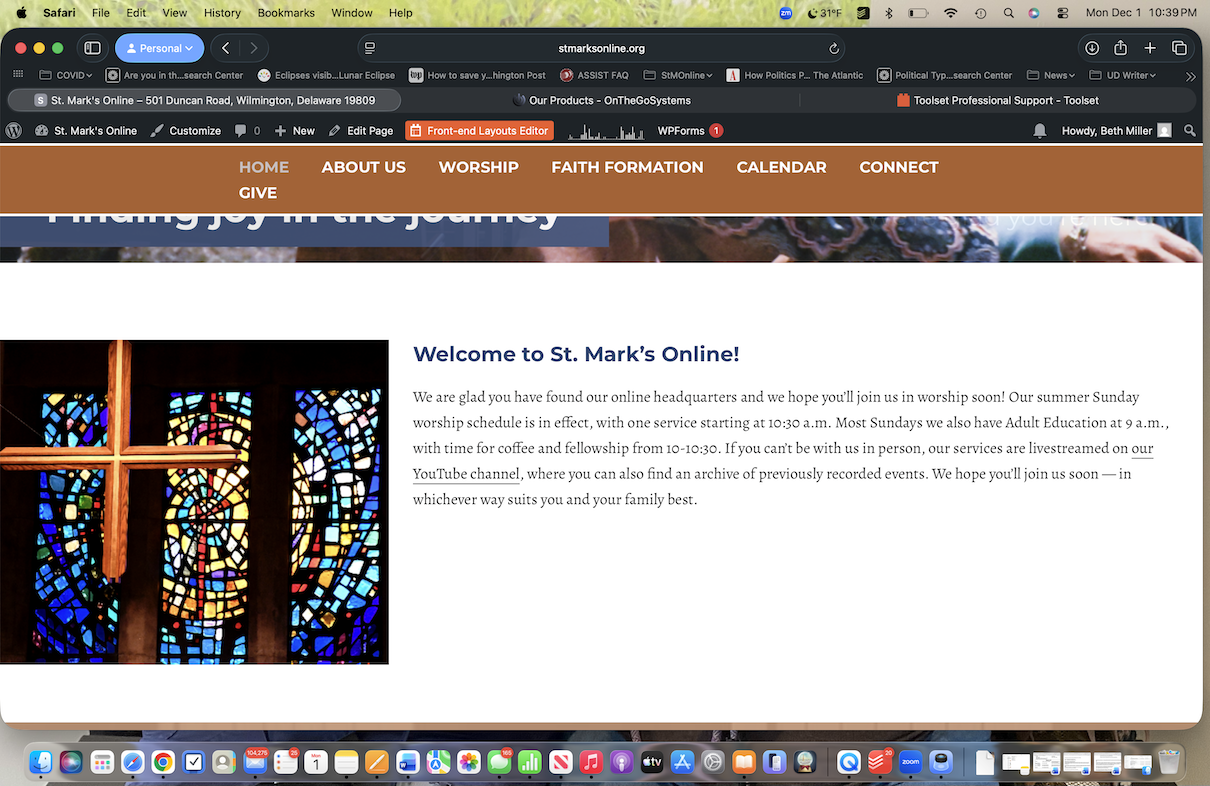
Tell us what you are trying to do?
I am trying to update the first paragraph of our home page, which tells people when our services are. Usually I open the page, edit under Layouts, save it and I'm good. But now I get a screen that looks like the attached photo with — nothing advancing. I cannot access the text.
Is there any documentation that you are following?
No. The site was created by a Toolset aficionado we hired in 2018 but he has moved on. I am not a coder, but I am comfortable working in WordPress. I hope to take your course, but haven't been able to do that yet.
Is there a similar example that we can see?
I am attaching screenshots of what I'm trying to do and what happens as I advance to the final screen, where nothing happens.
What is the link to your site? hidden link
Thank you for any assistance!
Beth Miller
for St. Mark's Lutheran Church
Hi Beth,
It seems that there is a JavaScript error of some kind preventing the layout from opening.
Would you please follow the steps below?
- IMPORTANT STEP! Create a backup of your website. Or better approach will be to test this on a copy/staging version of the website to avoid any disruption of a live website.
- Switch to the default theme such as "TwentyTwenty" by going to "WordPress Dashboard > Appearance > themes".
- Go to "WordPress Dashboard > Plugins" and deactivate all plugins except:
. Toolset Types
. Toolset Layouts
. Toolset Blocks/Views
- Check if you can still recreate the issue.
- If not, re-activate your plugins one by one and check the issue each time to find out the plugin that causes the problem.
If the issue persists, I'd appreciate it if you could give me the URL/User/Pass of your WordPress dashboard after you make sure that you have a backup of your website.
It is absolutely important that you give us a guarantee that you have a backup so if something happens you will have a point of restore.
Make sure you set the next reply as private.
Thanks.
I have automatic backups scheduled through Jetpack and my web host. Is that sufficient to meet the guarantee requirement? Thank you.
I have the latest version of PHP and the latest version of WordPress. But my web host tells me the theme is failing due to calls to the Layouts plugin. I can send the diagnostic report they sent me if that would help. Thank you.
Hi,
Yes, the backup will be ok. You can set the next reply as private and provide the login information.
Als,o please provide the debug information as per the instructions below:
https://toolset.com/faq/provide-debug-information-faster-support/
Just to make sure we are on the same page, we are not familiar with the theme you use, and we will not delve into the code of the theme to find a compatibility issue for a theme that we do not have compatibility.
But I will be happy to check first.
Thanks.
Hi,
Thanks no need for the FTP data. But unfortunately, I have got this message:
Error: The username WP-bethMiller is not registered on this site. If you are unsure of your username, try your email address instead.
Would you please double-check if the information given is correct?
Thanks.
Hi,
Thank you. Would you please check this video?
hidden link
The plugin folder I talked about is:
hidden link
And the file that causes the Javascript conflict:
hidden link
Thanks.