Skip Navigation

[Closed] How to add a view in the content template and then automatically insert specific

This support ticket is created 2 years, 11 months ago. There's a good chance that you are reading advice that it now obsolete.

This is the technical support forum for Toolset - a suite of plugins for developing WordPress sites without writing PHP.

Everyone can read this forum, but only Toolset clients can post in it. Toolset support works 6 days per week, 19 hours per day.

This topic contains 1 reply, has 2 voices.

Last updated by Christopher Amirian 2 years, 11 months ago.

Author
Posts
#2575745
ssss.png

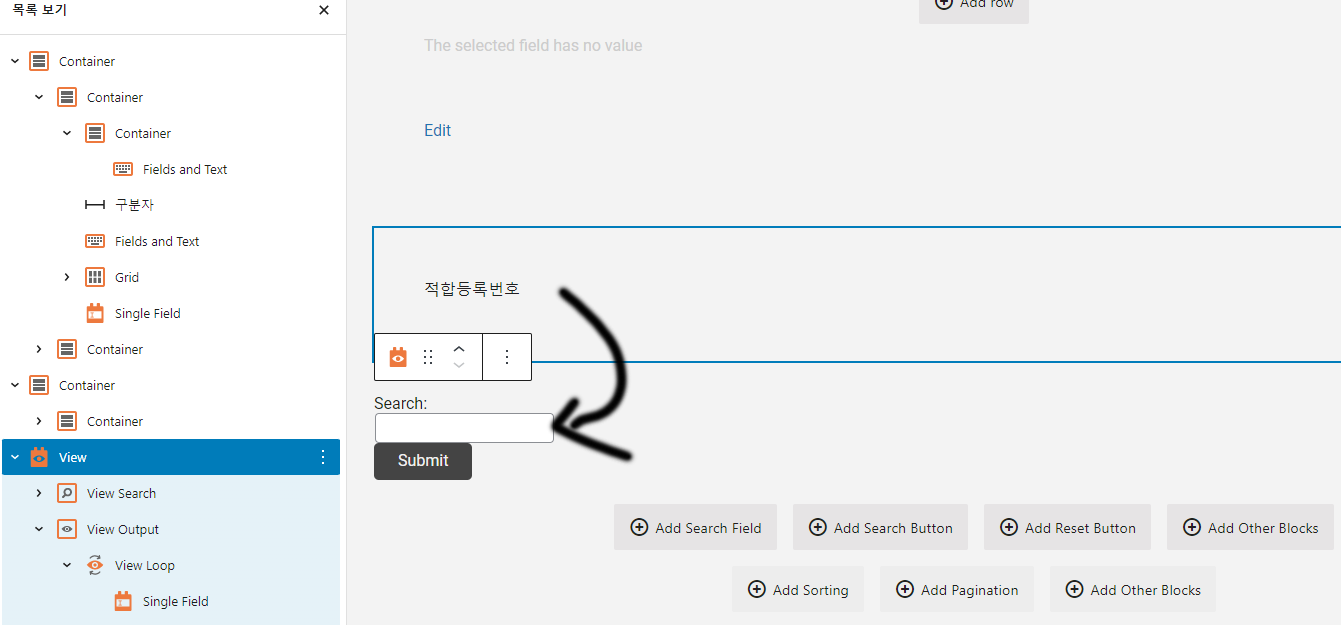
Add a "document" post type view to the "Compliance Category" post type content template, and display posts in the "document" post type view when the page is loaded based on the checkbox field values โ€‹โ€‹of the "Compliance Category" post type. I would like to. Any workaround for this? I've considered relational posts, but haven't seen them add them automatically based on a checked checkbox.

#2576361

Christopher Amirian
Supporter

Languages: English (English )

It seems that you want to use a nested views? If that is the case, it is not possible with the views block and you need to use the legacy views to be able to show nested views.

- Go to "Toolset > Settings > General".
- Find the "Editing experience" section.
- Check the "Show both the legacy and Blocks interface and let me choose which to use for each item I build" checkbox.
- Reload the browser page.
- Go to the newly added "Toolset > Views" menu.
- There you will be able to edit the views.

For more information:
https://toolset.com/course-lesson/enabling-legacy-version-of-toolset-views/

The topic ‘[Closed] How to add a view in the content template and then automatically insert specific’ is closed to new replies.