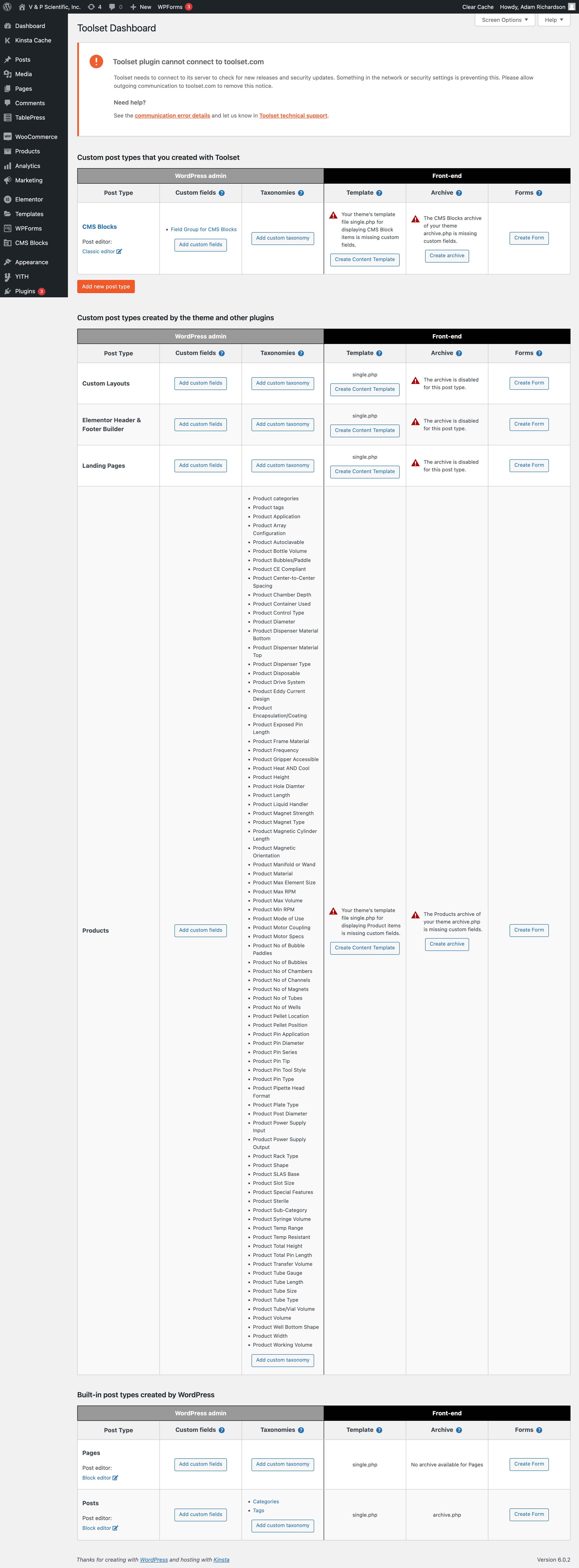
Is this a site you registered previously? Or one that has been registered previously but moved URL?
You should be able to go to Plugins > Add New and then switch to the Commercial tab, where you'll arrive at the custom installer page.
From there you should be able to click the link to register Toolset (or unregister it first if it is wrongly registered). You should use the "Get a key for this site" to generate the site key, to ensure the key is created for this site with the correct URL.
If you have problems, double check that wp-config.php does not set a constant to set the site key (this would only be the case if the site had been registered previously this way).
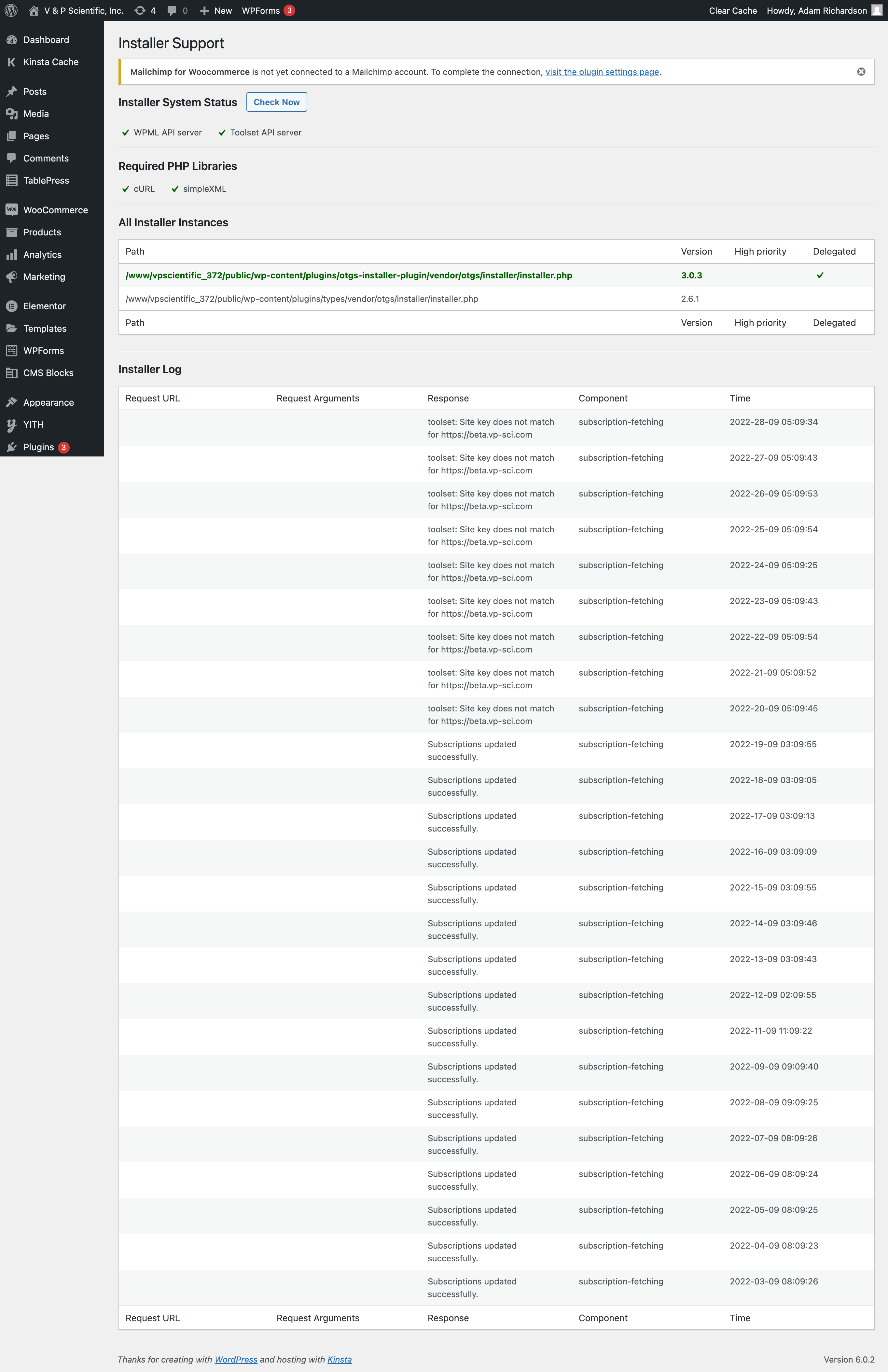
And if you still have problems, go to Toolset > Settings and follow the troubleshooting link at the bottom, and the Installer Support link on that page.
That support page checks communication with Toolset servers, and displays a log of errors if there are any, which may contain more details. If you find something there, please share with us.
Yes, this site was registered previously under a different domain name. I've removed the old domain name and generated a Site Key for the new domain name, but it still says "Site key does not match for hidden link"
It feels like I need to detach the old site key so I can enter int he new one, but I don't see where to do that.