yes im trying to follow the instructions on this page https://toolset.com/lesson-placement/lesson-placements-1622969-1622355/ in this section.... "The “Edit your profile” and “Add a new gym” pages you yet have to create. For now, create text placeholders which you will link a little bit later." can you show me how to link these? where in the documentation does it give example how to link these "a little later"? please point this out.
I have the specific example from that page (and the course). Ive created a "Edit your profile" and a "New Dogwalker" to use the classified example. and now i want to link those placeholders to my to Post and User forms I have created. How to do it? I am sorry I have a blockage just at the moment. the rest has been excellent.
No worries I figured it out the above problem out.... 🙂
thank you!
but I have another more advanced question.
if I am using the dog walker (directory site) example, how do I limit the users who are making a profile on my site to a specific image resolution, size, and most importantly dimensions?
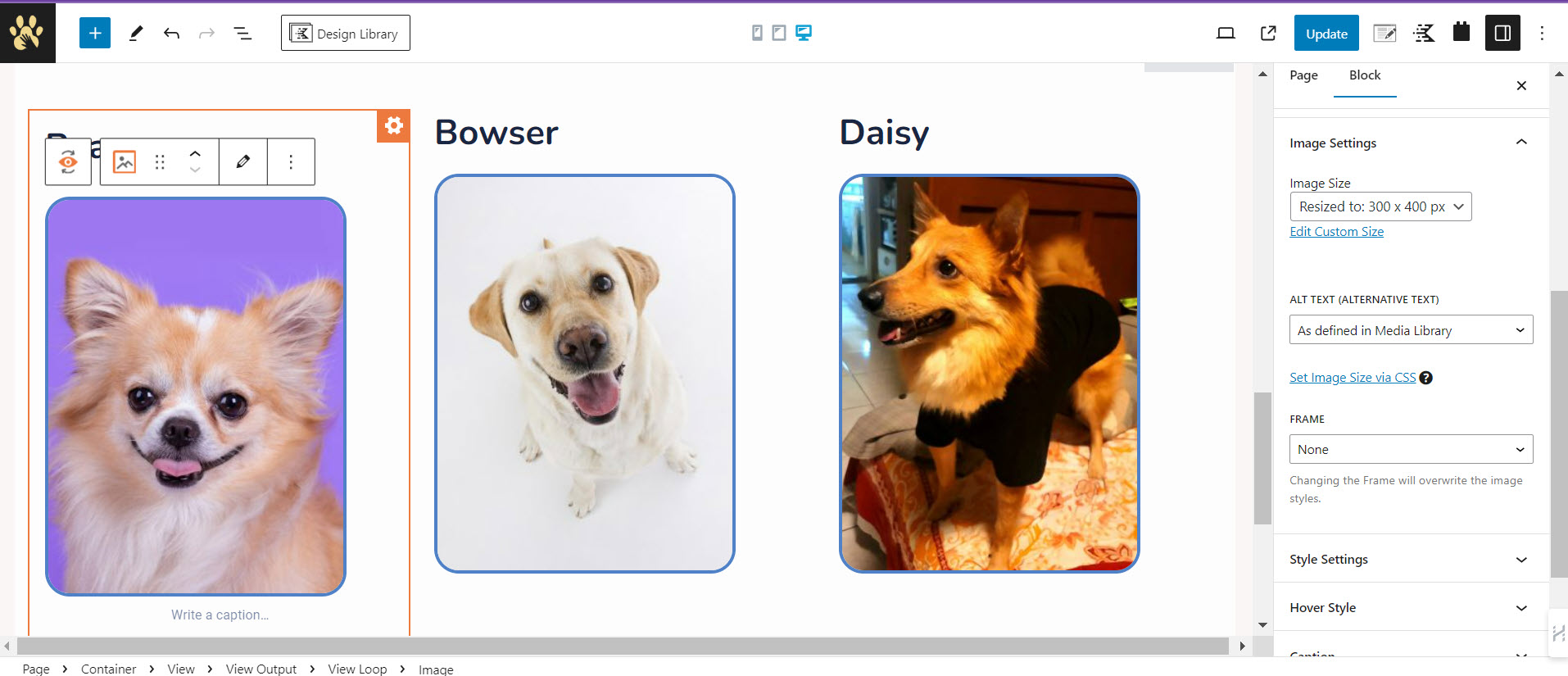
my problem is I dont know how to make all user image uploads display correctly on front end? how does that work? if a user uplaods 2:1 first 1:1 etc. how can we reconcile this for best outcome/look and appearance?
see how the two dog image entries on this page are not perfectly the same dimension hidden link why is that?
the first dog image is Dimensions: 1500 by 2005 pixels
and the second dog image is Dimensions: 1471 by 2048 pixels
how do you force the uploader to stay within specific image requirements?
why cant this system resolve for such a tiny difference?
what is best practice here?
I watched all your documentation and I dont believe you address this issue. do you?
Please advise....
Are there any other best practices or advice you have?
what do you mean exactly? here is a screen shot of the page and the block settings attached. please check.
basically, I am wondering how I limit or how I handle situations where a user uploads a photo of their dog in landscape, but my system is best for portrait. can the system crop and adjust? I think it can. right?
what is your best advice?
thanks you....
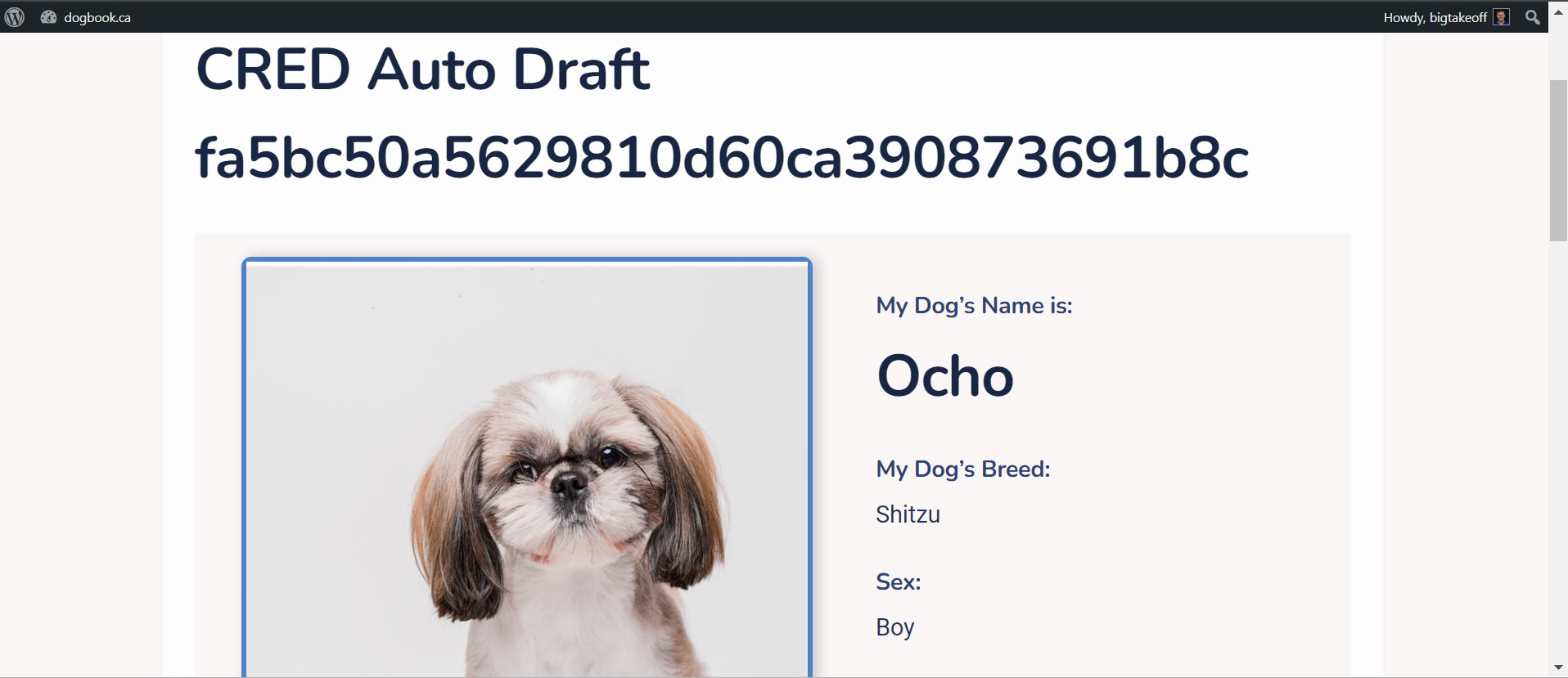
but I have a second question....what is a CRED Auto Draft fa5bc50a5629810d60ca390873691b8c error? why does it show this error when I post a new item on my content template? hidden link
why are all new submission my subscribers turning into this error hidden link ??? help me please
As per our support policy, we entertain only one ticket per question. This will help other users searching on the forum as well as help us to write correct problem resolution summery.
Lets address your issues one by one.
Regarding your original issue:
basically, I am wondering how I limit or how I handle situations where a user uploads a photo of their dog in landscape, but my system is best for portrait. can the system crop and adjust? I think it can. right?
what is your best advice?
==>
Have you tried the croping options?
If that does not work, Can you please share problem URL and admin access details.
*** Please make a FULL BACKUP of your database and website.***
I would also eventually need to request temporary access (WP-Admin and FTP) to your site. Preferably to a test site where the problem has been replicated if possible in order to be of better help and check if some configurations might need to be changed.
I have set the next reply to private which means only you and I have access to it.
I dont understand what you want me to do? make this public or keep it private?
Yes I have tried the so-called "croping options"
I wouldnt say it is 100% perfect. But I can cope with it I think..... if you have any other advice about good practices please enlighten me.
now, my most important question....
what is a CRED Auto Draft fa5bc50a5629810d60ca390873691b8c error? why does it show this error when I post a new item on my content template? hidden link
why are all new submission my subscribers turning into this error hidden link ??? help me please
thank you...
New threads created by Minesh and linked to this one are listed below:
I wouldnt say it is 100% perfect. But I can cope with it I think..... if you have any other advice about good practices please enlighten me.
==>
if you still have any questions regarding the image size display, please let us know and create a new ticket for same.
I'll split the ticket with your additional new question.
what is a CRED Auto Draft fa5bc50a5629810d60ca390873691b8c error? why does it show this error when I post a new item on my content template? hidden link
why are all new submission my subscribers turning into this error hidden link ??? help me please