Skip Navigation

[Closed] Error WordPress System with Toolset Type Plugin

This support ticket is created 3 years, 9 months ago. There's a good chance that you are reading advice that it now obsolete.

This is the technical support forum for Toolset - a suite of plugins for developing WordPress sites without writing PHP.

Everyone can read this forum, but only Toolset clients can post in it. Toolset support works 6 days per week, 19 hours per day.

Sun Mon Tue Wed Thu Fri Sat
- 9:00 – 12:00 9:00 – 12:00 9:00 – 12:00 9:00 – 12:00 9:00 – 12:00 -
- 13:00 – 18:00 13:00 – 18:00 13:00 – 18:00 14:00 – 18:00 13:00 – 18:00 -

Supporter timezone: America/Jamaica (GMT-05:00)

This topic contains 1 reply, has 2 voices.

Last updated by Shane 3 years, 9 months ago.

Assisted by: Shane.

Author
Posts
#2349611
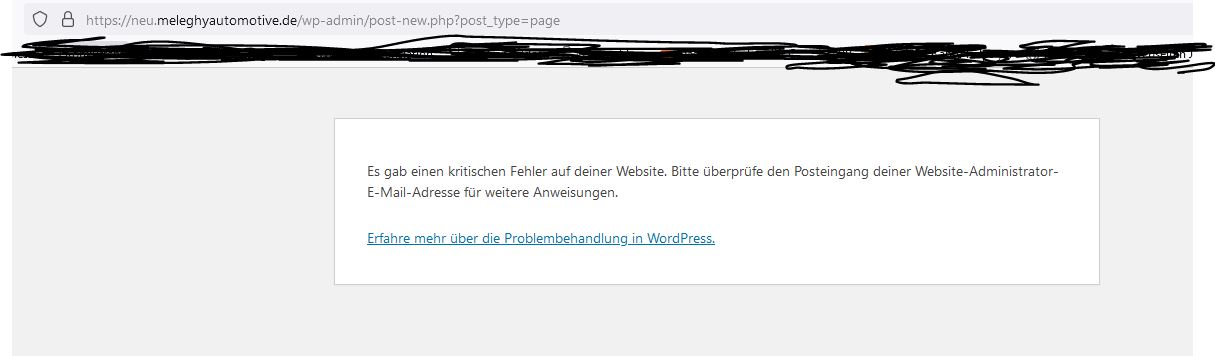
error-plugin.JPG

I'm trying to build a new website with divi, toolset and wordpress for our company. Whenever I start working on it again, it at first lets me in wordpress and when I want to build a new website I get an error as in the picture below, but no email as it says. I deactivated all plugins and reactivated them each one after the other and the error seems to occur with the toolset type and blocks plugin. Our Site is still in the early stages of construction, but it is not good if the system breaks down with your toolset that we thought would make it easier to build the new website with. Any idea what this could be based on? because everything is updated, core is reinstalled and also divi is up to date.

#2349649

Shane
Supporter

Languages: English (English )

Timezone: America/Jamaica (GMT-05:00)

Hi Katharina,

Thank you for getting in touch.

What we recommend doing here is to enable the wordpress debugging functions to understand the error being thrown.

To enable the wordpress debugging you will either need to log into your website using FTP or using your Host's CPanel's file manager.

From there you will need to edit the wp-config file by adding the following.

// Enable WP_DEBUG mode
define( 'WP_DEBUG', true );

// Enable Debug logging to the /wp-content/debug.log file
define( 'WP_DEBUG_LOG', true );

If the define( 'WP_DEBUG', true ); function already exists you will need to change 'false' to 'true'

Once you've done this please revisit the page with the issue and let me know what the issue is.

Thanks,
Shane

The topic ‘[Closed] Error WordPress System with Toolset Type Plugin’ is closed to new replies.